Email Marketing IP Warming: The Complete 2026 Playbook
Most IP warming schedules fail before week two — not because the ramp was too fast, but because the list was never clean. Here is how IP warming actually works in 2026, with a 30-day plan you can copy.
TL;DR
- IP warming is the process of gradually increasing send volume from a new or dormant sending IP so mailbox providers can build a reputation profile for it instead of treating you as a spam cannon.
- A realistic ramp is 3–6 weeks for most senders. Below roughly 100,000 emails per month you probably do not need a dedicated IP at all — a well-managed shared pool will outperform a badly warmed dedicated one.
- The single biggest cause of failed warming is not the ramp curve. It is list quality: bounces above 2% and spam complaints above 0.3% will sink a warm-up no matter how patient your schedule is.
- Warm the IP and the domain separately in your head, but on the same calendar. Reputation in 2026 is domain-weighted at Gmail and IP-weighted at Microsoft, so you need both.
- Order of operations: authenticate (SPF, DKIM, DMARC) → clean the list → segment engaged recipients → ramp → monitor Postmaster Tools daily.
What is email marketing IP warming?#
IP warming is the practice of sending a small, controlled volume of email from a new sending IP address and increasing that volume on a schedule until you hit your target daily send.
Think of it like getting a credit line at a bank. Walk in as a stranger and ask for $500,000 and you get declined. Open an account, borrow $2,000, pay it back on time, borrow $10,000, pay it back — after a few months the bank has a file on you and the big number becomes routine. Mailbox providers work the same way. An IP with no history that suddenly emits 200,000 messages in an hour has exactly one profile match in their models, and it is not "legitimate newsletter."
Technically, what you are building is a reputation record: a rolling profile at Gmail, Microsoft, Yahoo, and the major filtering vendors that ties your IP (and your sending domain) to observable recipient behavior — opens in some models, replies, folder moves, deletions without reading, "report spam" clicks, and hard bounces. Warming gives those systems enough clean data points to classify you before you scale.
The part most guides skip: warming does not create reputation on its own. It creates the opportunity for good recipient behavior to be recorded. If the behavior is bad, warming just documents your problem more slowly.
Do you actually need a dedicated IP?#
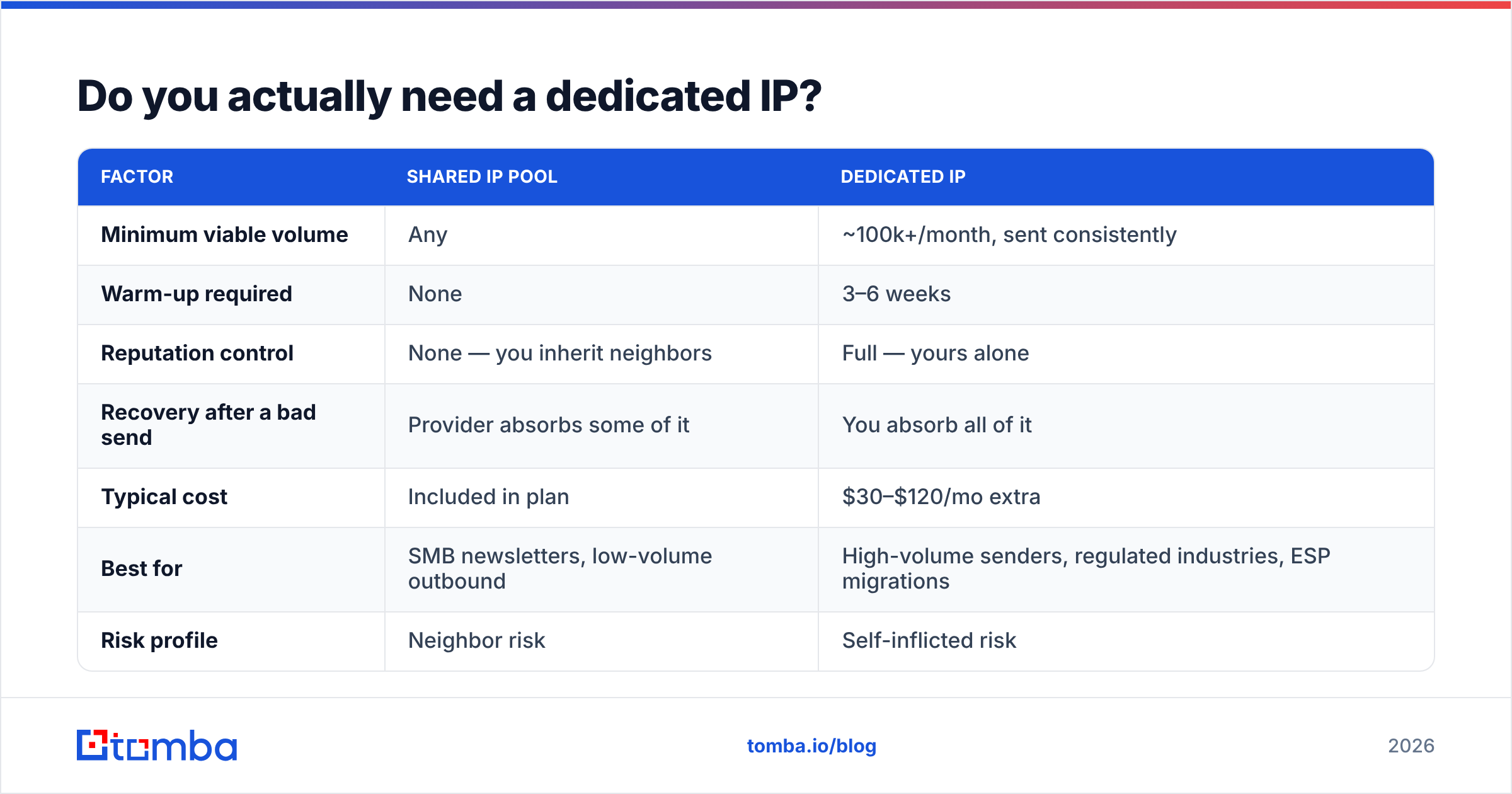
Probably not, and this is worth settling before you spend three weeks on a ramp you did not need.
A dedicated IP means your reputation is entirely yours — good and bad. A shared pool means you inherit the aggregate behavior of everyone else on it, which is a liability with a cheap ESP and an asset with a strict one that kicks out bad actors.
| Factor | Shared IP pool | Dedicated IP |
|---|---|---|
| Minimum viable volume | Any | ~100k+/month, sent consistently |
| Warm-up required | None | 3–6 weeks |
| Reputation control | None — you inherit neighbors | Full — yours alone |
| Recovery after a bad send | Provider absorbs some of it | You absorb all of it |
| Typical cost | Included in plan | $30–$120/mo extra |
| Best for | SMB newsletters, low-volume outbound | High-volume senders, regulated industries, ESP migrations |
| Risk profile | Neighbor risk | Self-inflicted risk |
The volume threshold matters more than people expect. Reputation systems decay: if a dedicated IP goes quiet for two or three weeks, the profile fades and you are partway back to cold. A sender pushing 20,000 emails a month across four campaigns will spend most of the year in a permanent half-warm state. That sender is better served by a reputable shared pool.
You genuinely need a dedicated IP when: you send 100k+/month on a consistent cadence, you are migrating ESPs and need to control the transition, you operate in an industry where a neighbor's compliance failure would be catastrophic, or your legal/security team requires attributable sending infrastructure.
What has to be true before day one?#
Do not start the ramp until all five of these are done. Every one of them is cheaper to fix now than in week three.
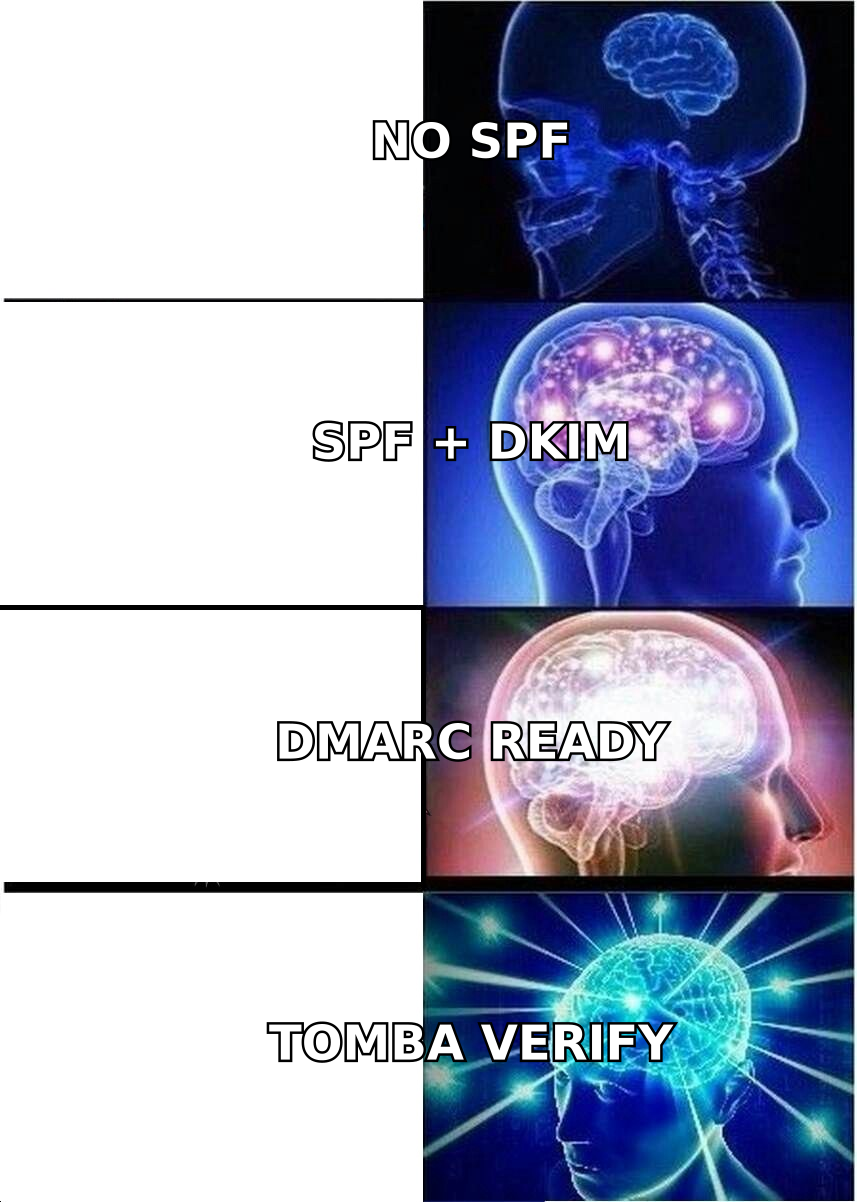
- Authentication is complete and passing. SPF, DKIM, and DMARC — all three, verified with real test sends, not just DNS records that look right. Run your domain through an SPF checker and confirm you are under the 10-lookup limit. Google and Yahoo's bulk sender requirements have made DMARC non-optional for anyone sending over 5,000 messages a day to their users; see Google's sender guidelines for the current thresholds.
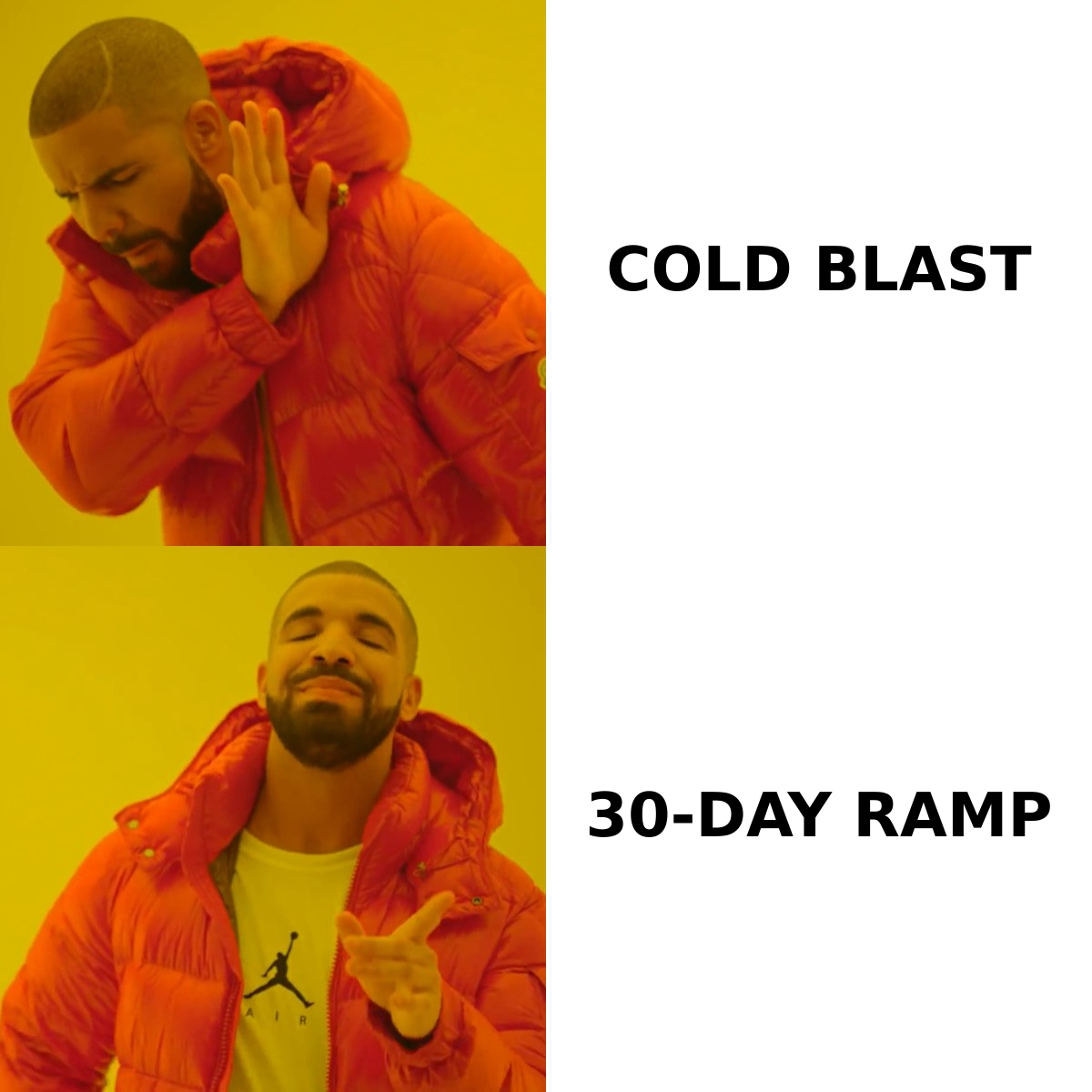
- The list is verified. Every address you send to during warming should have been validated in the last 30 days. Bounces during a warm-up are weighted heavily because you have no counterweight of positive history. Run the list through an email verifier and drop anything that comes back invalid, role-based, or disposable before it ever touches the new IP.
- You have a live feedback path. Google Postmaster Tools, Microsoft SNDS, and your ESP's bounce/complaint webhooks. If you cannot see your complaint rate daily, you are warming blind.
- One-click unsubscribe is live. List-Unsubscribe and List-Unsubscribe-Post headers. This is a hard requirement for bulk senders now, and it also protects you: a recipient who unsubscribes easily is a recipient who did not click "spam."
- You have a segment of genuinely engaged recipients. Ideally people who opened or clicked in the last 30–90 days. This is your warming fuel and you will burn through it, so know how big it is before you plan the curve.
What does a real 30-day warming schedule look like?#
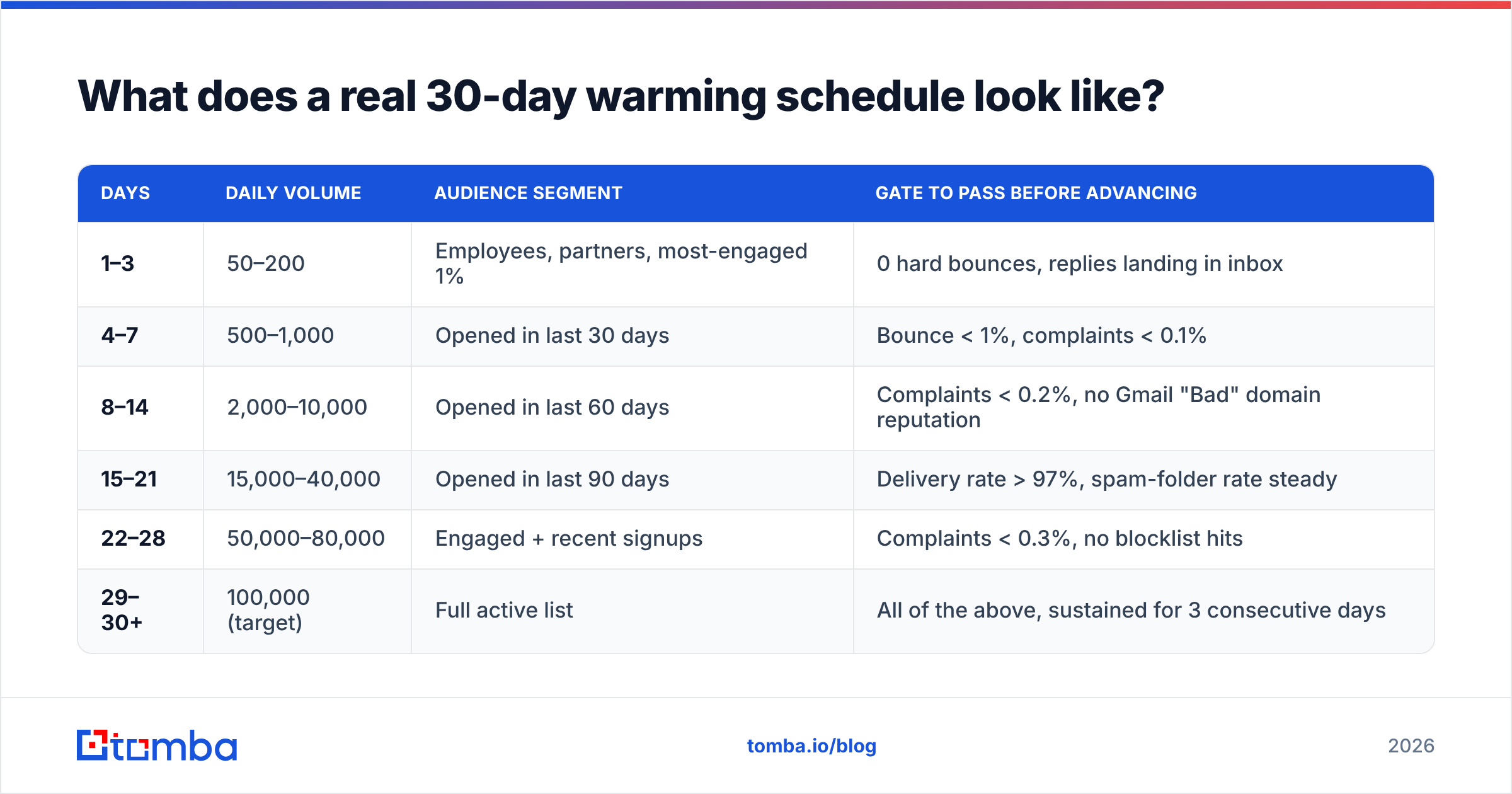
Here is a workable ramp for a sender targeting roughly 100,000 emails per day. Scale the numbers proportionally to your own target — the shape matters more than the absolute figures.
| Days | Daily volume | Audience segment | Gate to pass before advancing |
|---|---|---|---|
| 1–3 | 50–200 | Employees, partners, most-engaged 1% | 0 hard bounces, replies landing in inbox |
| 4–7 | 500–1,000 | Opened in last 30 days | Bounce < 1%, complaints < 0.1% |
| 8–14 | 2,000–10,000 | Opened in last 60 days | Complaints < 0.2%, no Gmail "Bad" domain reputation |
| 15–21 | 15,000–40,000 | Opened in last 90 days | Delivery rate > 97%, spam-folder rate steady |
| 22–28 | 50,000–80,000 | Engaged + recent signups | Complaints < 0.3%, no blocklist hits |
| 29–30+ | 100,000 (target) | Full active list | All of the above, sustained for 3 consecutive days |
Four rules that make this schedule work:
- Roughly double, do not multiply by ten. A 1.5x–2x daily increase is the tolerance band most filtering systems accept. Jumping from 2,000 to 50,000 overnight reads as a compromised account.
- Send at a consistent time each day. Erratic timing is itself a spam signal, and consistency makes your daily metrics comparable.
- Never skip a day mid-ramp. A three-day gap in week two costs you more progress than one extra day of patience would have.
- Treat the gate column as a stop condition, not a suggestion. If complaints spike, hold volume flat for 48 hours. If they spike again, go back one row. Repeating yesterday's volume is always cheaper than recovering from a block.
A useful sanity check before you commit: run your target volume and list size through an email warmup calculator to see how many days the ramp actually needs. Most teams underestimate by about a week.
Which signals do mailbox providers actually watch?#
Warming succeeds or fails on these, in roughly this order of weight:
- Spam complaint rate. The one that kills you fastest. Google's stated ceiling is 0.3%, and you should treat 0.1% as your operating target. At 0.5% you are already being throttled.
- Hard bounce rate. Above 2% and you look like you bought a list. During warming, keep it under 1%. This is entirely a list-hygiene problem, not a sending problem.
- Spam trap hits. Pristine traps (addresses that never opted in) and recycled traps (abandoned addresses reactivated by the provider). Recycled traps are the reason "we've had this list since 2021" is a dangerous sentence.
- Engagement depth. Opens are weak signals in a post-MPP world. Replies, forwards, and moves from spam to inbox are strong ones. Design warm-up campaigns to invite replies, not just clicks.
- Sending consistency. Volume variance day over day. Flat and boring wins.
- Authentication alignment. SPF and DKIM passing and aligned with the From domain. Misalignment turns DMARC into a rejection engine pointed at yourself.
Your sender reputation is the aggregate of these, and it is not one number — Gmail, Microsoft, and Yahoo each maintain their own view. It is entirely normal to be "High" at Gmail and throttled at Outlook in the same week. Check both dashboards.
Is IP warming the same as domain warming?#
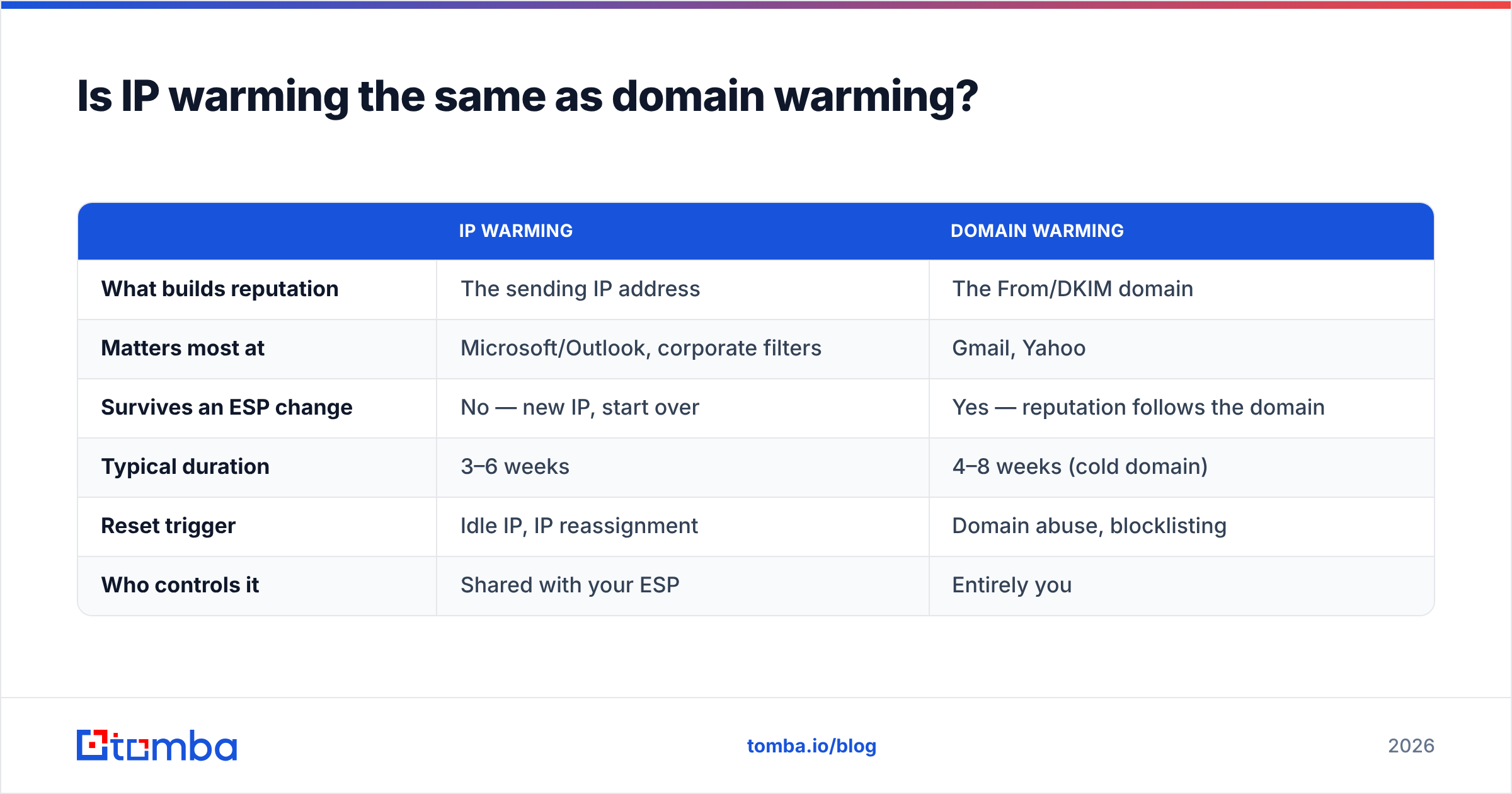
No, and conflating them is a common and expensive mistake.
| IP warming | Domain warming | |
|---|---|---|
| What builds reputation | The sending IP address | The From/DKIM domain |
| Matters most at | Microsoft/Outlook, corporate filters | Gmail, Yahoo |
| Survives an ESP change | No — new IP, start over | Yes — reputation follows the domain |
| Typical duration | 3–6 weeks | 4–8 weeks (cold domain) |
| Reset trigger | Idle IP, IP reassignment | Domain abuse, blocklisting |
| Who controls it | Shared with your ESP | Entirely you |
The practical implication: domain reputation is the asset you actually own. If you migrate ESPs, your carefully warmed IP reputation stays behind but your domain reputation travels with you. That is why serious senders warm a dedicated IP and protect the domain independently — and why sending cold outbound from your primary corporate domain is a bad trade. Use a separate sending subdomain or a lookalike domain for outbound programs, and keep transactional mail on infrastructure you never gamble with. Amazon's own SES dedicated IP warming documentation walks through the automated version of this ramp if you want a vendor-neutral reference schedule.
What breaks a warm-up, and how do you recover?#
Five failure modes account for nearly everything that goes wrong:
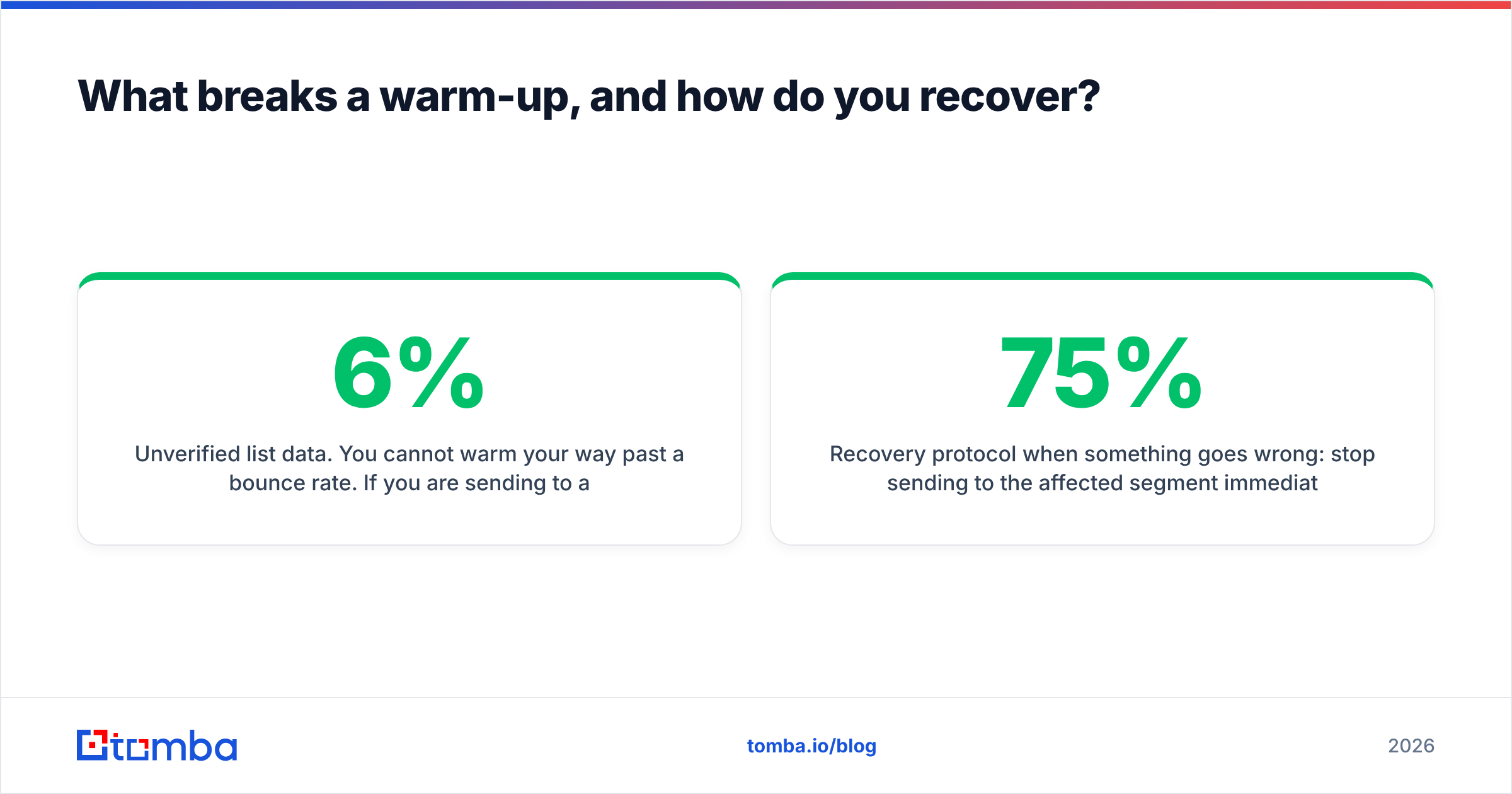
Unverified list data. You cannot warm your way past a 6% bounce rate. If you are sending to addresses sourced from scrapes, exports, or a spreadsheet last touched in 2023, verify before you ramp — bulk verification on 50,000 addresses costs less than one week of blocked sending.
Over-eager volume jumps. Someone sees good week-one numbers and pushes 10x on day nine. The fix is procedural, not technical: put the schedule in a shared doc and require a second person to approve any deviation.
Sending to unengaged segments too early. Your 2019 signups have the highest complaint probability of any cohort. They belong in week five, if at all.
Content that trips filters. Heavy images, link shorteners, spammy subject lines, and mismatched link domains all compound during warming when you have no reputation buffer. Run drafts through a spam checker before the send, not after.
Undetected blocklisting. Spamhaus, SpamCop, and Barracuda listings can happen mid-ramp and will not always show up as bounces you notice. Check with a blacklist checker at least twice a week during warming.
Recovery protocol when something goes wrong: stop sending to the affected segment immediately, drop daily volume by 75%, send only to your top-engagement cohort for five days, request delisting where applicable, and resume the ramp from two rows earlier in the table. Do not try to "send through it." Volume never fixes a reputation problem — it only compounds it.
How do you know when warming is done?#
You are warm when all four of these hold for five consecutive days at target volume:
- Delivery rate above 98%
- Gmail Postmaster domain reputation showing "High" (or steady "Medium" with no downward trend)
- Complaint rate under 0.1%
- No throttling or deferral messages in your ESP logs
Note that "done" is conditional, not permanent. Reputation decays with inactivity and collapses with one bad list. Senders who go quiet for a month should plan a short re-ramp — usually 5–7 days rather than a full 30 — before returning to full volume.
Set up a recurring monthly check: verify any list segment that has not been mailed in 90 days, review Postmaster trends, and confirm authentication records still pass after any DNS change. Most deliverability disasters are DNS changes nobody told the marketing team about.
Where to start#
If you are setting up a warming program this quarter, do the boring part first. Clean data beats a clever ramp every single time — the schedule above assumes bounce rates under 1%, and hitting that number is a list-hygiene job, not a sending job.
Start by making sure the addresses you are about to warm against are real. Tomba's Email Finder sources verified professional addresses with confidence scoring, so the contacts entering your warming segments are ones that will actually accept mail — and the built-in verifier lets you scrub existing lists before they ever touch your new IP. The free tier covers 25 searches a month if you want to test the accuracy on your own data first; paid plans start at $49/mo, with full Tomba pricing laid out if you need bulk volume or API access to wire verification into your ESP workflow.
Warm the IP patiently. Verify the list ruthlessly. In that order.
Related guides#
Ready to find emails that actually work?
Join 150,000+ professionals who stopped guessing and started sending. Free credits on signup — no credit card required.
Get the Tomba newsletter
Practical outbound tactics and product updates — once every two weeks.
About the author