What Is an Email MTA? How Mail Transfer Agents Work
Your email MTA is the software that actually hands your message to Gmail. Here is how MTAs work, how they differ from MSAs and MDAs, and whether self-hosting one is worth the operational cost in 2026.
TL;DR
- An email MTA (Mail Transfer Agent) is the server software that accepts a message and relays it over SMTP to the next hop until it reaches the recipient's mail server. Postfix, Exim, Haraka, and PowerMTA are MTAs; Gmail and Outlook are not.
- The MTA is only one of four moving parts. The MSA accepts your submission, the MTA routes it, the MDA files it into a mailbox, and the MUA is the client you read it in.
- Self-hosting an MTA gives you full control of IPs, queues, and throttling, but you inherit reputation management, TLS certs, feedback loops, and PTR records as a permanent job.
- For most B2B outbound teams, a managed relay plus disciplined list hygiene beats a self-hosted MTA. Your bounce rate is set by data quality long before it is set by server config.
- The single highest-ROI change to MTA-level deliverability is not tuning
smtpd_recipient_restrictions— it is verifying addresses before they ever enter the queue.
What is an email MTA?#
An email MTA is the program that takes a message off a queue and speaks SMTP to another server on the internet until the message is accepted or permanently rejected.
Think of it as the sorting depot in a parcel network. You drop a package at the counter (your mail client), the depot reads the destination, decides which truck it goes on, retries when the receiving depot is closed, and stamps a failure notice when the address does not exist. The MTA is that depot. It never composes mail and it never shows you an inbox — it moves envelopes.
Concretely, an MTA does five things:
- Accepts messages from authenticated senders or from other MTAs on port 25, 465, or 587.
- Resolves the destination by looking up MX records for the recipient domain in DNS.
- Opens an SMTP conversation with the receiving server, negotiates STARTTLS, and transmits the message.
- Manages a retry queue when the far side returns a 4xx temporary failure, backing off over hours or days.
- Generates bounces (NDRs) when the far side returns a 5xx permanent failure, or when retries expire.
The distinction that trips people up: Gmail, Outlook, and Zoho are services that happen to contain MTAs. When someone asks "which email MTA should I use," they are usually asking about self-hostable software like Postfix or a commercial sending engine, not about a mailbox provider.
How does a message actually travel through an MTA?#
Every hop your cold email takes is a decision point where it can be delayed, rewritten, or dropped. Here is the sequence in order:
- Submission. Your client or sequencer connects to port 587 with credentials. The receiving component here is technically an MSA, not an MTA, and it applies sender rewriting, DKIM signing, and rate limits.
- Queueing. The message is written to disk with an envelope sender and one or more envelope recipients. Envelope recipients are what the MTA actually routes on — not the
To:header, which is just text. - Routing. The MTA queries DNS for MX records on each recipient domain, sorts by priority, and picks the lowest-numbered reachable host. No MX record means it falls back to the A record.
- Transfer. SMTP handshake,
EHLO, STARTTLS negotiation,MAIL FROM,RCPT TO,DATA. The receiving MTA answers each command with a status code. 250 is acceptance; 421 and 451 are "come back later"; 550 is "this address does not exist." - Delivery or deferral. On acceptance, the receiving MTA hands off to an MDA that applies filters and writes to the mailbox. On deferral, your MTA re-queues with exponential backoff. On rejection, it emits a bounce back to the return-path address.
The reason this matters for outbound: steps 4 and 5 are where reputation is scored. Gmail and Microsoft do not wait until a human clicks "spam" to judge you. A high ratio of 550 responses at RCPT TO — invalid recipients — is one of the fastest ways to get an IP throttled. That failure is caused by your list, not your server.
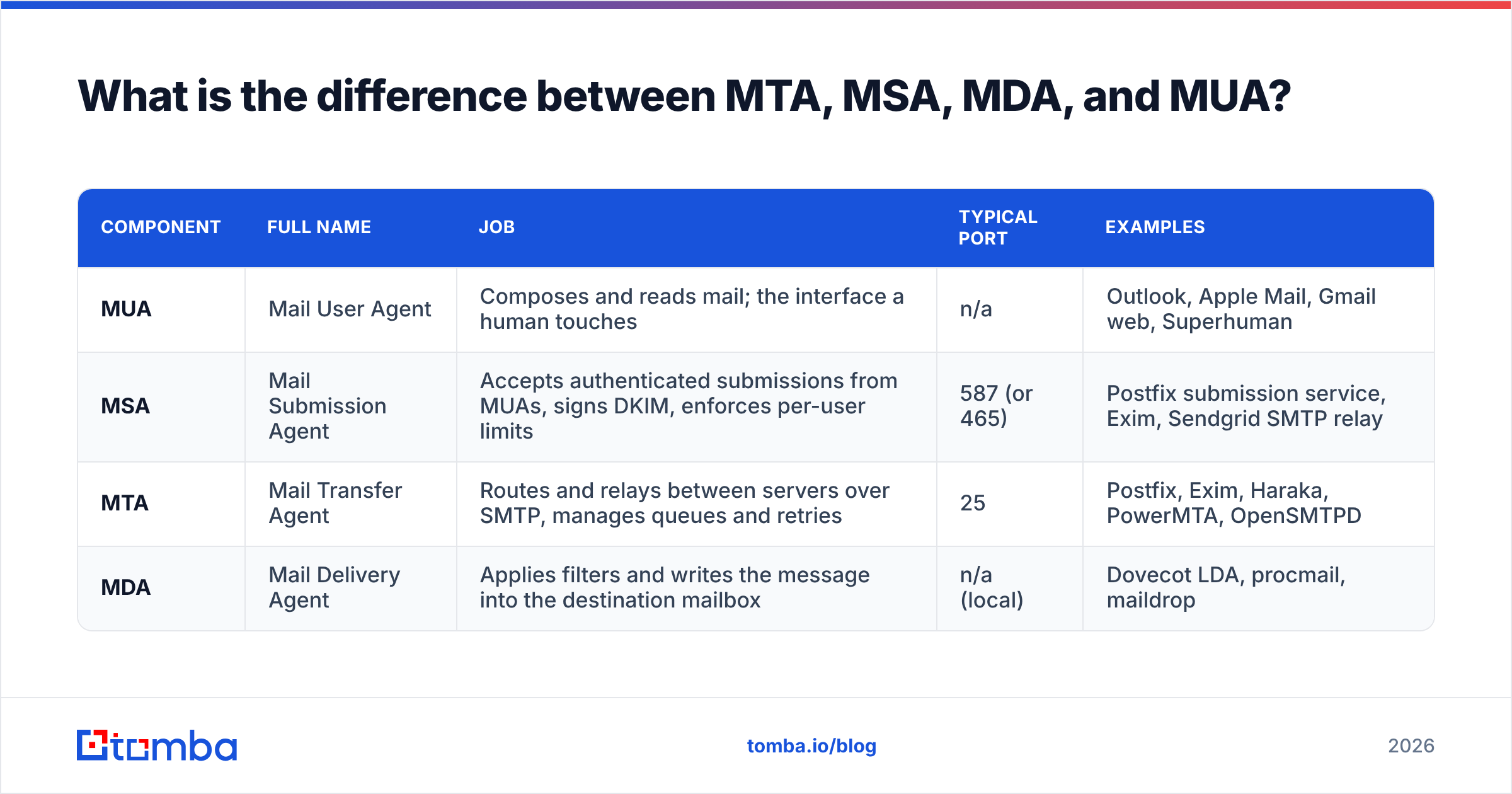
What is the difference between MTA, MSA, MDA, and MUA?#
These four acronyms describe distinct roles, and mixing them up leads to bad architecture decisions. Some software fills more than one role — Postfix acts as both MSA and MTA depending on which port and configuration handles the connection.
| Component | Full name | Job | Typical port | Examples |
|---|---|---|---|---|
| MUA | Mail User Agent | Composes and reads mail; the interface a human touches | n/a | Outlook, Apple Mail, Gmail web, Superhuman |
| MSA | Mail Submission Agent | Accepts authenticated submissions from MUAs, signs DKIM, enforces per-user limits | 587 (or 465) | Postfix submission service, Exim, Sendgrid SMTP relay |
| MTA | Mail Transfer Agent | Routes and relays between servers over SMTP, manages queues and retries | 25 | Postfix, Exim, Haraka, PowerMTA, OpenSMTPD |
| MDA | Mail Delivery Agent | Applies filters and writes the message into the destination mailbox | n/a (local) | Dovecot LDA, procmail, maildrop |
A practical consequence: when a deliverability vendor says "we improve your MTA," check whether they mean the relay you send through or the filtering that happens after the receiving MTA accepts. Those are entirely different problems with entirely different fixes. The email deliverability chain has more links than most sequencer dashboards show you.
Which email MTA software should you actually consider?#
If you have decided to run your own, the shortlist is short. Most of the field converged years ago, and the differences are about operational model rather than raw throughput.
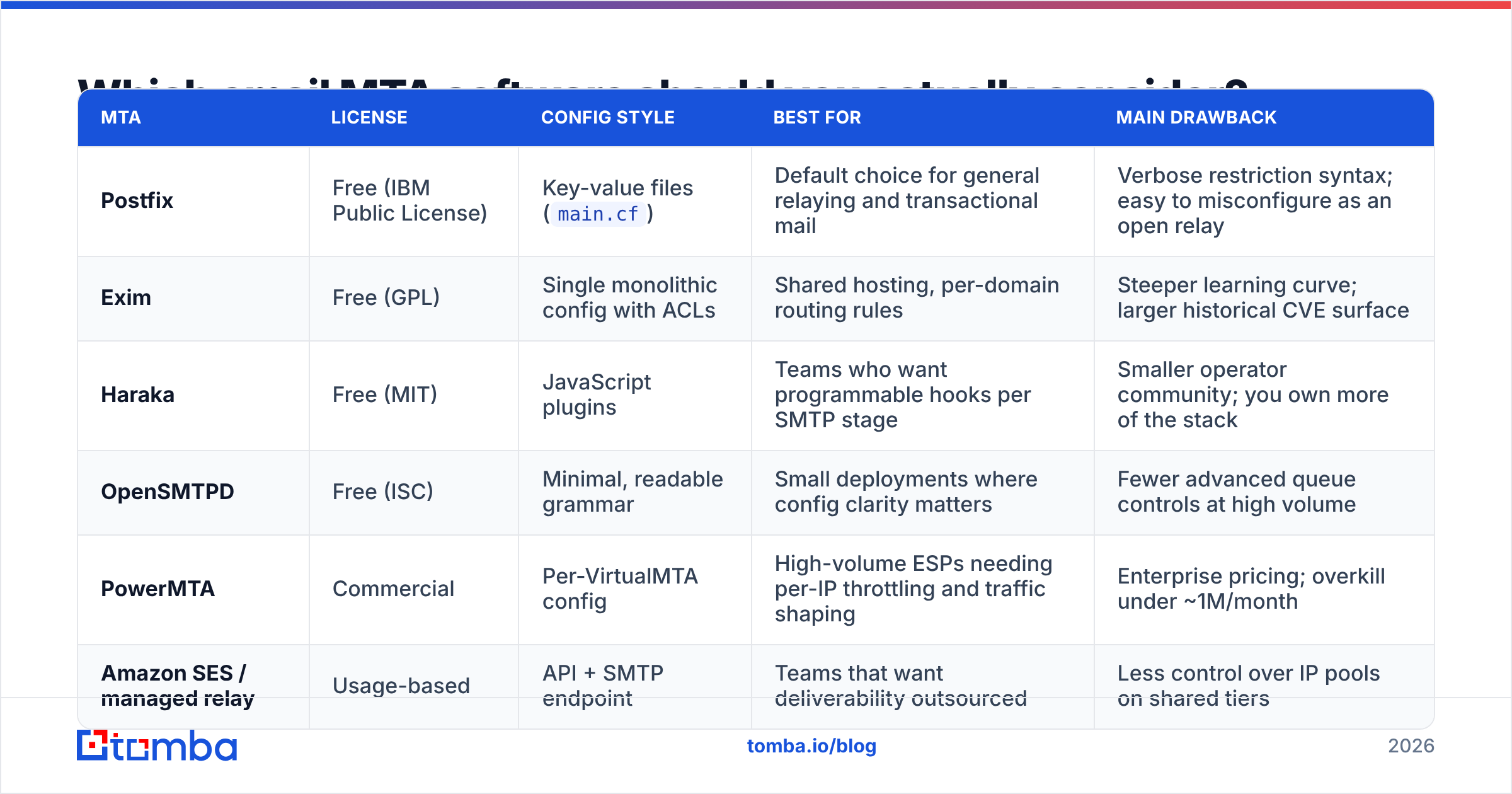
| MTA | License | Config style | Best for | Main drawback |
|---|---|---|---|---|
| Postfix | Free (IBM Public License) | Key-value files (main.cf) |
Default choice for general relaying and transactional mail | Verbose restriction syntax; easy to misconfigure as an open relay |
| Exim | Free (GPL) | Single monolithic config with ACLs | Shared hosting, per-domain routing rules | Steeper learning curve; larger historical CVE surface |
| Haraka | Free (MIT) | JavaScript plugins | Teams who want programmable hooks per SMTP stage | Smaller operator community; you own more of the stack |
| OpenSMTPD | Free (ISC) | Minimal, readable grammar | Small deployments where config clarity matters | Fewer advanced queue controls at high volume |
| PowerMTA | Commercial | Per-VirtualMTA config | High-volume ESPs needing per-IP throttling and traffic shaping | Enterprise pricing; overkill under ~1M/month |
| Amazon SES / managed relay | Usage-based | API + SMTP endpoint | Teams that want deliverability outsourced | Less control over IP pools on shared tiers |
Two honest notes. First, Amazon SES and comparable relays are not MTAs you administer — they are MTAs somebody else administers, exposed to you through an SMTP endpoint or API. That is usually the point. Second, throughput is almost never the binding constraint. Postfix on a modest VPS will happily push more mail per hour than any receiving provider will accept from a new IP.
Should you run your own MTA or use a relay?#
Run your own MTA when you need per-recipient routing logic, when compliance requires that message content never touch a third party, or when your volume makes per-message relay pricing genuinely painful. Use a relay in every other case.
The decision usually collapses once you list the recurring work self-hosting creates:
- IP warmup. A cold IP sending 5,000 messages on day one gets throttled. Warming takes weeks of ramped volume with clean engagement. Run the numbers with an email warmup calculator before you commit to a schedule.
- Reverse DNS and alignment. PTR must match your HELO name, SPF must authorize the sending IP, DKIM must sign with an aligned domain, and DMARC must pass. One missing PTR record and Microsoft rejects at connect time.
- Blocklist monitoring. Spamhaus, SORBS, and Barracuda listings need active watching. Check current status with a blacklist checker rather than discovering the listing through a client complaint.
- Feedback loops. Yahoo, Microsoft, and others offer FBLs that report complaints. Registering and processing them is manual setup work per provider.
- TLS certificate rotation. Expired certs on port 25 cause silent downgrades or hard failures depending on the receiver.
- Queue observability. You need alerting on deferred-queue depth, or you find out about a routing problem two days late.
None of that is exotic. It is just a permanent part-time job that a relay absorbs for you.

How does your MTA affect deliverability?#
Your MTA influences three signals receivers score, and it is powerless over a fourth that matters more.
What the MTA controls:
- Connection behavior. Concurrent connections per destination, retry cadence, and whether you respect 4xx backoff. Hammering a deferring server converts a soft throttle into a hard block.
- Authentication. DKIM signing happens at submission. A misconfigured selector breaks alignment and hands DMARC a failure.
- Envelope hygiene. Correct return-path, no null-sender abuse, bounce processing that actually suppresses addresses after a hard failure.
What the MTA cannot control:
- Whether the address exists. No amount of queue tuning fixes a list where 18% of recipients are gone. The MTA dutifully attempts each one, collects 550s, and your sender reputation absorbs the damage.
Google's own guidance for bulk senders — published in its Postmaster Tools documentation — leads with authentication, complaint rate under 0.3%, and one-click unsubscribe. Notice that none of those are MTA software choices. They are process choices.
That is the uncomfortable finding for anyone hoping a server migration will fix inbox placement: two teams running identical Postfix configs on identical IP ranges will get wildly different results if one verifies its list and the other does not.
What actually keeps your bounce rate low?#
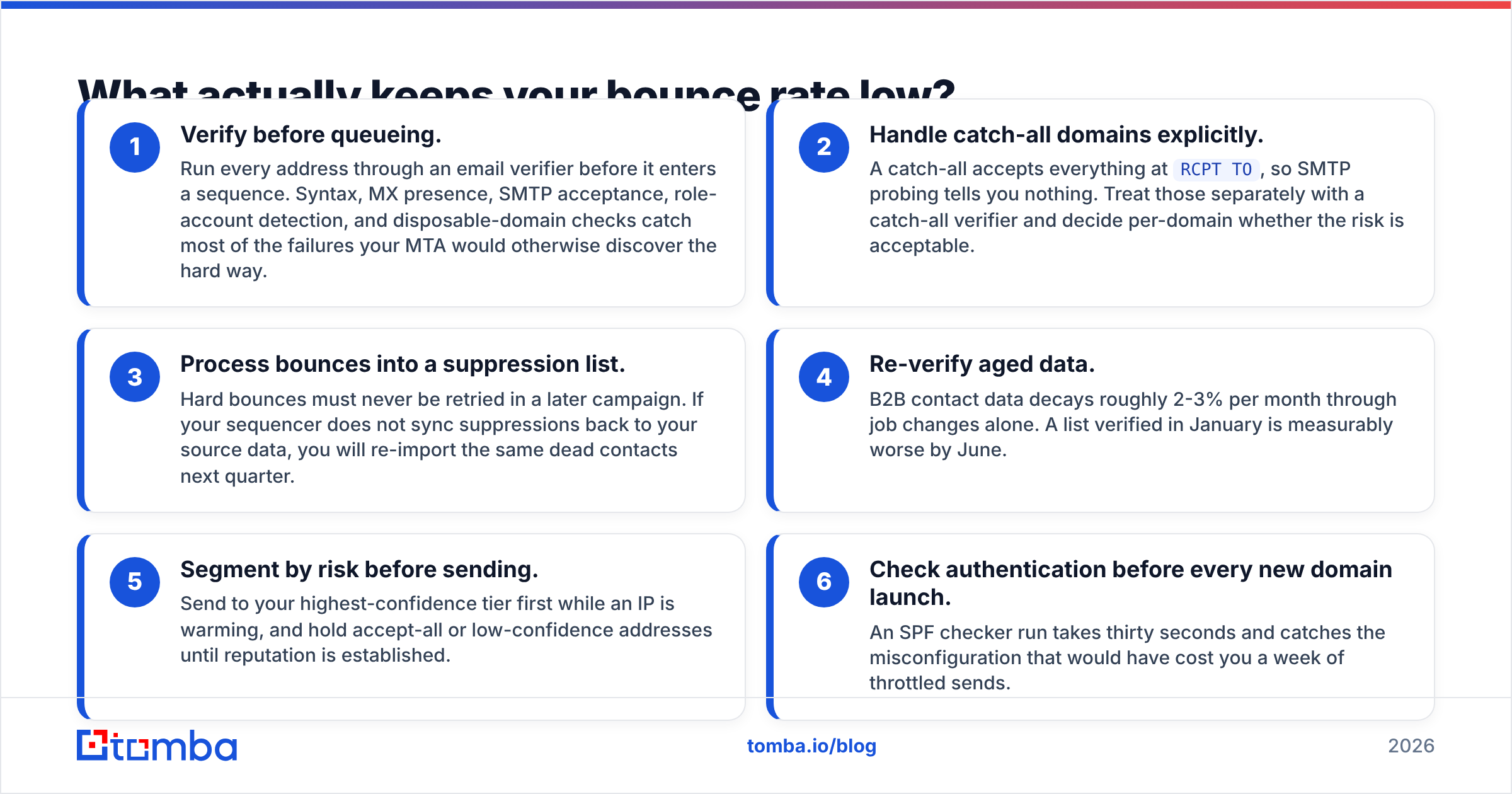
Bounce rate is a data problem wearing an infrastructure costume. The fix sequence, in order of impact:
- Verify before queueing. Run every address through an email verifier before it enters a sequence. Syntax, MX presence, SMTP acceptance, role-account detection, and disposable-domain checks catch most of the failures your MTA would otherwise discover the hard way.
- Handle catch-all domains explicitly. A catch-all accepts everything at
RCPT TO, so SMTP probing tells you nothing. Treat those separately with a catch-all verifier and decide per-domain whether the risk is acceptable. - Process bounces into a suppression list. Hard bounces must never be retried in a later campaign. If your sequencer does not sync suppressions back to your source data, you will re-import the same dead contacts next quarter.
- Re-verify aged data. B2B contact data decays roughly 2-3% per month through job changes alone. A list verified in January is measurably worse by June.
- Segment by risk before sending. Send to your highest-confidence tier first while an IP is warming, and hold accept-all or low-confidence addresses until reputation is established.
- Check authentication before every new domain launch. An SPF checker run takes thirty seconds and catches the misconfiguration that would have cost you a week of throttled sends.
For teams building lists rather than buying them, the upstream step matters just as much. A domain search that returns verified, pattern-confirmed addresses puts fewer invalid entries into the pipeline in the first place, which means fewer 550s for your MTA to collect and fewer complaints against your IP.
How do you test an MTA before you trust it?#
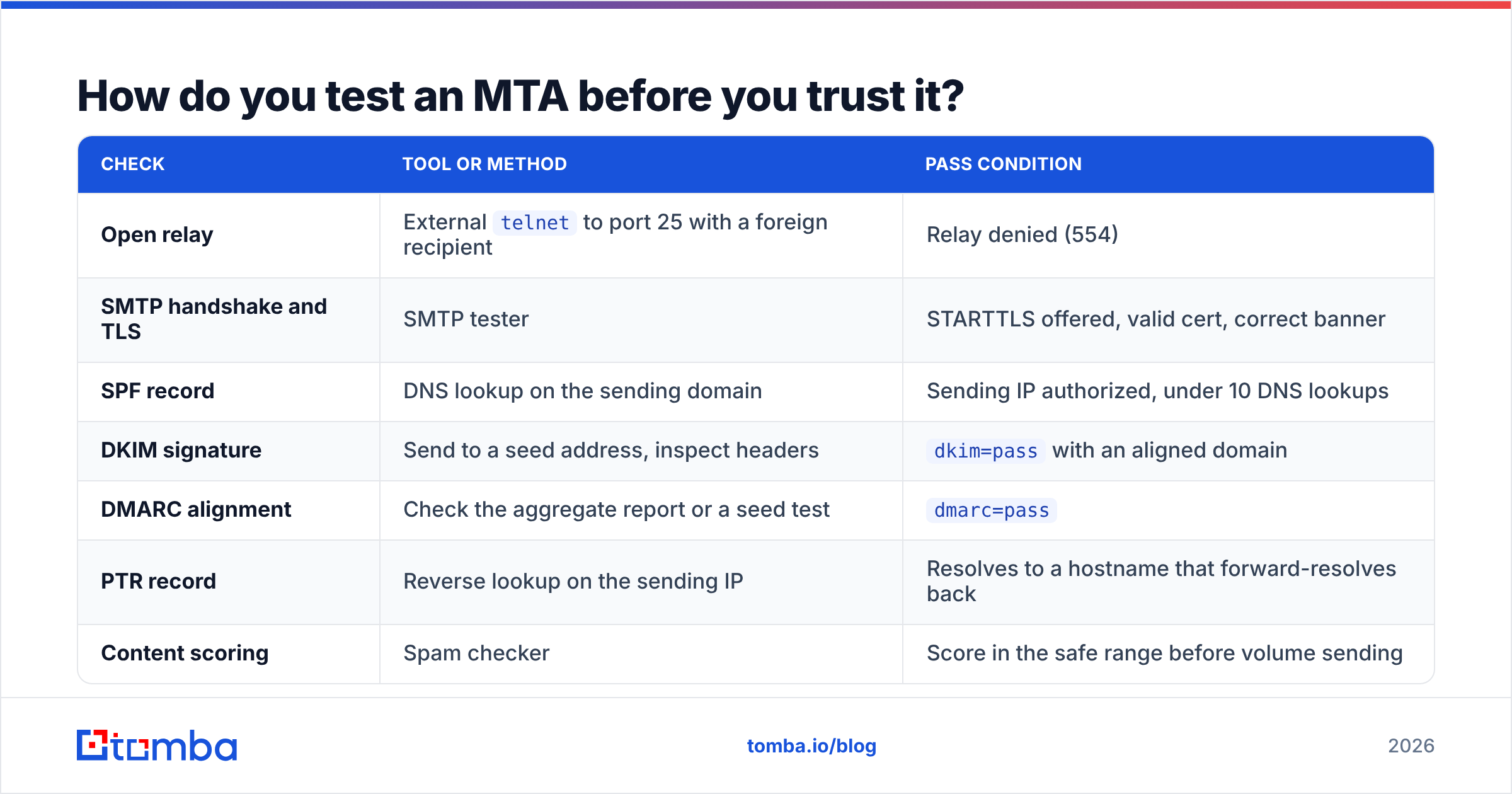
Do not discover configuration problems in production. A pre-flight sequence takes under an hour:
| Check | Tool or method | Pass condition |
|---|---|---|
| Open relay | External telnet to port 25 with a foreign recipient |
Relay denied (554) |
| SMTP handshake and TLS | SMTP tester | STARTTLS offered, valid cert, correct banner |
| SPF record | DNS lookup on the sending domain | Sending IP authorized, under 10 DNS lookups |
| DKIM signature | Send to a seed address, inspect headers | dkim=pass with an aligned domain |
| DMARC alignment | Check the aggregate report or a seed test | dmarc=pass |
| PTR record | Reverse lookup on the sending IP | Resolves to a hostname that forward-resolves back |
| Content scoring | Spam checker | Score in the safe range before volume sending |
If any row fails, fix it before your first real send. Reputation is much cheaper to build than to repair — a blocked IP can take weeks to recover, and some receivers apply a memory that outlasts the technical fix.
Is a self-hosted email MTA worth it in 2026?#
For most B2B sales and marketing teams, no. The infrastructure has commoditized, managed relays have absorbed the hard parts, and the marginal control you gain from running Postfix yourself rarely translates into better inbox placement. Where self-hosting still wins: regulated environments with data-residency requirements, product companies embedding mail into their own platform, and high-volume senders whose per-message relay costs have crossed into six figures.
Where every team is equal is data quality. The MTA is downstream of your list. Feed it good addresses and a boring managed relay outperforms a beautifully tuned self-hosted stack fed with scraped junk.
Where should you start?#
Start upstream. Before you touch queue parameters, IP pools, or a migration plan, make sure the addresses entering your system are real.
Tomba Email Finder returns verified professional addresses by domain, name, or company, with confidence scoring and source attribution so you know why an address was returned. Every result runs through the same verification path your MTA would otherwise stress-test in production — except here a bad address costs you a credit instead of your sender reputation. The free tier covers 25 searches a month, and paid plans start at $49/mo; full Tomba pricing is public if you want to model cost against your current bounce rate.
Fix the list first. The MTA gets a lot easier after that.
Related guides#
Ready to find emails that actually work?
Join 150,000+ professionals who stopped guessing and started sending. Free credits on signup — no credit card required.
Get the Tomba newsletter
Practical outbound tactics and product updates — once every two weeks.
About the author