Email Scrubber: How List Cleaning Actually Works in 2026
An email scrubber removes dead, risky, and fake addresses before they burn your sender reputation. Here's how scrubbing works, what it costs, and how the main tools compare in 2026.
TL;DR
- An email scrubber is a tool that removes invalid, dead, duplicate, role-based, and spam-trap addresses from a list before you send to it.
- Scrubbing is not the same as verification: verification checks one address at a time, scrubbing processes a whole file and applies removal rules across it.
- Expect a good scrubber to catch 95-99% of hard bounces. No tool catches 100% — catch-all domains and recycled traps are structurally hard.
- Costs run roughly $0.0004-$0.01 per address depending on volume and vendor. Cleaning a 50,000-record list costs less than one blocked sending domain.
- Scrub before every campaign if the list is older than 90 days. B2B data decays around 22-30% per year, and most of that decay is silent.
What is an email scrubber?#
An email scrubber is a tool that takes a list of email addresses and returns a smaller, safer list. Think of it like a water filter on a well: the water still comes from the same source, but the sediment, rust, and bacteria come out before it reaches your tap.
Concretely, a scrubber runs each address through a sequence of checks and then applies a removal policy — the part that distinguishes scrubbing from plain verification. A verifier tells you "this address is risky." A scrubber tells you "these 4,182 addresses are gone, here's your clean file, here's your suppression list."
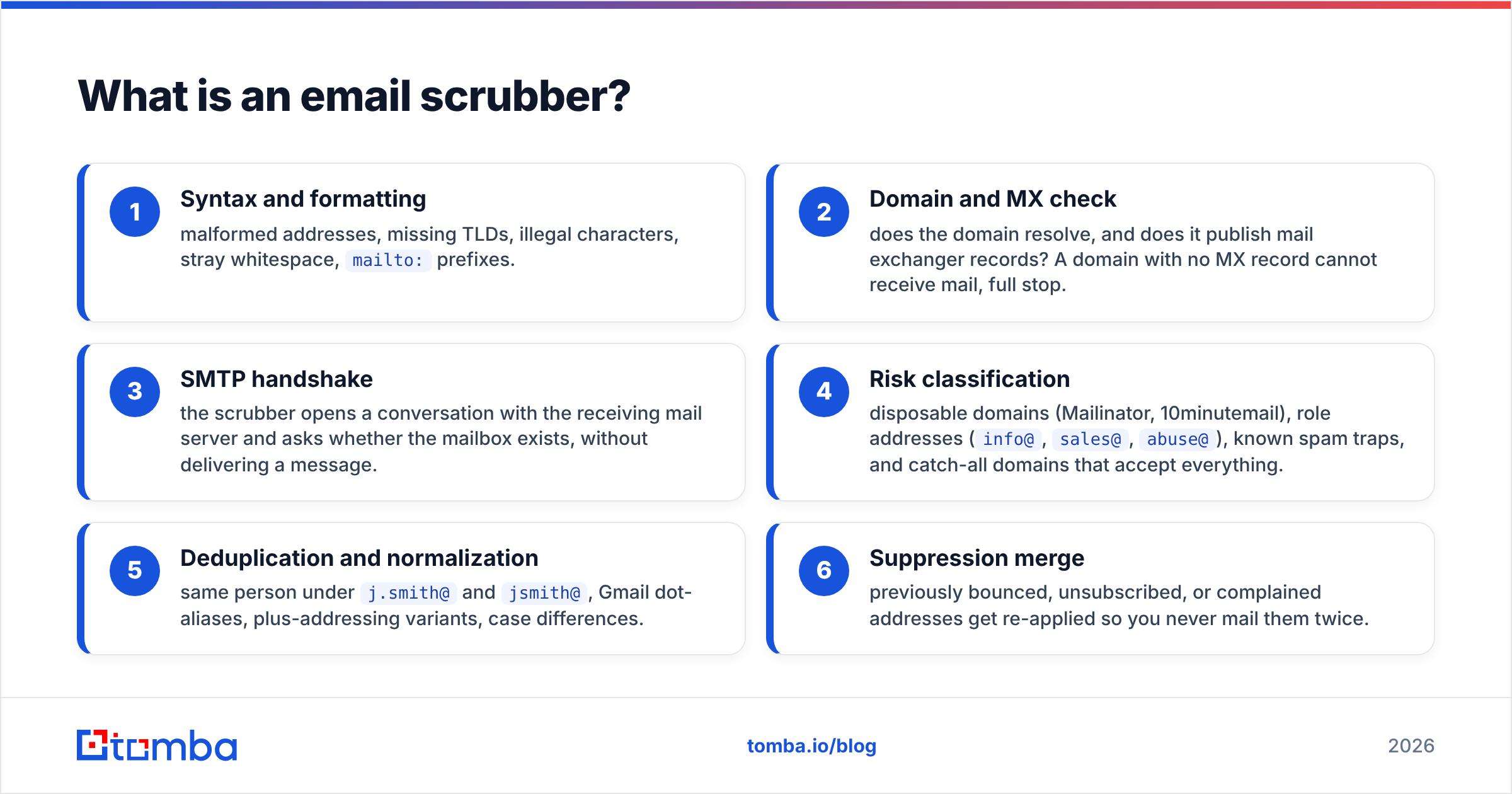
The typical pipeline:
- Syntax and formatting — malformed addresses, missing TLDs, illegal characters, stray whitespace,
mailto:prefixes. - Domain and MX check — does the domain resolve, and does it publish mail exchanger records? A domain with no MX record cannot receive mail, full stop.
- SMTP handshake — the scrubber opens a conversation with the receiving mail server and asks whether the mailbox exists, without delivering a message.
- Risk classification — disposable domains (Mailinator, 10minutemail), role addresses (
info@,sales@,abuse@), known spam traps, and catch-all domains that accept everything. - Deduplication and normalization — same person under
j.smith@andjsmith@, Gmail dot-aliases, plus-addressing variants, case differences. - Suppression merge — previously bounced, unsubscribed, or complained addresses get re-applied so you never mail them twice.
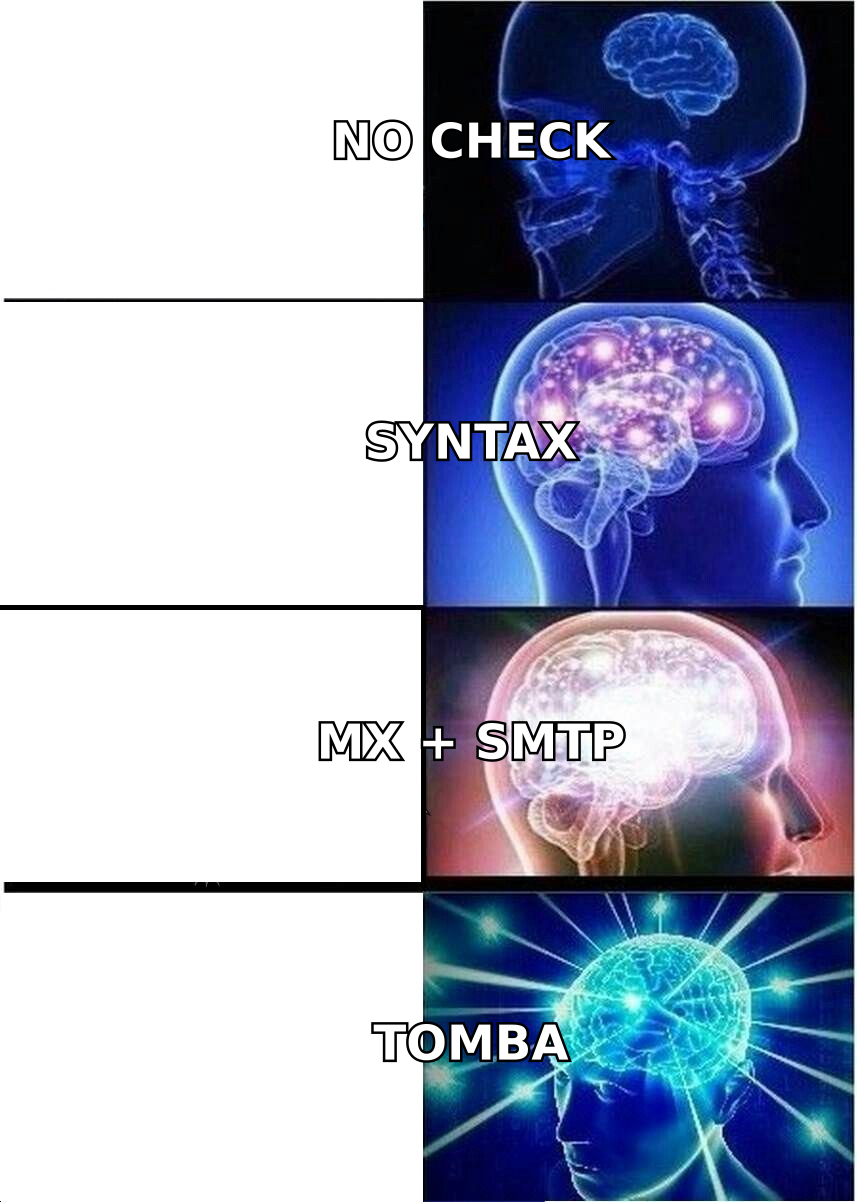
Steps 1-3 are mechanical and nearly every vendor does them well. Steps 4-6 are where tools diverge sharply, and where the price difference shows up.
Why does an unscrubbed list actually hurt you?#
Because mailbox providers grade you on outcomes, not intentions.
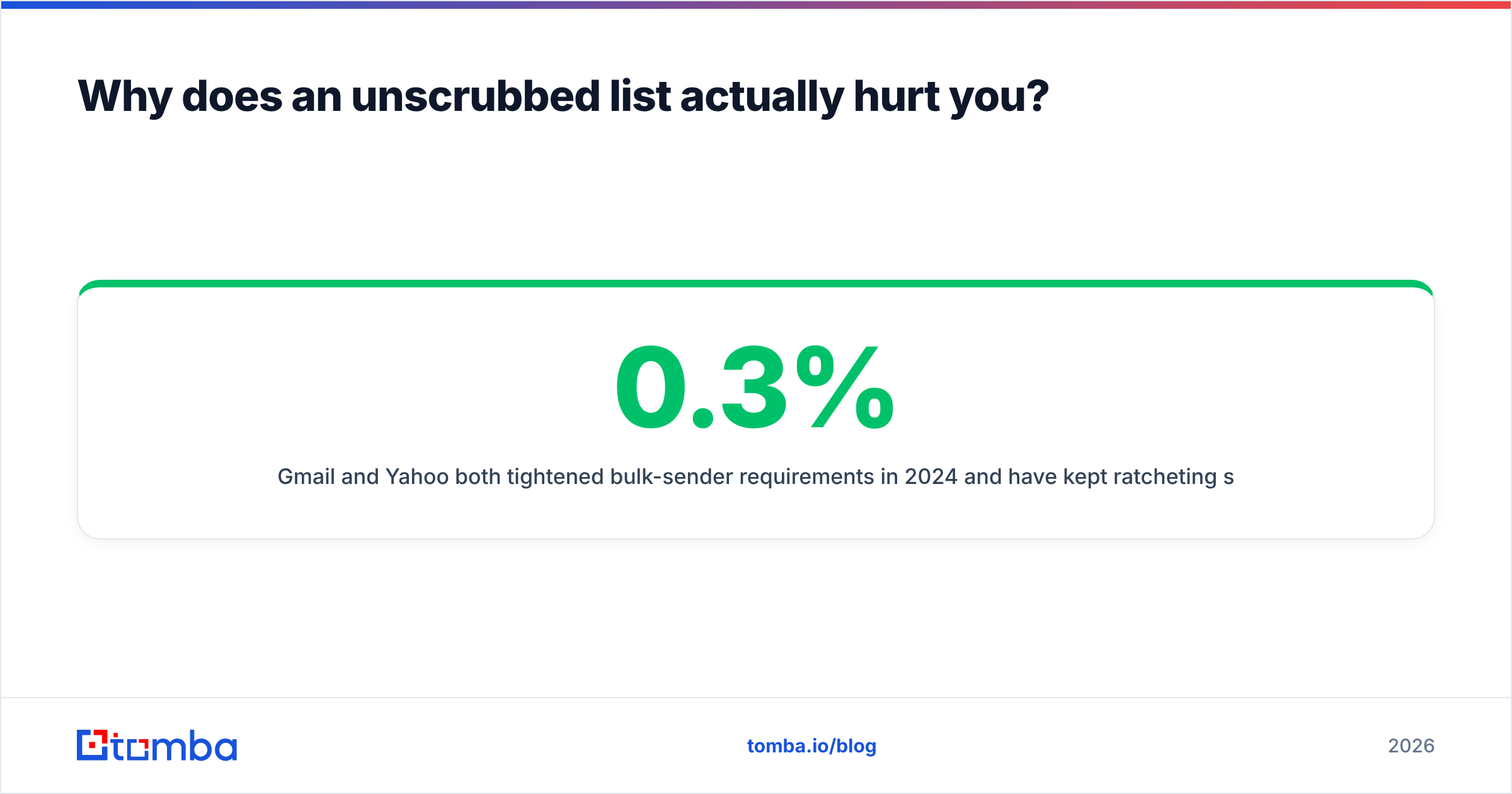
Gmail and Yahoo both tightened bulk-sender requirements in 2024 and have kept ratcheting since. The published spam-complaint threshold is 0.3%, with 0.1% as the target you should actually run at. Bounce rate is not published as a hard number, but every deliverability team treats sustained bounces above 2% as a reputation event. Once your sender reputation drops, the penalty is not a bounce message — it is silent inbox-to-spam routing on the addresses that are valid.
That is the asymmetry worth internalizing. A dead address costs you one wasted send. A damaged domain reputation costs you every future send, including to the customers who wanted to hear from you.
The three failure modes, ranked by damage:
- Hard bounces — mailbox doesn't exist. Direct, immediate reputation hit. Fully preventable by scrubbing.
- Spam traps — recycled addresses that a provider reactivated specifically to catch stale lists. Worse than bounces; pristine traps can get a domain blocklisted outright. Partly preventable.
- Uninterested-but-valid recipients — the address works, the person never asked for mail. Scrubbing won't fix this. Segmentation and consent will.
A scrubber solves the first, reduces the second, and does nothing for the third. Vendors that imply otherwise are overselling.
How is scrubbing different from email verification?#
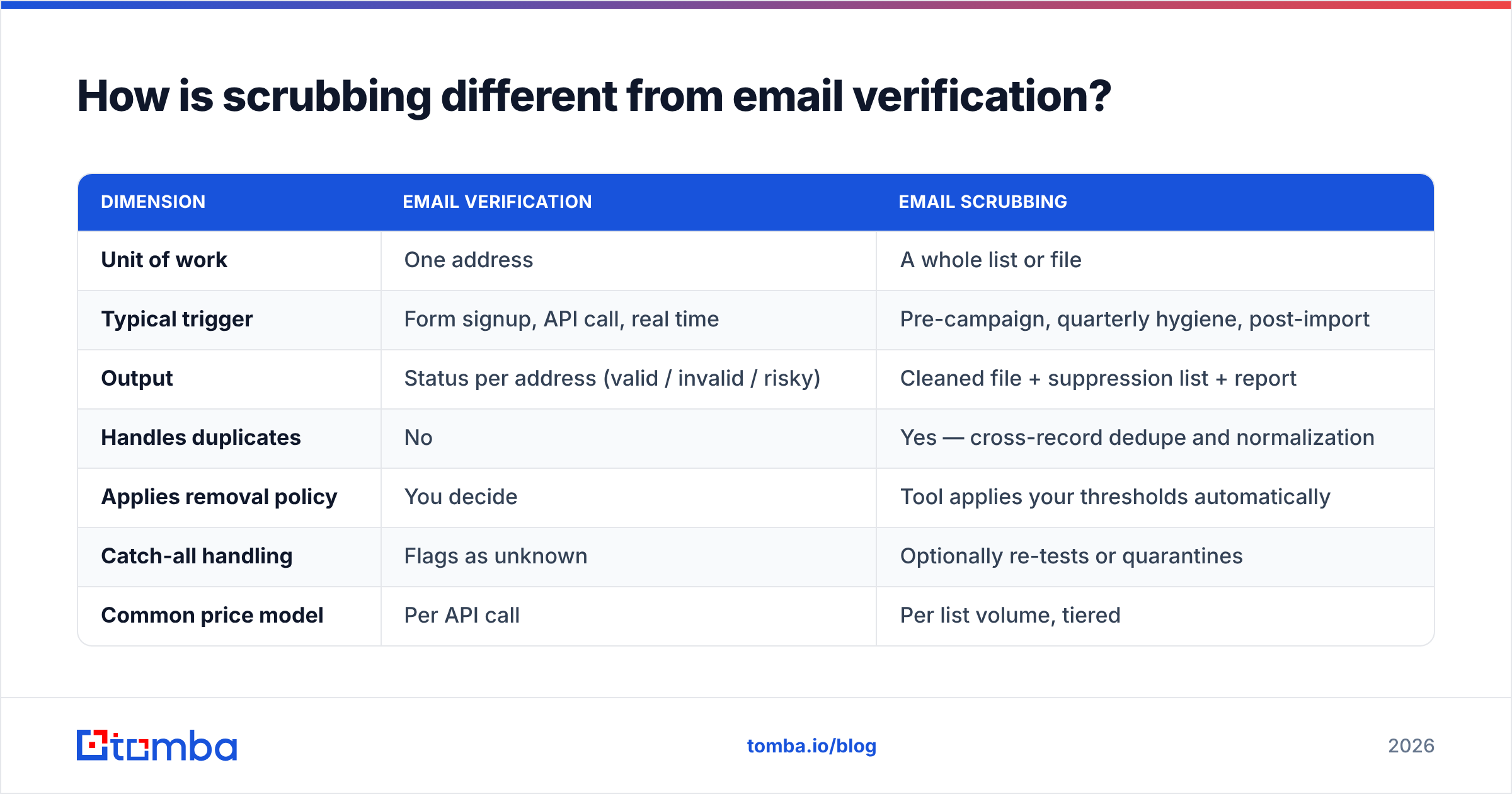
They overlap, but the intent differs. Verification is a question; scrubbing is a workflow.
| Dimension | Email verification | Email scrubbing |
|---|---|---|
| Unit of work | One address | A whole list or file |
| Typical trigger | Form signup, API call, real time | Pre-campaign, quarterly hygiene, post-import |
| Output | Status per address (valid / invalid / risky) | Cleaned file + suppression list + report |
| Handles duplicates | No | Yes — cross-record dedupe and normalization |
| Applies removal policy | You decide | Tool applies your thresholds automatically |
| Catch-all handling | Flags as unknown | Optionally re-tests or quarantines |
| Common price model | Per API call | Per list volume, tiered |
| Best for | Signup forms, CRM webhooks | Purchased lists, old exports, pre-send hygiene |
In practice you want both. Real-time email verification at the point of capture stops garbage from entering. Periodic scrubbing removes what decayed after it entered. Running only one leaves a gap: a perfectly verified address from 2024 is not a valid address in 2026 if the person changed jobs.
What do email scrubbers cost in 2026?#
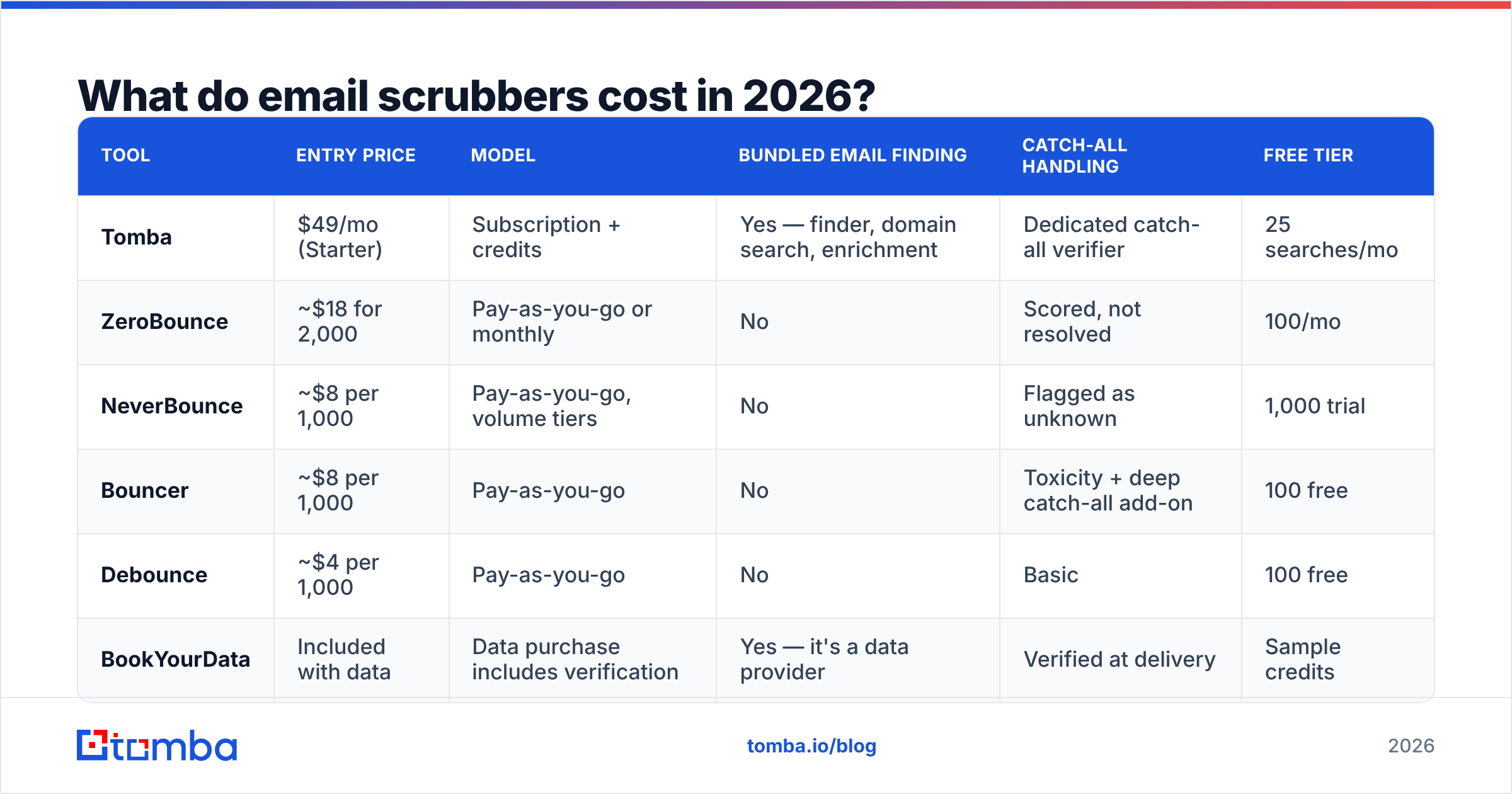
Pricing clusters into three shapes: pay-as-you-go credits, monthly subscriptions, and hybrid platforms where scrubbing is bundled with finding and enrichment.
| Tool | Entry price | Model | Bundled email finding | Catch-all handling | Free tier |
|---|---|---|---|---|---|
| Tomba | $49/mo (Starter) | Subscription + credits | Yes — finder, domain search, enrichment | Dedicated catch-all verifier | 25 searches/mo |
| ZeroBounce | ~$18 for 2,000 | Pay-as-you-go or monthly | No | Scored, not resolved | 100/mo |
| NeverBounce | ~$8 per 1,000 | Pay-as-you-go, volume tiers | No | Flagged as unknown | 1,000 trial |
| Bouncer | ~$8 per 1,000 | Pay-as-you-go | No | Toxicity + deep catch-all add-on | 100 free |
| Debounce | ~$4 per 1,000 | Pay-as-you-go | No | Basic | 100 free |
| BookYourData | Included with data | Data purchase includes verification | Yes — it's a data provider | Verified at delivery | Sample credits |
Two notes on reading that table honestly.
First, per-thousand prices look dramatically different but converge once you account for what you actually need. A $4-per-thousand scrubber that flags 30% of your list as "unknown catch-all" hasn't cleaned 30% of your list — you still have to decide what to do with those records. A pricier tool that resolves catch-alls delivers a smaller but more actionable output.
Second, if you are also buying email discovery, bundling matters. Paying $99/mo for Tomba's Growth plan that includes finding, verification, catch-all resolution, and enrichment usually beats stitching a finder, a verifier, and an enrichment vendor together at $40-$60 each.
How accurate is an email scrubber, really?#
The honest answer: 95-99% on standard mailboxes, and materially lower on catch-all domains.
Here is why the ceiling exists. When a scrubber opens an SMTP conversation with mail.example.com and asks about sarah@example.com, a cooperative server replies "250 OK" or "550 no such user." That is a clean signal. But three categories break it:
- Catch-all (accept-all) domains — the server says "250 OK" to every address, including
zxqwerty@example.com. Common in enterprises and in Microsoft 365 tenants with default routing. Pure SMTP tells you nothing here. - Greylisting and rate limiting — the server defers, and a scrubber that doesn't retry properly records a false "unknown."
- Anti-verification defenses — some providers deliberately randomize responses to defeat probing.
For catch-alls, the only tools that produce useful answers combine SMTP with pattern evidence: does the domain's known email format match this address, has this address appeared in verified sources, does the person exist in the org. That is why a catch-all verifier that layers pattern confidence on top of SMTP returns something more useful than "unknown" on roughly a third of enterprise B2B lists.

Be skeptical of any vendor advertising "99.9% accuracy" without defining the denominator. Accuracy measured only on deliverable-or-undeliverable addresses, excluding unknowns, is a different number than accuracy across a full raw list. Ask which one they're quoting. G2's email verification category reviews are a reasonable cross-check because reviewers report their own bounce rates post-scrub.

When should you scrub your list?#
Five triggers. If any apply, scrub before you send.
- The list is older than 90 days since last verification. B2B contact data decays fast — job changes, company shutdowns, domain migrations. Quarterly is the floor for active outbound lists.
- You just imported or purchased data. Never trust a vendor's "verified" label without re-checking. Verification timestamps age, and re-selling lists is common.
- Your bounce rate crossed 2% on the last send. That is a signal your list rotted, not that you got unlucky.
- You're warming a new sending domain. Early sends on a fresh domain carry outsized reputation weight. One bad batch sets the baseline.
- You're re-engaging dormant contacts. A list that hasn't been mailed in a year is the highest spam-trap risk profile there is — that's exactly the window in which providers recycle abandoned mailboxes into traps.
The counter-case: do not scrub a list you collected yesterday through a double opt-in form that already ran real-time validation. You'd be paying to re-check addresses that were checked at capture. Spend the credits on the old data instead.

What does a good scrubbing workflow look like?#
Six steps, in order. Skipping the first or the last is where most teams lose the benefit.
- Export and snapshot. Pull the raw list and keep the original untouched. You want to be able to audit what got removed and why — and to recover if a policy was too aggressive.
- Normalize and dedupe first. Lowercase, trim, strip plus-addressing and Gmail dots, then dedupe. Do this before you pay per address; deduping a 50k list down to 41k saves 18% of your scrubbing spend immediately.
- Run the scrub. Upload via UI for one-offs, or hit the email verification API when it needs to run inside a pipeline. For recurring imports, wire it to the source instead of running it manually.
- Segment by result, don't just delete. Valid → send. Invalid → suppress permanently. Role-based → separate track with different copy (a
sales@address is not a person, but it isn't worthless). Catch-all → either re-resolve or hold in a low-volume test segment. - Test-send to the catch-all segment. Send a small batch (200-500) from a secondary domain, measure the bounce rate, then decide whether to release the rest. This costs one afternoon and protects your primary domain.
- Write results back to the source. If cleaned data doesn't return to your CRM, you'll re-import the same dead records next quarter. This is the most-skipped step and it's the one that makes scrubbing compound.
For teams working out of spreadsheets, running the same flow through a Google Sheets add-on keeps the write-back step honest because the cleaned file is the source of truth.
Can you scrub a list for free?#
Partially. Free tools handle the cheap checks; the expensive checks stay paid, and that's a genuine cost structure, not a paywall trick.
What's realistically free:
- Syntax and format validation — pure string logic, no network calls. A free email checker handles single-address spot checks fine.
- Domain/MX lookups — cheap DNS queries. Many free tools include these.
- Deduplication — a remove-duplicates tool or a spreadsheet formula does this at zero cost.
- Disposable-domain filtering — public blocklists exist and are free to apply.
What isn't free at scale: SMTP handshakes require IP reputation, distributed sending infrastructure, retry logic, and rate-limit management. Vendors burn real infrastructure on every mailbox probe. That's why per-address pricing exists and why "unlimited free verification" offers are usually either rate-crippled or harvesting your list.
A workable free-tier strategy: use Tomba's free plan (25 searches/mo) or a competitor's 100-credit trial to sample your list. Scrub a random 500 records, measure the invalid rate, and extrapolate. If 3% come back bad, full scrubbing may not be urgent. If 28% come back bad, you now have a business case for the paid run and a number to justify it with.
How do you keep a list clean after scrubbing?#
Scrubbing is remediation. Prevention is cheaper.
- Validate at capture. Real-time API validation on every form, CRM import, and integration. This is the single highest-ROI change.
- Use double opt-in for marketing lists. It removes typos and bots before they enter, and it gives you consent evidence.
- Process bounces automatically. Hard bounce → immediate suppression, no exceptions. Soft bounce → suppress after three consecutive.
- Honor engagement signals. Contacts with zero opens across 6 months should move to a re-engagement track, not the main send. HubSpot's deliverability documentation covers the sunset-policy pattern in detail.
- Re-verify on a schedule. Quarterly for outbound prospecting lists, semi-annually for opted-in newsletter subscribers.
- Monitor authentication. SPF, DKIM, and DMARC alignment don't clean your list, but broken auth will sink deliverability regardless of how clean it is. Check yours with an SPF checker after any DNS change.
Teams that do these six things typically scrub as maintenance rather than emergency response — which is a much cheaper posture, and one where you're never guessing whether a campaign will land.
Which email scrubber should you choose?#
Match the tool to the job, not to the review-site ranking.
- You only need scrubbing, occasionally, on modest volume. A pay-as-you-go verifier like Debounce or NeverBounce is the cost-efficient answer. No subscription, no unused credits.
- You need scrubbing plus contact discovery. A combined platform wins on total cost and on data consistency, because the addresses you find are verified in the same system that scrubbed them.
- Your lists are enterprise-heavy with lots of catch-all domains. Prioritize catch-all resolution over headline per-thousand price. A tool that returns "unknown" on 30% of your file is charging you for a partial answer.
- You need scrubbing inside an automated pipeline. API quality, rate limits, and webhook support matter more than the UI. Check the docs before the pricing page.
- You're buying data rather than building lists. A provider that verifies at the point of delivery, like BookYourData, removes a step entirely — you're paying for verified records rather than raw ones plus a cleaning pass.
The failure mode to avoid: picking the cheapest per-thousand price, discovering it can't resolve catch-alls, then buying a second tool anyway. Add up the whole workflow before you optimize one line item.
Ready to clean your list and find the addresses that replaced the dead ones?#
Scrubbing tells you which contacts are gone. It doesn't tell you who took their place — and on a B2B list decaying 25% a year, that replacement problem is the bigger revenue gap.
Tomba's Email Finder closes both halves: verify and scrub what you have, then find current, deliverable addresses for the roles you just lost. Start on the free tier with 25 searches a month, sample your existing list, and see what your real invalid rate is before you commit to anything. Paid plans start at $49/mo with verification, catch-all resolution, domain search, and enrichment in the same workspace — so the clean list you build stays clean.
Related guides#
Ready to find emails that actually work?
Join 150,000+ professionals who stopped guessing and started sending. Free credits on signup — no credit card required.
Get the Tomba newsletter
Practical outbound tactics and product updates — once every two weeks.
About the author