Email Spam Checker: How to Test and Fix Deliverability
A spam checker gives you a score in 30 seconds — but a 10/10 doesn't mean the inbox. Here's what these tools actually measure, where they mislead, and the fix order that moves reply rates.
TL;DR
- An email spam checker scores a message against filter heuristics — content, HTML, authentication, and sending-domain signals — before you send it to real people.
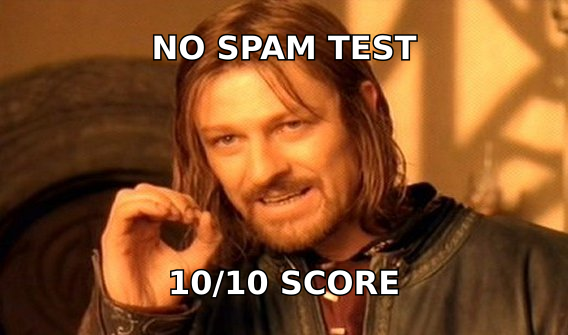
- A 10/10 content score does not mean inbox placement. Content is roughly the smallest input; reputation, engagement, and list hygiene dominate.
- Two different tools do two different jobs: content scorers (SpamAssassin-style rule checks) and seed-list testers (actual placement across Gmail, Outlook, Yahoo).
- Fix in this order: authentication → list quality → volume ramp → content. Reversing that order is why most teams stay stuck at 10/10 and still get filtered.
- Run a spam check when something changes — new domain, new template, new sending tool, sudden bounce spike — not on every send.
What is an email spam checker?#
An email spam checker is a diagnostic tool that runs your message through the same kinds of rules mailbox providers and open-source filters use, then hands you a score and a list of flags. You send a test email to a generated address, or paste HTML into a form, and get back something like "8.3/10 — missing DKIM, image-to-text ratio too high, 3 SpamAssassin rules triggered."
Think of it as a pre-flight checklist rather than a weather forecast. The checklist tells you whether your aircraft is airworthy. It does not tell you whether you'll hit turbulence over Gmail. Both matter; only one is under your control before takeoff.
Most tools bundle four categories of check:
- Content and HTML rules — spam-trigger phrases, ALL CAPS, excessive exclamation marks, image-only emails, broken HTML, hidden text, suspicious link shorteners.
- Authentication records — SPF, DKIM, DMARC alignment, reverse DNS, and whether your envelope-from matches your visible From.
- Reputation lookups — IP and domain blacklists (Spamhaus, SURBL, Barracuda), domain age, and whether your links point to a flagged host.
- Placement testing — where the message actually lands across a seed list of real mailboxes at Gmail, Outlook, Yahoo, and enterprise filters.
Only the fourth category tells you something about the inbox. The first three tell you about hygiene. Tools that only do #1 and call the result a "deliverability score" are technically accurate and practically misleading.
How does a spam checker actually score your email?#
Most content scorers are built on or modelled after Apache SpamAssassin, which assigns positive and negative point values to hundreds of rules and sums them. Trip enough rules and you cross a threshold. The score you see in a consumer-facing tool is usually that raw total, inverted and normalised to a friendlier 0–10 scale.
Here's what that means in practice: a rule like HTML_IMAGE_ONLY_28 might add 1.2 points. A missing DKIM signature adds more. A valid DMARC record subtracts. The arithmetic is deterministic and the tool shows its work — which is why content scorers are genuinely useful for catching mechanical mistakes.
What the arithmetic cannot see:
- Your historical complaint rate at each provider
- Engagement signals — opens, replies, deletes-without-reading, "move to inbox" actions
- Sending volume patterns — a domain that jumps from 5 to 500 emails a day
- Recipient-side rules — corporate filters like Mimecast or Proofpoint with their own policies
- Google and Microsoft's proprietary ML models, which have used engagement as a primary input for years
Google's own sender guidelines are explicit about this: authentication is the entry requirement, and spam complaint rate below 0.3% is the operational bar. Neither of those is a content problem. A tool that grades your subject line cannot grade your list.
Which email spam checker should you use in 2026?#
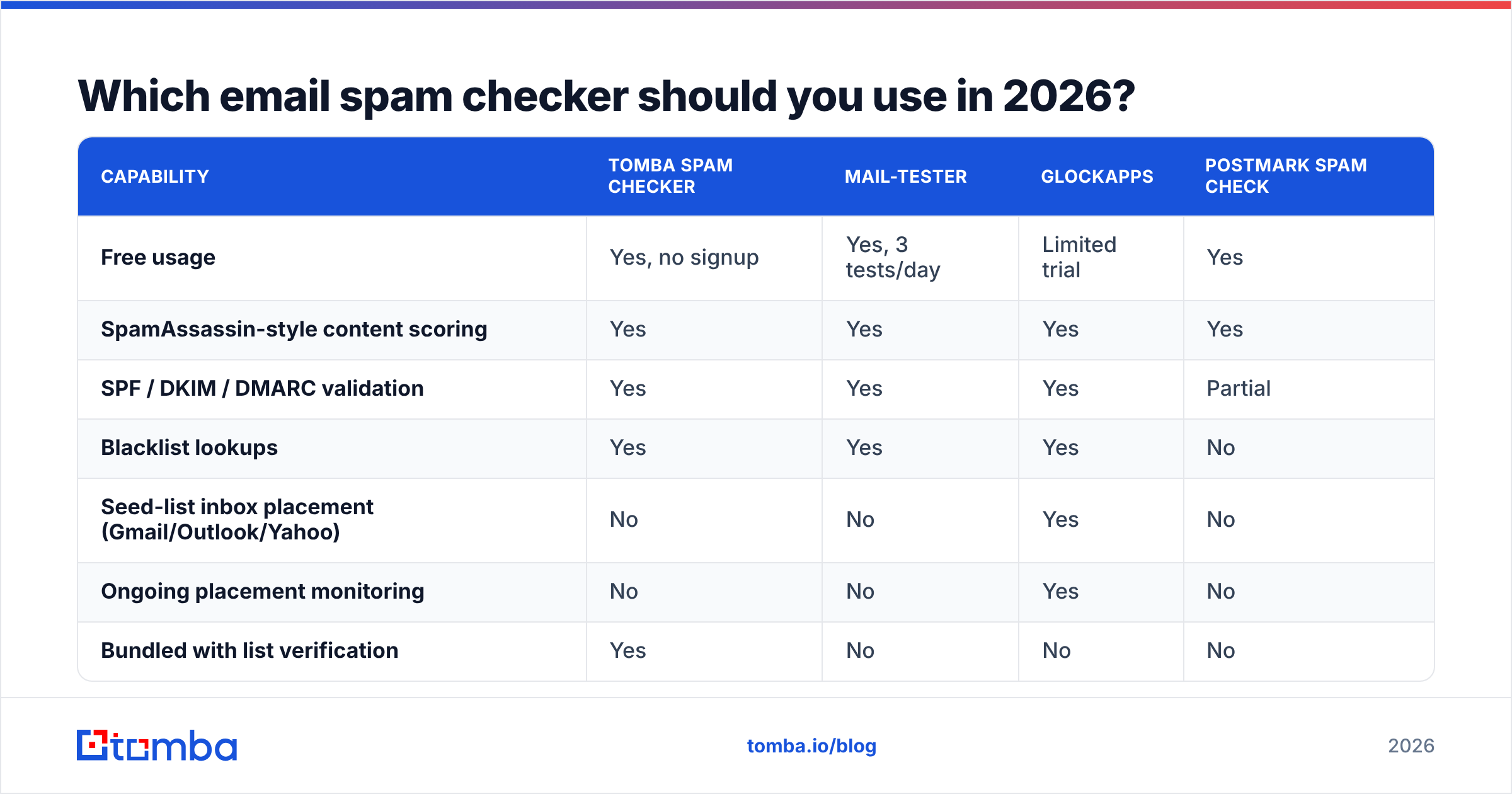
The right pick depends on whether you need a content audit, a placement test, or an automated check inside a pipeline. Here's how the common options compare on the attributes that actually change a decision:
| Capability | Tomba Spam Checker | Mail-Tester | GlockApps | Postmark Spam Check |
|---|---|---|---|---|
| Free usage | Yes, no signup | Yes, 3 tests/day | Limited trial | Yes |
| SpamAssassin-style content scoring | Yes | Yes | Yes | Yes |
| SPF / DKIM / DMARC validation | Yes | Yes | Yes | Partial |
| Blacklist lookups | Yes | Yes | Yes | No |
| Seed-list inbox placement (Gmail/Outlook/Yahoo) | No | No | Yes | No |
| Ongoing placement monitoring | No | No | Yes | No |
| Bundled with list verification | Yes | No | No | No |
| API access | Yes, via Tomba API | No | Yes | Yes |
| Best for | Pre-send audit + list hygiene in one place | Quick one-off content check | Enterprise placement monitoring | Developer transactional testing |
The practical read: use a free spam checker for the mechanical audit on every new template, and add a seed-list tool only when you're sending enough volume that placement drift costs real money. Teams under ~5,000 sends a month rarely get their money's worth from continuous placement monitoring — they get it from fixing their list.
One caveat worth naming: seed-list results are directionally useful, not gospel. Seed mailboxes have no engagement history, so Gmail treats them differently from a real prospect who has replied to you twice. Read placement tests as a smoke alarm, not a thermometer.
Why does a 10/10 spam score still land you in the spam folder?#
Because you optimised the variable with the least weight.
Picture a hiring manager screening résumés. Formatting matters — a résumé in Comic Sans with typos gets tossed. But a beautifully formatted résumé from someone with no relevant experience also gets tossed. The formatting is a filter you must pass, not a reason you get hired. Content score is the formatting. Reputation is the experience.
The four most common reasons a perfect-scoring email still gets filtered:
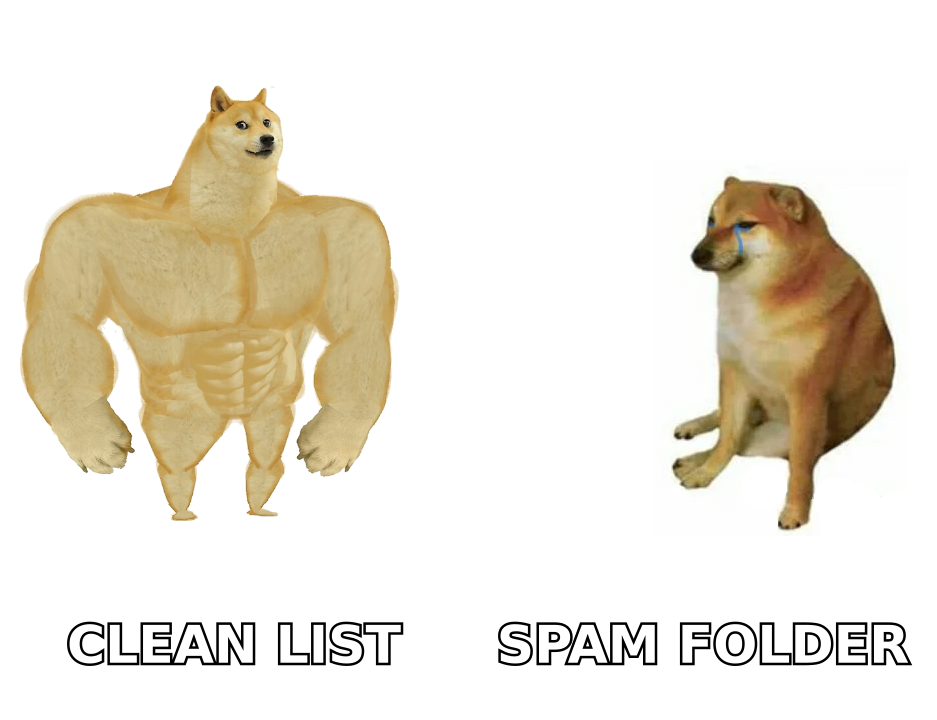
Your list has dead addresses. Every hard bounce is a direct hit to domain reputation. Send to 1,000 addresses where 12% no longer exist, and providers register you as someone mailing a purchased list — because that's exactly what the pattern looks like. This is the single highest-leverage fix and it has nothing to do with your copy.
Your domain is too new or ramped too fast. A domain registered three weeks ago that starts sending 300 cold emails a day has no positive history to draw on. Providers default to suspicion. Warm up over 4–6 weeks; an email warmup calculator will give you a sane daily ramp.
Nobody replies. Reply rate is the strongest positive engagement signal you can generate in cold outreach. A campaign at 0.4% reply rate teaches Gmail that your mail is unwanted, no matter how clean the HTML.
You're hitting spam traps. Recycled traps are old real addresses that providers reactivated as traps. They're invisible to content checkers and they're the reason scraped lists degrade so violently. Verification catches most of them; nothing in your subject line will.
If your score is green and your placement is red, stop editing the email. Audit the list.
What should you fix first when your spam score is bad?#
Work in dependency order — each step below assumes the one above it is done. Skipping ahead wastes the work.
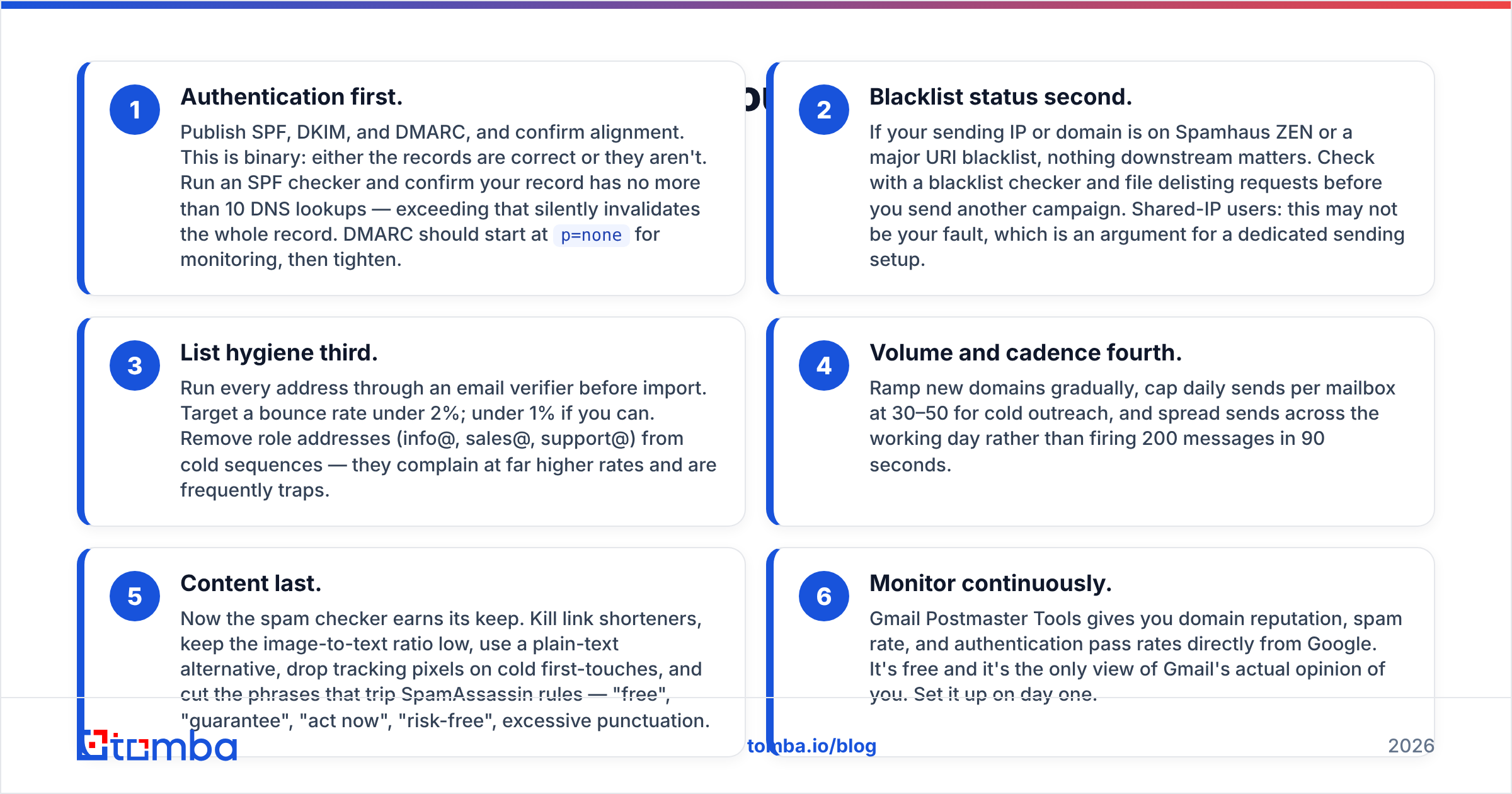
Authentication first. Publish SPF, DKIM, and DMARC, and confirm alignment. This is binary: either the records are correct or they aren't. Run an SPF checker and confirm your record has no more than 10 DNS lookups — exceeding that silently invalidates the whole record. DMARC should start at
p=nonefor monitoring, then tighten.Blacklist status second. If your sending IP or domain is on Spamhaus ZEN or a major URI blacklist, nothing downstream matters. Check with a blacklist checker and file delisting requests before you send another campaign. Shared-IP users: this may not be your fault, which is an argument for a dedicated sending setup.
List hygiene third. Run every address through an email verifier before import. Target a bounce rate under 2%; under 1% if you can. Remove role addresses (info@, sales@, support@) from cold sequences — they complain at far higher rates and are frequently traps.
Volume and cadence fourth. Ramp new domains gradually, cap daily sends per mailbox at 30–50 for cold outreach, and spread sends across the working day rather than firing 200 messages in 90 seconds.
Content last. Now the spam checker earns its keep. Kill link shorteners, keep the image-to-text ratio low, use a plain-text alternative, drop tracking pixels on cold first-touches, and cut the phrases that trip SpamAssassin rules — "free", "guarantee", "act now", "risk-free", excessive punctuation.
Monitor continuously. Gmail Postmaster Tools gives you domain reputation, spam rate, and authentication pass rates directly from Google. It's free and it's the only view of Gmail's actual opinion of you. Set it up on day one.
How much does list quality really change your spam score?#
More than any other single input, and the mechanism is worth understanding.
Mailbox providers compute a rolling reputation per sending domain. Bounces, complaints, and trap hits push it down; opens, replies, and manual "not spam" actions push it up. The score isn't published, but its effects are brutally visible: once domain reputation drops to "Bad" in Postmaster Tools, even authenticated, well-written mail gets filtered.
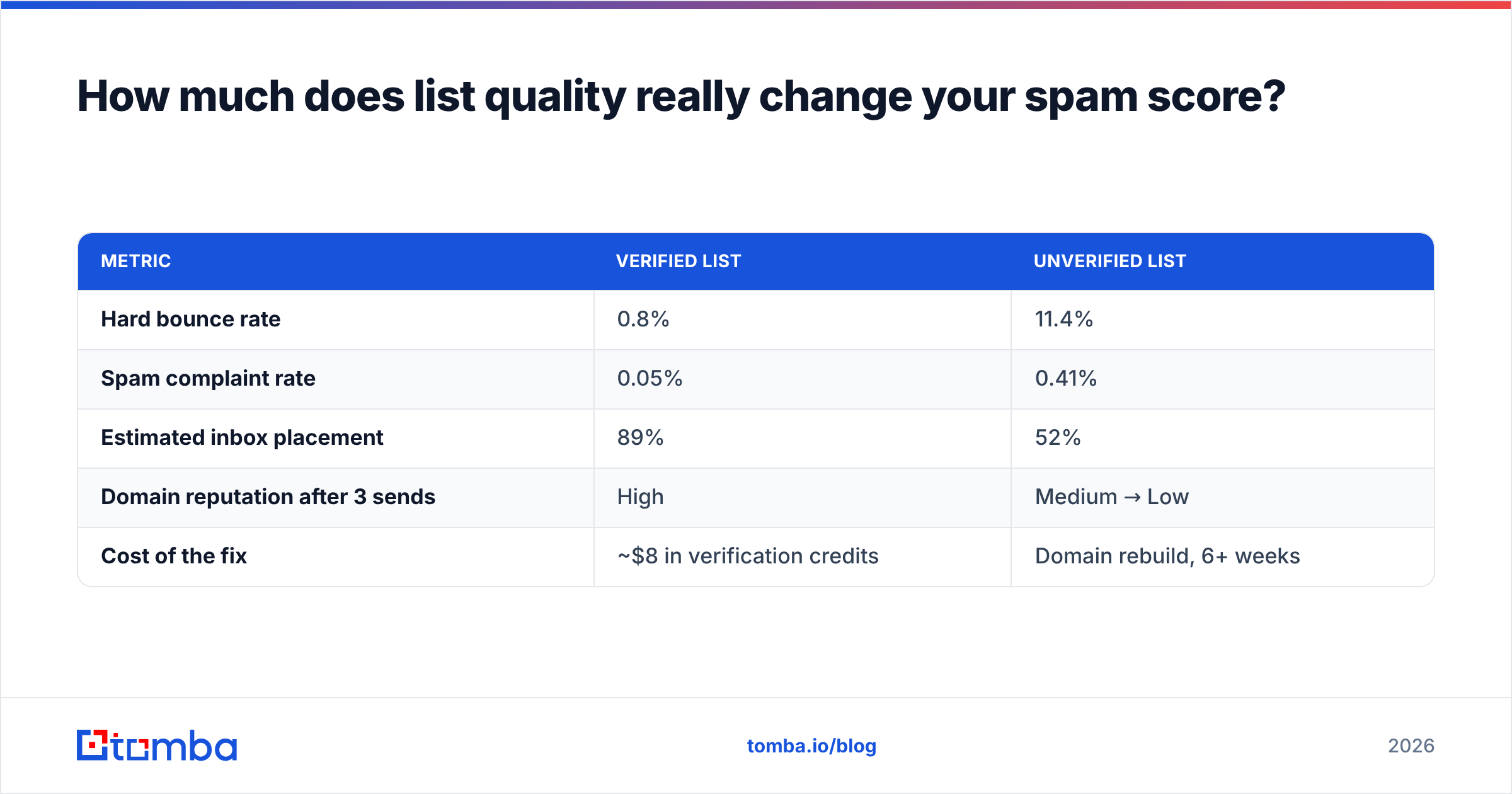
A concrete illustration. Two teams send the same 2,000-contact campaign with identical copy:
| Metric | Verified list | Unverified list |
|---|---|---|
| Hard bounce rate | 0.8% | 11.4% |
| Spam complaint rate | 0.05% | 0.41% |
| Estimated inbox placement | 89% | 52% |
| Domain reputation after 3 sends | High | Medium → Low |
| Cost of the fix | ~$8 in verification credits | Domain rebuild, 6+ weeks |
Those figures are representative of what teams report rather than a controlled study — but the shape is consistent across every deliverability post-mortem you'll read. The unverified list doesn't just perform worse on this campaign. It damages the asset you need for the next twelve.
This is also why sourcing matters upstream of verification. Addresses guessed by a permutator and never validated behave like a scraped list because functionally they are one. Pulling contacts from a source that validates at the point of discovery — a domain search that returns confidence-scored addresses, for example — removes most of the cleanup before it exists. Understanding email deliverability as a list-quality problem rather than a copywriting problem is the mental shift that fixes it.
What about catch-all domains and unverifiable addresses?#
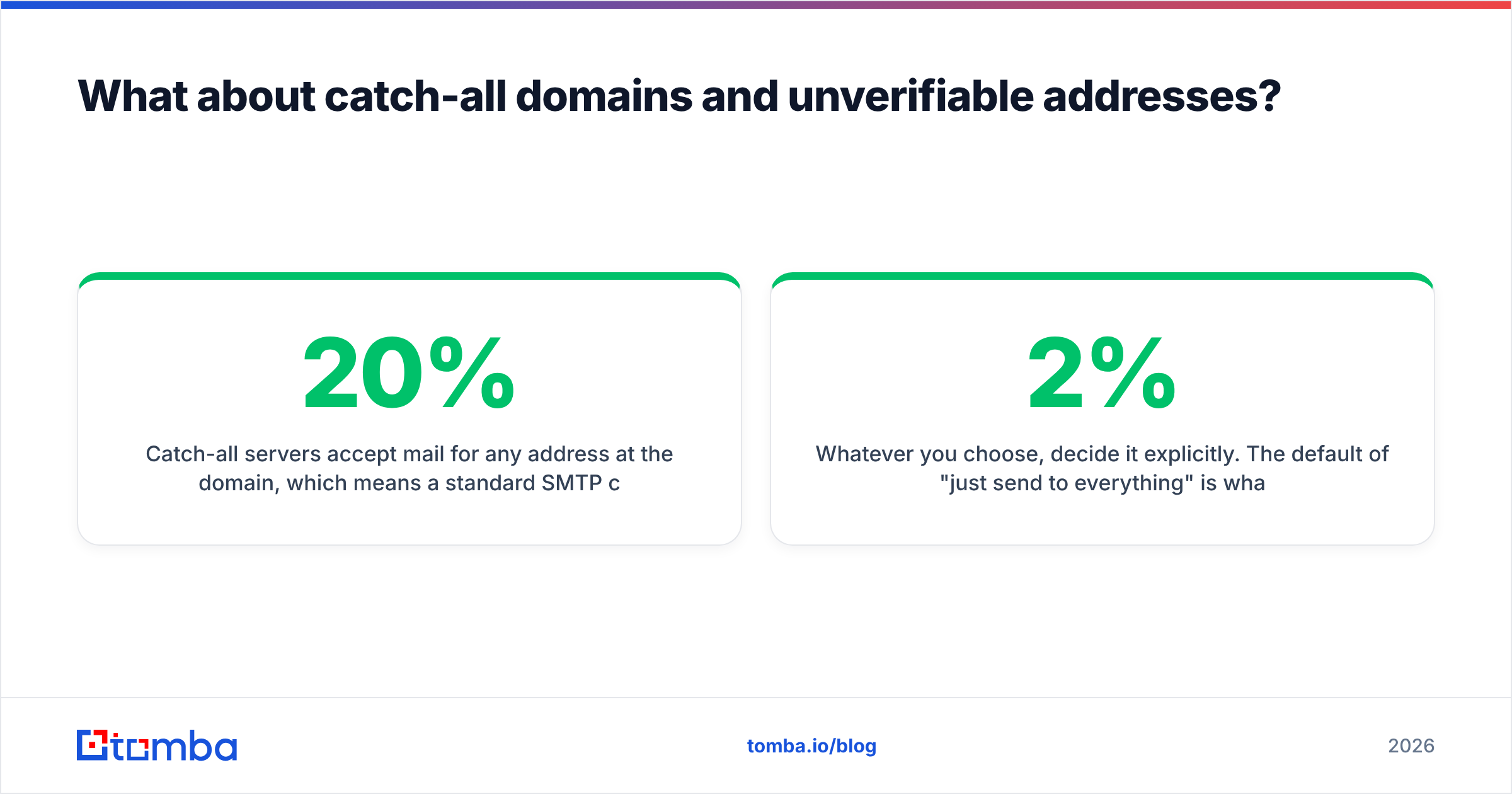
Catch-all servers accept mail for any address at the domain, which means a standard SMTP check can't tell you whether jane.doe@company.com exists or whether the server is just saying yes to everything. Roughly 15–20% of B2B domains are configured this way, and they're a genuine gap in most verification workflows.
Your options, in order of risk:
- Exclude them entirely. Safest, but you're discarding a meaningful slice of enterprise prospects — larger companies are disproportionately catch-all.
- Pattern-verify. Confirm the company's email format via other known-good employees, then apply it. Reduces guesswork substantially without eliminating it.
- Use a dedicated catch-all check. Tools like a catch-all verifier combine pattern data, historical observations, and secondary signals to give a probability rather than a binary. Not perfect, but far better than a coin flip.
- Segment and isolate. Send catch-all contacts from a separate subdomain so any bounce damage doesn't touch your primary sending reputation.
Whatever you choose, decide it explicitly. The default of "just send to everything" is what turns a 2% bounce rate into 11%.
How often should you run an email spam check?#
Event-driven, not scheduled. Run a check when:
- You launch a new sending domain or mailbox
- You ship a new template or materially change an existing one
- You switch sending tools (Instantly, Smartlead, Lemlist, HubSpot — each handles headers and unsubscribe links differently)
- Your bounce rate crosses 3% or complaint rate crosses 0.1%
- Postmaster Tools shows a reputation downgrade
- You change DNS — a registrar migration silently breaking DKIM is a classic
Running a content check before every send is theatre. Checking your sender reputation monthly and your list before every import is the routine that actually holds up.
What does a good pre-send checklist look like?#
Ten items, five minutes, run before any new campaign goes live:
- SPF, DKIM, DMARC all pass and align
- Sending domain not on Spamhaus or a major URI blacklist
- List verified within the last 30 days, bounce projection under 2%
- Role addresses and known traps removed
- Mailbox warmed for at least 3 weeks at target volume
- Plain-text alternative present alongside HTML
- Image-to-text ratio under roughly 40%
- No link shorteners; all links resolve to your own domain
- Working unsubscribe or clear opt-out line
- Spam checker score above 8/10 with no authentication flags
If nine of ten pass and the failure is content, ship it. If the failure is authentication or list quality, don't.
Where does this leave you?#
Use an email spam checker for what it's good at: catching mechanical faults you'd otherwise miss, verifying that your DNS records are actually doing their job, and confirming a new template doesn't trip obvious rules. Stop using it as a proxy for inbox placement — that number is set by your list, your ramp, and your reply rate, and no content scorer can see any of them.
The teams that fix deliverability permanently do it in one place: at the source of their contact data. Clean addresses in means low bounces, low complaints, and a domain reputation that compounds instead of eroding.
Start where the leverage is. Run your contacts through the Tomba Email Finder to source verified, confidence-scored business emails instead of guessed ones — the free tier gives you 25 searches a month, and paid plans start at $49/mo on the Starter tier. Pair it with the free spam checker before your next launch, and you'll be fixing the two variables that actually decide whether your email gets read.
Related guides#
Ready to find emails that actually work?
Join 150,000+ professionals who stopped guessing and started sending. Free credits on signup — no credit card required.
Get the Tomba newsletter
Practical outbound tactics and product updates — once every two weeks.
About the author