Email Template Guide 2026: Structures That Get Replies
Swipe files are everywhere and reply rates keep falling. Here is how an email template actually works in 2026 — the five blocks, the variables worth filling, and the data checks that decide whether it lands at all.
TL;DR
- An email template is not a script. It is a fixed skeleton with three or four variable slots — everything else should stay identical across sends so you can measure what actually moves reply rate.
- The five blocks that matter: trigger line, relevance proof, one specific claim, a low-friction ask, and a signature that doesn't fight the spam filter. Cut anything that isn't one of those.
- Reply rate collapses far more often from bad data than bad copy. A perfect template sent to a 40% invalid list looks like a copywriting problem and isn't.
- Template type should match scenario: cold intro, warm referral, follow-up, re-engagement, and reply-to-inbound all need different lengths and different asks.
- Test one variable at a time, at 200+ sends per variant, and judge on replies — not opens. Open rate has been unreliable since Apple Mail Privacy Protection started pre-fetching pixels.
What is an email template, actually?#
An email template is a reusable message skeleton where the persuasive structure is locked and only a handful of fields change per recipient. That's the whole definition, and most people get it wrong in one of two directions.
Think of it like a restaurant's plating standard. The kitchen doesn't reinvent the plate for every order — the protein goes here, the sauce there, the garnish at 2 o'clock. What changes is the specific cut on the plate tonight. The structure is what makes it fast and repeatable. The variable part is what makes it feel made for you.
Direction one of getting it wrong: treating the template as a finished email. You paste it, swap {{first_name}}, hit send. The recipient has seen that exact paragraph nine times this quarter because it came from the same public swipe file everyone else downloaded. Direction two: treating the template as a suggestion and rewriting 80% of it per prospect. Now you have no template at all, no comparability between sends, and no way to know whether Tuesday's 6% reply rate was the copy or the list.
The useful middle: lock the structure, vary 30-60 words. Everything you measure lives in that locked skeleton.
Why do most email templates stop working after a few weeks?#
Three reasons, in order of how much damage they do.
Saturation. The most-shared cold email templates on the internet are, by definition, the ones your prospects receive most often. A VP of Engineering at a 400-person SaaS company gets somewhere between 20 and 60 cold emails a week. Pattern recognition kicks in at the second line. If your opener is "I noticed you're the VP of Engineering at [Company] — congrats on the recent funding round," you have already been sorted.
Data decay, not copy decay. B2B contact data goes stale fast — people change jobs, companies rebrand domains, mailboxes get retired. A template that pulled 8% replies in January and 2% in April usually didn't get worse. The list under it did. Before you rewrite a single line, run the list through an email verifier and look at what percentage came back invalid, risky, or catch-all. If it's above 10%, fix that first — the copy question isn't answerable yet.
Sending reputation drift. Templates don't exist in a vacuum. If your bounce rate crept up, your sender reputation dropped, and a growing share of your sends now land in Promotions or Spam. Reply rate falls. The template looks tired. It isn't — it's invisible. Google's own sender guidelines are explicit that bulk senders need to keep spam complaint rates under 0.3% and maintain valid authentication; miss that and no amount of copywriting helps.

What are the five blocks of an email template that converts?#
Every template that holds up over thousands of sends decomposes into the same five blocks. Build yours in this order.
- The trigger line. One sentence naming a specific, recent, checkable fact about their world — a job posting, a product launch, a stack change, a conference talk, a hiring surge in a specific team. Not "I saw you're in fintech." Something they'd be mildly surprised you knew. This is the block that dies if your data is thin, which is why enrichment matters more than adjectives.
- The relevance bridge. Two clauses, maximum, connecting that trigger to a problem you actually solve. This is where most templates bloat into a paragraph about your company. Resist. The bridge is a hinge, not a room.
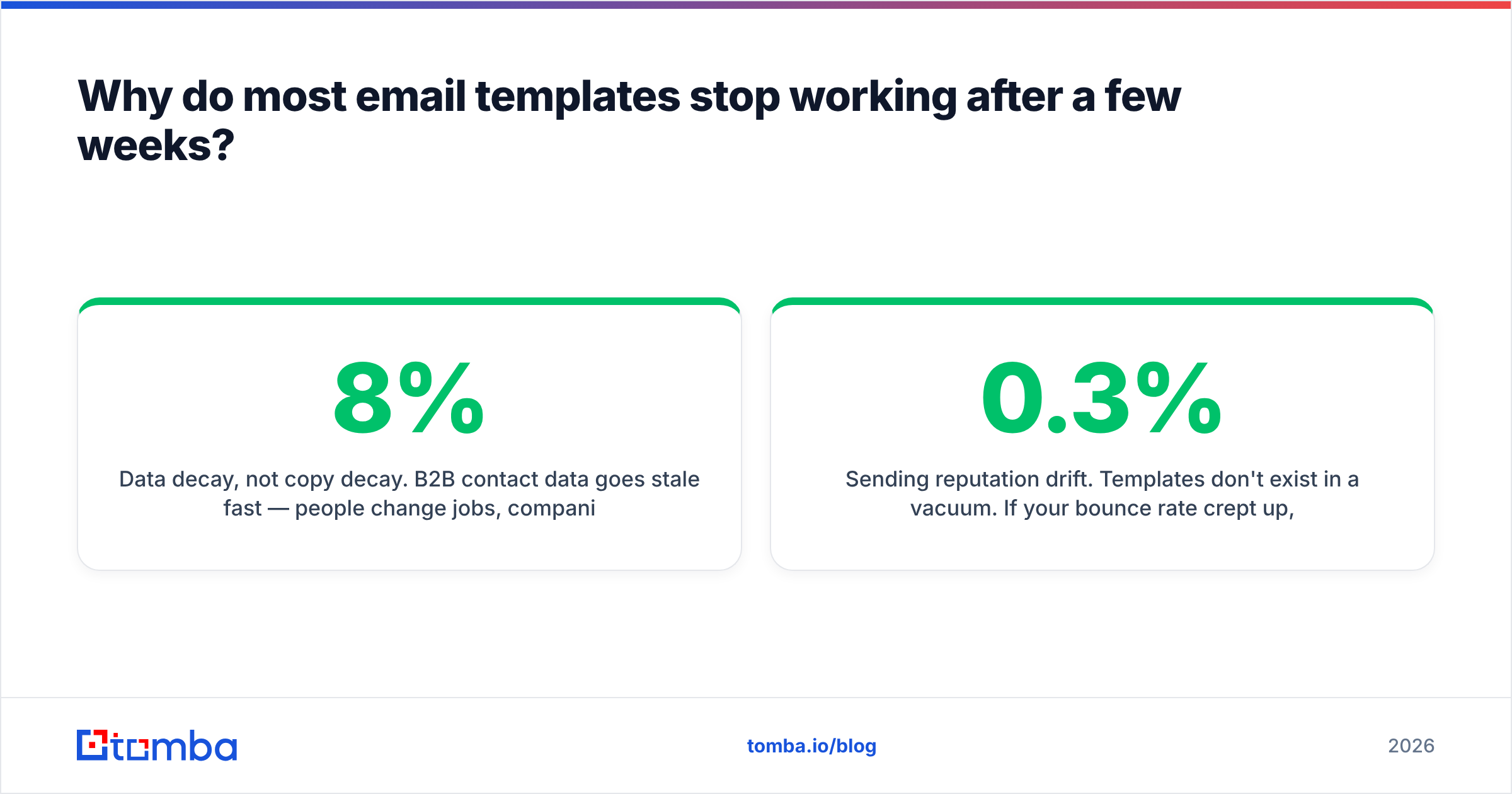
- The single specific claim. One outcome, with a number and a named comparable if you have one. "We took a 22-rep outbound team at a similar-sized logistics SaaS from 1.9% to 4.4% reply rate in six weeks" beats any sentence containing the words "innovative," "end-to-end," or "solution."
- The low-friction ask. The ask should cost the recipient under ten seconds to answer. "Worth a look?" and "Is this on your roadmap this quarter, or should I check back in Q3?" both work. "Do you have 30 minutes Thursday at 2 or Friday at 10?" costs them a calendar decision before they've decided they care.
- The quiet signature. Plain text, one link maximum, no tracking pixel on cold sends, no image-heavy HTML block. Every extra element is another thing a filter can score. If you want a clean, filter-friendly block, an email signature generator will output something lighter than whatever your marketing team designed.
Anything in your draft that doesn't belong to one of those five blocks is a deletion candidate. Most first drafts lose 40% of their word count this way and improve.
Which email template type should you use for each scenario?#
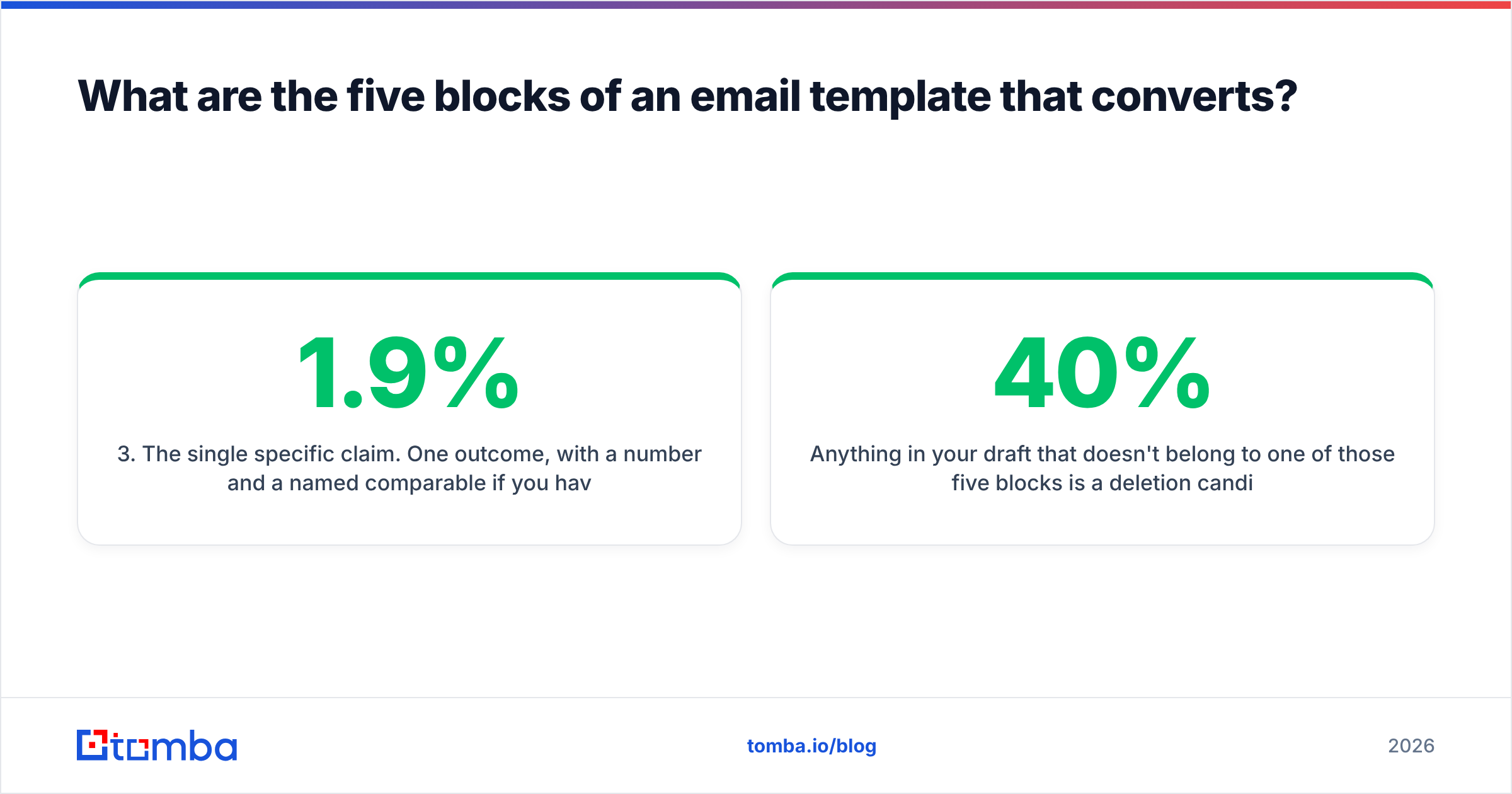
Length, tone, and ask all shift depending on how the contact entered your world. Using one template everywhere is the single most common structural mistake.
| Template type | Best used when | Target length | Variable slots | Realistic reply rate | Primary risk |
|---|---|---|---|---|---|
| Cold intro | No prior contact, verified email, clear trigger event | 60-90 words | 3 (trigger, claim, ask) | 3-8% | Sounds like everyone else's swipe file |
| Warm referral | A mutual contact agreed to be named | 70-100 words | 2 (referrer, context) | 15-30% | Naming someone who didn't actually agree |
| Follow-up (1-3) | 3-7 days after no reply on the same thread | 25-45 words | 1 (new angle) | 2-5% incremental | Repeating the first email with "just bumping" |
| Re-engagement | Contact went dark 60+ days after real interest | 50-70 words | 2 (last context, what changed) | 6-12% | Pretending the gap didn't happen |
| Inbound reply | They filled a form, downloaded, or booked | 40-80 words | 3 (asset, role, next step) | 30-50% | Slow response — speed beats polish here |
| Post-event | Met at a conference or webinar within 14 days | 60-80 words | 2 (moment, follow-through) | 10-20% | Vague "great meeting you" with no proof |
Two things to notice. First, the cold intro — the template type everyone obsesses over — has the worst ceiling on this table. If you can generate warm referrals or inbound replies, template optimization is a rounding error by comparison. Second, follow-ups are shorter than first touches. Every additional word in a follow-up is a reason to defer the reply again.
How do you personalize a template without writing every email from scratch?#
Personalization is a data problem wearing a copywriting costume. You do not need a bespoke paragraph per prospect. You need three reliable fields you can pull at scale.
Pick your variable slots based on what you can actually source for 90%+ of your list. A field you can only fill for 30% of contacts isn't a template variable — it's a manual task pretending to be one. Practical, high-fill-rate slots:
- Role-and-team specificity — not "VP of Sales" but "the 14-person SDR team you're running." Sourced from headcount data and job postings.
- Stack or tooling signal — what CRM, sequencer, or analytics tool they run. A website tech stack checker gets you this from the domain alone.
- Recent company motion — funding, a new office, a product line, an executive hire.
- Peer comparable — a named company in their segment you already work with. This one is static per segment, so one line covers hundreds of contacts.
Then the boring part that decides everything: the address has to be right and the mailbox has to be live. Use domain search to map the company's actual email pattern before you generate anything, rather than guessing first.last@ and hoping. Guessed patterns are the number one source of the bounce spikes that quietly kill a campaign in week two.
If you'd rather start from a working skeleton than a blank page, a maintained library of cold email templates is a better starting point than a random LinkedIn carousel — but treat any template you didn't write as a structure to adapt, not text to send.
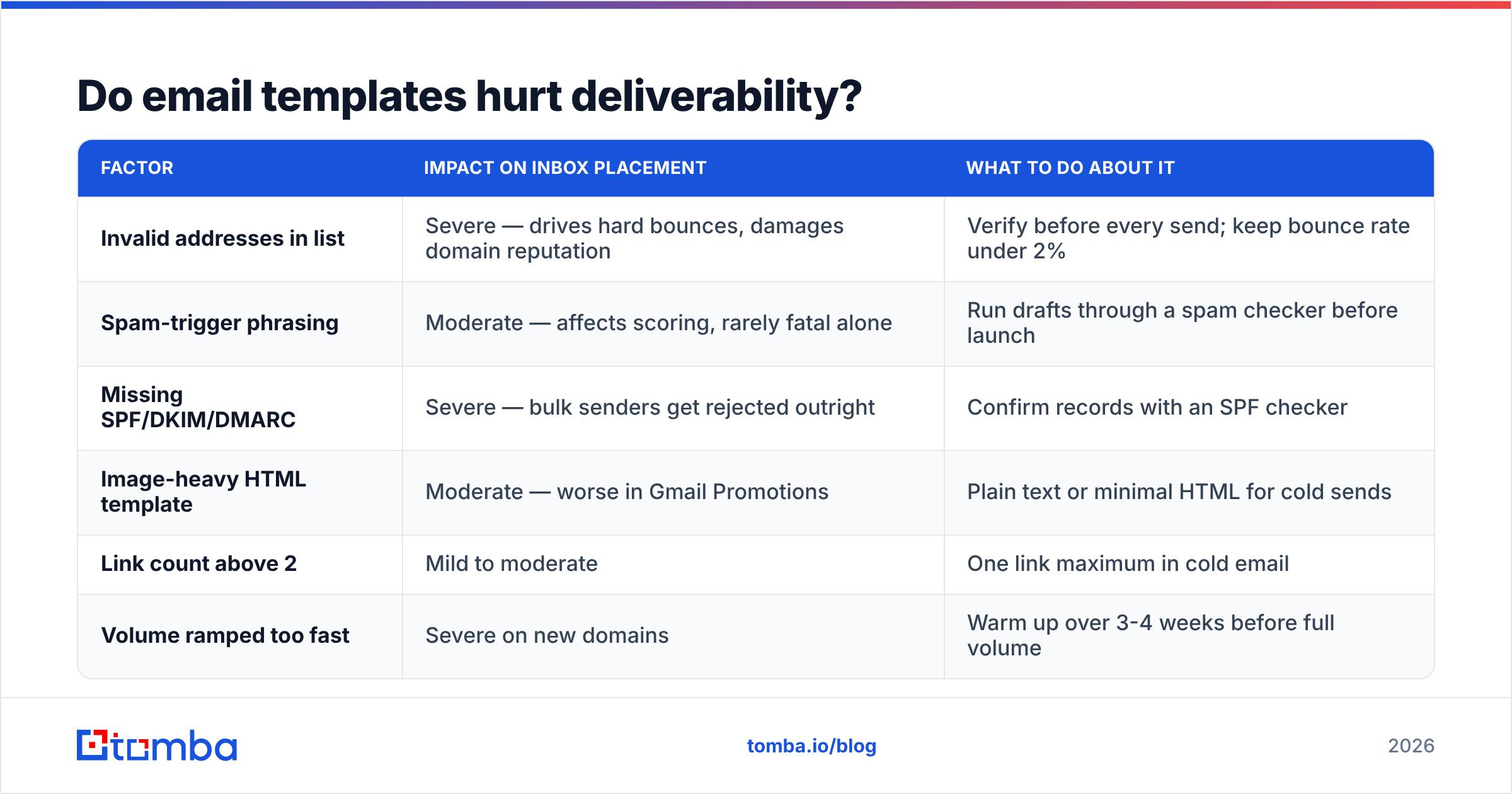
Do email templates hurt deliverability?#
Templates themselves are neutral. What hurts you is what tends to travel with them.
Identical body text across thousands of sends is a weak signal on its own — transactional email is identical by nature and lands fine. The problems compound elsewhere:
| Factor | Impact on inbox placement | What to do about it |
|---|---|---|
| Invalid addresses in list | Severe — drives hard bounces, damages domain reputation | Verify before every send; keep bounce rate under 2% |
| Spam-trigger phrasing | Moderate — affects scoring, rarely fatal alone | Run drafts through a spam checker before launch |
| Missing SPF/DKIM/DMARC | Severe — bulk senders get rejected outright | Confirm records with an SPF checker |
| Image-heavy HTML template | Moderate — worse in Gmail Promotions | Plain text or minimal HTML for cold sends |
| Link count above 2 | Mild to moderate | One link maximum in cold email |
| Volume ramped too fast | Severe on new domains | Warm up over 3-4 weeks before full volume |
The uncomfortable truth: teams spend weeks A/B testing subject lines while sending from a domain with no DMARC record and a list they bought and never cleaned. Fix the plumbing, then argue about verbs.

What does a strong cold email template look like in 2026?#
Here's a skeleton that follows the five blocks. Variables in braces.
Subject: {team} + {problem noun}
{first_name} — saw {company} is hiring three more {role} reqs on top of the {n}-person team you already run.
That's usually when {specific breakage} starts showing up: {one-clause symptom}.
We handled the same thing for {peer company}, {segment} at roughly your headcount — {metric} went from {before} to {after} in {timeframe}.
Worth a look, or is this already handled?
{name}
{title}, {company}
Word count: about 70. Three real variables. The subject line is deliberately ugly — lowercase, no title case, no question mark, reads like an internal note rather than a campaign. That's not a trick, it's just what a real email from a colleague looks like. If you want to sanity-check variants, a subject line tester will flag the ones that read as marketing at a glance.
The follow-up, sent four days later on the same thread:
{first_name} — one more angle: {different symptom of the same problem}. {peer company} was seeing it too.
If it's not a priority this quarter, say so and I'll close the loop.
Twenty-eight words. It gives an explicit exit, which reliably lifts reply rate because "no" is now the easiest possible response — and a fast no is worth more to a pipeline than a slow maybe. HubSpot's sales research and the broader body of outbound benchmarking both point the same direction: multi-touch sequences with short, distinct follow-ups outperform single sends by a wide margin, but only when each touch adds a new angle instead of restating the first.
How should you test and measure an email template?#
Rules that keep tests honest:
- One variable per test. Subject or opener or ask — not all three. If you change the whole email, you learned nothing except that email B beat email A once.
- Minimum 200 sends per variant. Below that, the confidence interval on a 4% reply rate is wide enough to swallow the entire difference you're excited about.
- Judge on replies and positive replies, not opens. Since Apple Mail Privacy Protection began pre-loading images, open rates are inflated and inconsistent across mailbox providers. Track them as a rough signal, decide on replies.
- Segment before you conclude. A template that wins for 50-person startups and loses for 5,000-person enterprises isn't a winner — it's a segmentation finding.
- Re-baseline every quarter. Saturation is real. Assume a 90-day half-life on any template that works well enough to scale.
Log results somewhere structured. A simple sheet with variant, segment, sends, replies, positive replies, and date beats memory and beats your sequencer's default dashboard, which usually reports opens most prominently because opens look good.
Where should you source contacts for your templates?#
Three broad options, and honest trade-offs on each. Prebuilt B2B lists — providers like BookYourData offer curated, filterable datasets that are useful when you need a specific ICP slice quickly and don't want to build discovery infrastructure. Self-service finders let you resolve contacts on demand from a domain or a name, which fits better when your target list comes from your own research, your CRM, or website traffic. And manual sourcing from LinkedIn plus verification, which is slow but produces the highest-intent lists for small, high-ACV territories.
Whichever you use, the verification step is non-negotiable. Every provider's data decays; the question is only how fast. Check any vendor's stated data sources and refresh cadence before you commit budget, and read independent reviews on G2 rather than case studies on the vendor's own site.
The takeaway#
A great email template is 30% copywriting and 70% infrastructure — right person, right address, live mailbox, authenticated domain, sane volume. The copy work is real, but it's the last 30%, not the first.
If your reply rate is falling and you're on your fourth rewrite, stop rewriting. Pull 500 addresses from your last campaign, check what share were valid, and look at your bounce rate. The answer is usually sitting right there.
When you're ready to rebuild the list under the template, start with the Tomba Email Finder — resolve verified professional addresses by domain, name, or company, so the skeleton you spent a week perfecting actually reaches a human. The free tier covers 25 searches a month to test the workflow, and paid plans start at $49/mo; full details are on Tomba pricing.
Related guides#
Ready to find emails that actually work?
Join 150,000+ professionals who stopped guessing and started sending. Free credits on signup — no credit card required.
Get the Tomba newsletter
Practical outbound tactics and product updates — once every two weeks.
About the author