How to Find Company by Email Address: 6 Proven Methods
An email address is a company fingerprint if you know how to read it. Here are six ways to find the company behind an address, ranked by speed, accuracy, and what they cost you.
Need to find company by email address details fast? This guide walks through six methods, from free domain checks to paid enrichment APIs. Each one is ranked by speed, accuracy, and cost.
TL;DR
- Corporate domain? The domain is the company. Your only job is confirming which legal entity owns it.
- Free-mail addresses (gmail.com, outlook.com, icloud.com) carry no company signal. They need a person-level reverse email lookup, not a domain lookup.
- Manual routes — WHOIS, MX records, LinkedIn, the site itself — are free and fine for one-off checks. They break past about 20 records.
- Enrichment APIs return company name, size, industry, and location in one call. Match rates are high on corporate domains and much lower on free-mail.
- Verify the address before you enrich it. Enriching a dead mailbox burns credits and pollutes your CRM.
Why would you want to find a company by email address?#
Four situations cover almost all of the demand.
Inbound lead routing. Someone fills in a demo form with j.chen@northbridge-logistics.com and nothing else. Before that lead hits a rep's queue, you want to know it's a 400-person freight company in Rotterdam, not a two-person consultancy. Those go to different territories and different playbooks.
Deduplicating and enriching a CRM. You inherited 40,000 contact rows where the company field is blank, misspelled, or holds three variants of the same business. Email-to-company matching is the cheapest way to normalise it.
Fraud and risk checks. A signup from a domain registered eleven days ago with privacy-shielded WHOIS is a different risk profile from one at a domain with fifteen years of history and 300 employees on LinkedIn.
Reply triage in outbound. A positive reply from an unfamiliar address is worth more if you can tell in two seconds whether it came from a target account or a vendor pitching you.
The method you pick should follow the use case. A one-off risk check justifies five minutes of manual digging. Routing 900 inbound leads a month does not.
What can an email address actually tell you?#
Break the address into its two halves and you can see exactly where the information lives.
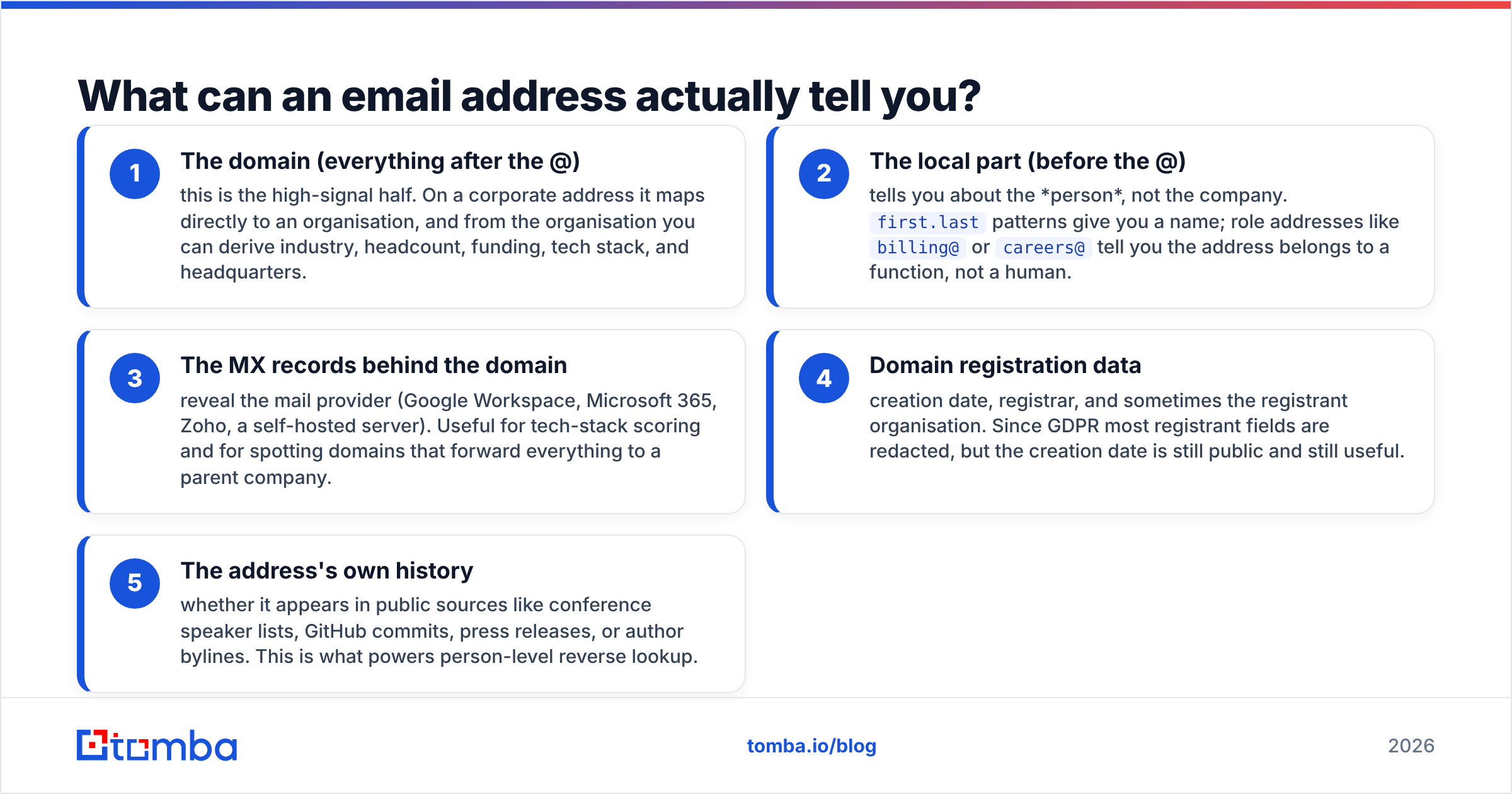
- The domain (everything after the @) — this is the high-signal half. On a corporate address it maps directly to an organisation, and from the organisation you can derive industry, headcount, funding, tech stack, and headquarters.
- The local part (before the @) — tells you about the person, not the company.
first.lastpatterns give you a name; role addresses likebilling@orcareers@tell you the address belongs to a function, not a human. - The MX records behind the domain — reveal the mail provider (Google Workspace, Microsoft 365, Zoho, a self-hosted server). Useful for tech-stack scoring and for spotting domains that forward everything to a parent company.
- Domain registration data — creation date, registrar, and sometimes the registrant organisation. Since GDPR most registrant fields are redacted, but the creation date is still public and still useful.
- The address's own history — whether it appears in public sources like conference speaker lists, GitHub commits, press releases, or author bylines. This is what powers person-level reverse lookup.
The uncomfortable truth: if the domain is gmail.com, points 1, 3, and 4 give you nothing. About a third of form fills at self-serve SaaS companies use free-mail addresses. No amount of domain analysis fixes that. You need a dataset that has already linked that address to a person, and that person to an employer.

How do you find a company from a business email domain?#
Start with the free path. It takes about two minutes per address and it's often enough.
Step 1 — visit the domain directly. Type the domain into a browser. Most B2B domains resolve to a marketing site with an About page, a legal-entity name in the footer, and a registered address. This single step resolves the majority of corporate addresses.
Step 2 — run a WHOIS lookup. Use ICANN's official lookup to see registrar, creation date, and name servers. Registrant identity is usually redacted under privacy services — WHOIS has been heavily anonymised since 2018 — but creation date alone separates established companies from throwaway domains.
Step 3 — check MX and SPF records. An SPF checker shows which services are authorised to send for the domain. If a small brand's SPF record includes a large parent company's infrastructure, you've found an acquisition that never made the news.
Step 4 — search LinkedIn for the domain. LinkedIn company pages list their website. Searching the bare domain usually surfaces the company page, headcount band, and industry classification directly.
Step 5 — run a domain search. A domain search returns every known email address at that domain plus the company record attached to it. This is the reverse of what you're doing, but it confirms the domain-to-company mapping and shows you the email pattern the company uses.
Step 6 — reverse-lookup the full address. When the domain tells you nothing — free-mail, or a personal domain — a reverse email lookup queries a person-level index instead: name, current employer, job title, and social profiles tied to that exact address.
Steps 1 to 4 are free and manual. Steps 5 and 6 are what you automate.
What about free email addresses like Gmail and Outlook?#
This is where most guides quietly stop being useful, so here is the honest version.
There is no deterministic way to get from sarah.k.designs@gmail.com to an employer. The domain belongs to Google, not to Sarah. Any tool that returns a company for that address is doing one of three things:
- Matching a known record. The address appeared somewhere public — a Git commit, a domain registration, a conference bio, a marketplace profile — alongside an employer. This is real and reliable when the source is recent.
- Matching on the person, not the address. The tool resolved the address to a name and location, then matched that person against a professional profile. Accuracy depends entirely on how common the name is.
- Guessing. Some vendors return a low-confidence company and present it with the same UI treatment as a hard match. This is how bad data enters a CRM.
Practical rule: only accept free-mail enrichment results that carry a confidence score, and set your threshold high. A blank company field is cheaper to fix than a wrong one. If your inbound forms are drowning in free-mail signups, fix it upstream instead. Require a work email, or add a company-name field.
Which tools find a company by email address?#
Here's how the main categories compare. Treat competitor pricing as indicative — vendors change tiers often, so check their own pages before you budget.
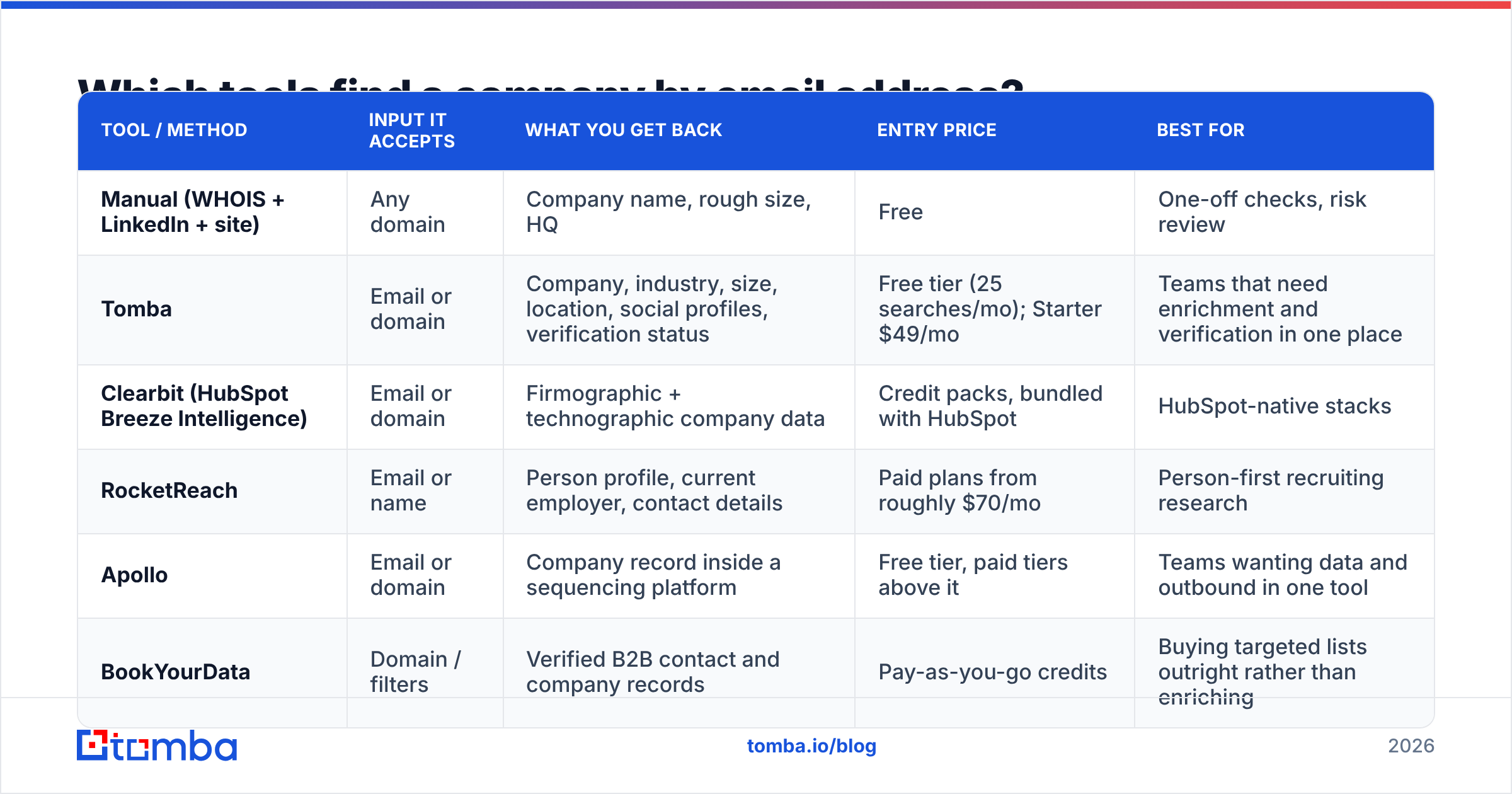
| Tool / method | Input it accepts | What you get back | Entry price | Best for |
|---|---|---|---|---|
| Manual (WHOIS + LinkedIn + site) | Any domain | Company name, rough size, HQ | Free | One-off checks, risk review |
| Tomba | Email or domain | Company, industry, size, location, social profiles, verification status | Free tier (25 searches/mo); Starter $49/mo | Teams that need enrichment and verification in one place |
| Clearbit (HubSpot Breeze Intelligence) | Email or domain | Firmographic + technographic company data | Credit packs, bundled with HubSpot | HubSpot-native stacks |
| RocketReach | Email or name | Person profile, current employer, contact details | Paid plans from roughly $70/mo | Person-first recruiting research |
| Apollo | Email or domain | Company record inside a sequencing platform | Free tier, paid tiers above it | Teams wanting data and outbound in one tool |
| BookYourData | Domain / filters | Verified B2B contact and company records | Pay-as-you-go credits | Buying targeted lists outright rather than enriching |
The tools that find company by email address split into two camps: domain-first and person-first. That split matters more than any feature list. Domain-first tools are excellent at corporate addresses and useless at free-mail. Person-first tools are the opposite: weaker firmographics, better at resolving an individual. If your traffic is a mix, you need coverage on both sides. That's why single-vendor accuracy claims rarely survive contact with a real inbound list.
For Tomba pricing, the tiers run Free (25 searches/month), Starter at $49/mo, Growth at $99/mo, Pro at $249/mo, and custom Enterprise. Enrichment, verification, and domain search all draw from the same credit pool, so you're not buying three subscriptions to complete one workflow.

How accurate is reverse email lookup in 2026?#
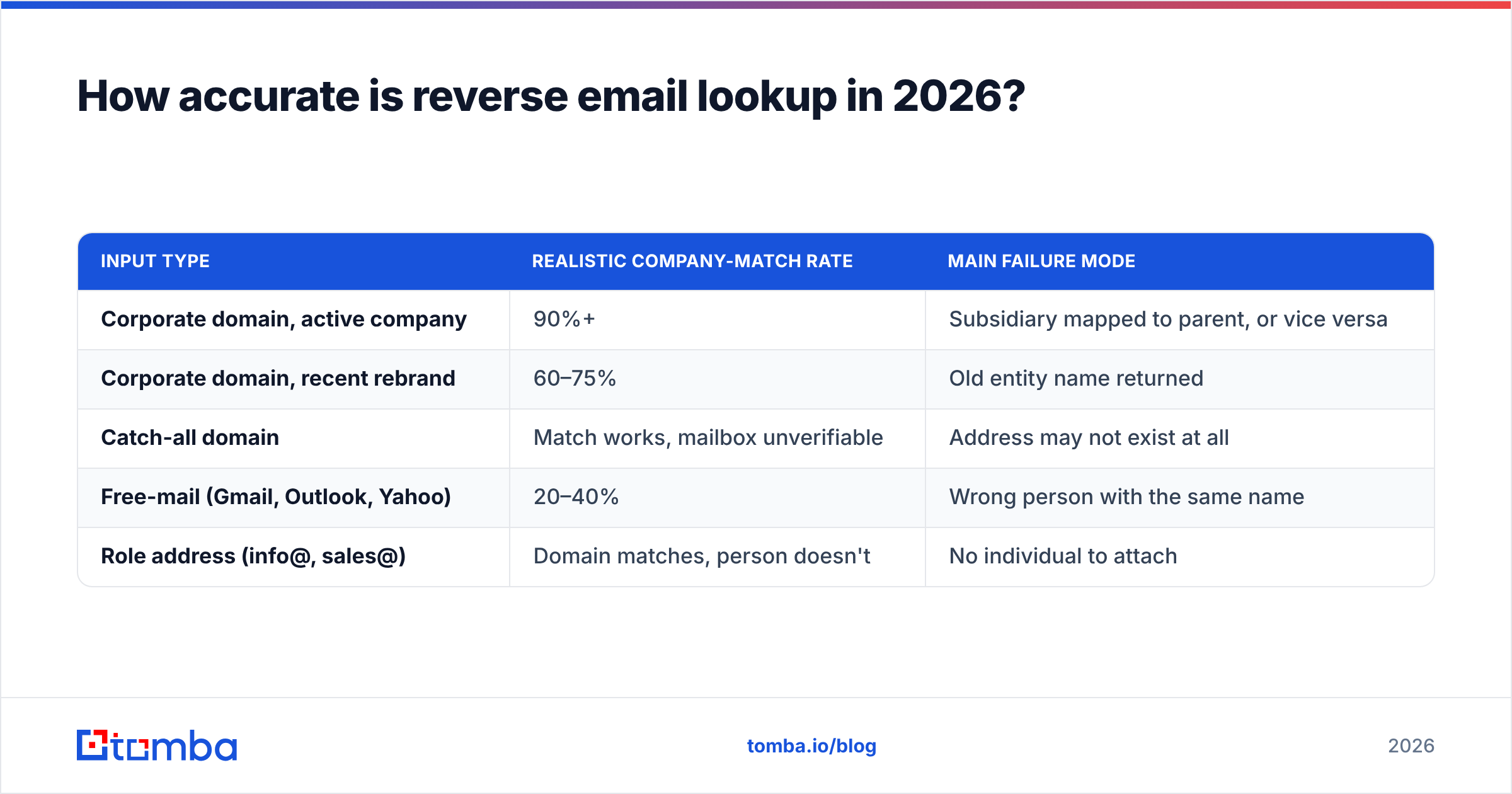
Accuracy varies by input type far more than by vendor. Rough expectations from working with these datasets:
| Input type | Realistic company-match rate | Main failure mode |
|---|---|---|
| Corporate domain, active company | 90%+ | Subsidiary mapped to parent, or vice versa |
| Corporate domain, recent rebrand | 60–75% | Old entity name returned |
| Catch-all domain | Match works, mailbox unverifiable | Address may not exist at all |
| Free-mail (Gmail, Outlook, Yahoo) | 20–40% | Wrong person with the same name |
| Role address (info@, sales@) | Domain matches, person doesn't | No individual to attach |
Three things degrade results independently of the tool you choose:
Job changes. Roughly one in five B2B contacts changes employer each year. A dataset refreshed quarterly always carries a share of stale employer mappings. Check how often a vendor refreshes — where the data comes from matters more than the size of the database.
Corporate structure. Large groups run dozens of domains. A match to the operating subsidiary is technically correct and still wrong for your territory routing.
Catch-all domains. These accept mail at any address, so SMTP verification returns "accept" for addresses that don't exist. A dedicated catch-all verifier resolves this properly instead of marking everything valid.
Verification and enrichment are separate jobs. Run an email verifier first, drop the invalid rows, then enrich what's left. That order typically cuts enrichment spend by 10–20% on an aged list, because you stop paying to look up mailboxes that bounce.
How do you find company by email address at scale?#
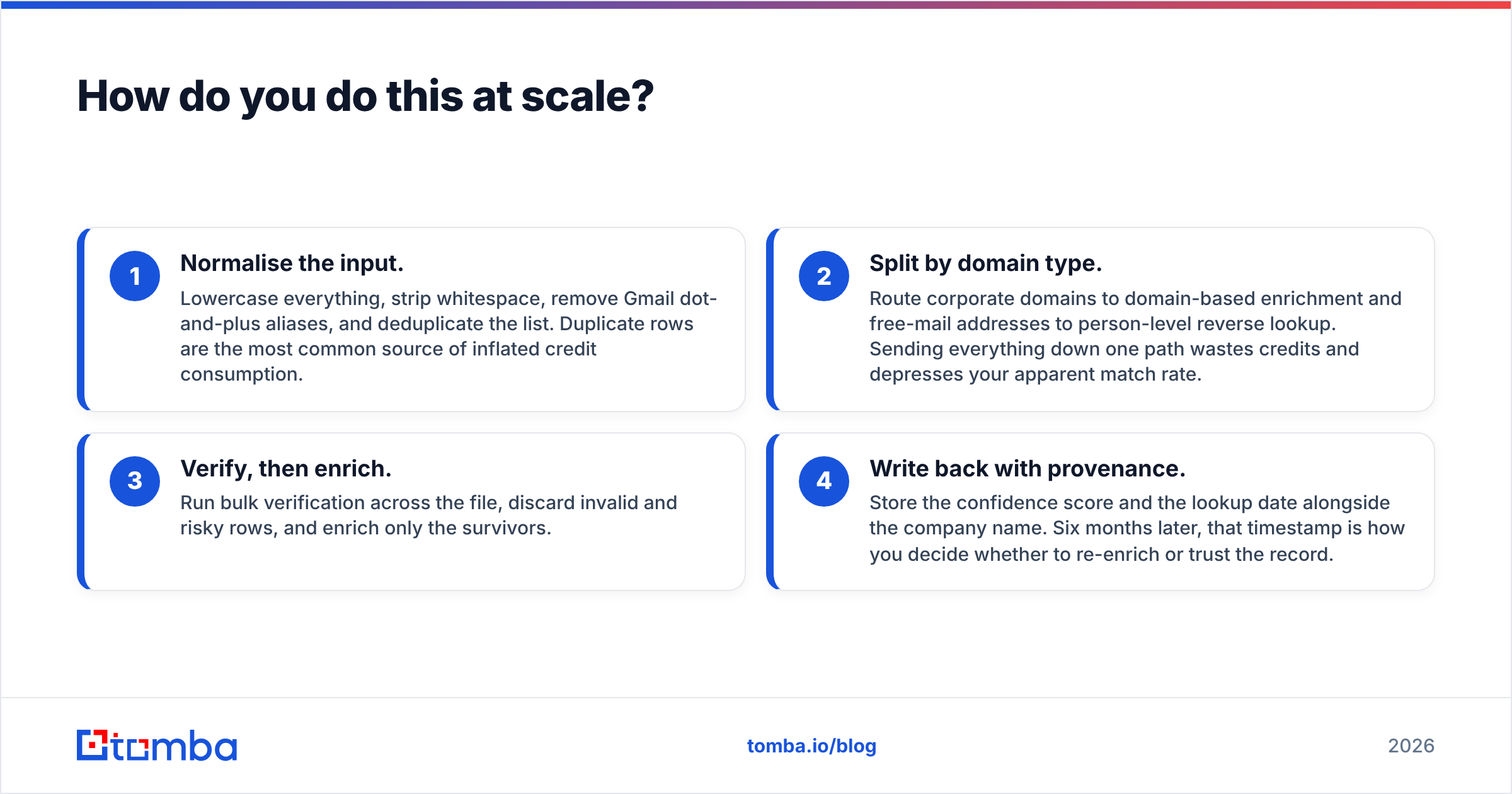
Past a few dozen records, manual lookups stop being viable. The scaled workflow has four steps:
- Normalise the input. Lowercase everything, strip whitespace, remove Gmail dot-and-plus aliases, and deduplicate the list. Duplicate rows are the most common source of inflated credit consumption.
- Split by domain type. Route corporate domains to domain-based enrichment and free-mail addresses to person-level reverse lookup. Sending everything down one path wastes credits and depresses your apparent match rate.
- Verify, then enrich. Run bulk verification across the file, discard invalid and risky rows, and enrich only the survivors.
- Write back with provenance. Store the confidence score and the lookup date alongside the company name. Six months later, that timestamp is how you decide whether to re-enrich or trust the record.
For anything real-time — form submissions, signup flows, in-app routing — use the email finder API rather than batch files. One call at form-submit time enriches the lead before it reaches your routing rules. The rep sees the company on the first touch instead of the next morning's sync. Reviews on G2 are a reasonable place to sanity-check any vendor's latency and support claims before you commit an integration.
What are the legal limits on looking up a company by email?#
Short version: identifying a company from a domain is low-risk; enriching a person is regulated.
A domain-to-company lookup uses public infrastructure data and doesn't process personal information. Under GDPR, that's outside the scope of personal-data rules entirely.
Person-level reverse lookup is different. An email address tied to a named individual is personal data in the EU and UK, and increasingly under US state laws too. Practical guardrails:
- Have a documented lawful basis. For B2B outbound in the EU, that's usually legitimate interest — and you need the balancing assessment written down, not assumed.
- Include the data source and an opt-out in your first contact.
- Honour deletion requests across enriched fields, not just the original record.
- Don't enrich consumer addresses for consumer purposes under a B2B justification. Regulators treat that as the same problem it looks like.
None of this blocks the workflow. It does mean your enrichment vendor should be able to tell you where a given record came from. If they can't, that's the answer to whether you should use them.
What's the fastest end-to-end workflow?#
If you want one default to standardise on:
Corporate domain → domain lookup → confirm entity on the company site → done, under 30 seconds.
Free-mail address → reverse email lookup → accept only high-confidence matches → otherwise leave the company field blank and let a human resolve it.
Any list over 50 rows → dedupe, verify, split by domain type, enrich, write back with a timestamp.
The failure mode to avoid is treating "we got a result" as "we got the right result." Every enrichment response should carry a confidence value. Your pipeline needs a threshold below which it writes nothing. Blank fields are honest. Wrong fields cost you a rep's trust in the whole system, and once that's gone the data problem becomes a change-management problem.
Ready to turn addresses into accounts? The Tomba Email Finder works in both directions. Find every address at a domain, or resolve a single address back to the company and person behind it. Verification draws from the same credit pool, so you never pay twice to trust your data. Start on the free tier with 25 searches a month, and move to Starter at $49/mo when your pipeline outgrows it.
Related guides#
Ready to find emails that actually work?
Join 150,000+ professionals who stopped guessing and started sending. Free credits on signup — no credit card required.
Get the Tomba newsletter
Practical outbound tactics and product updates — once every two weeks.
About the author