9 Best GetEmail.io Alternatives in 2026 for B2B Email Finding
GetEmail.io's credit model and thin verification push teams to look elsewhere. Here are 9 alternatives compared on accuracy, pricing, API depth, and bulk workflows — with honest notes on who each one actually fits.

Searching for getemailio alternatives? Here are nine tools that beat GetEmail.io on verification, bulk work, and cost per valid email.
TL;DR
- GetEmail.io is a light, LinkedIn-first email finder. It works for one-off lookups. But the free plan caps at 10 credits a month, and paid tiers still bill you for guesses it never verifies.
- The common complaints: no real bulk workflow on lower tiers, thin verification, and credits that burn on found results that later bounce.
- Need volume and verification in one place? Tomba ($49/mo Starter, 25 free searches) and Findymail are the closest like-for-like swaps.
- Need contact data plus sequencing? Look at Apollo or Lusha. Just need a verifier for a list you already own? ZeroBounce or Bouncer is the cheaper path.
- Judge cost per verified email, not cost per credit. Two tools with the same sticker price can differ 3x once bounces are priced in.
What is GetEmail.io and who actually uses it?#
GetEmail.io is a browser-extension email finder. You give it a first name, a last name, and a company domain. Or you click its Chrome extension on a LinkedIn profile. It returns a best-guess work email with a confidence label.
Under the hood it does what most finders do. It builds candidate addresses from known company patterns (first.last@, flast@, first@), then scores them against the signals it has. The official site calls it a fast, simple lookup tool. That is a fair description. It is not a data platform. There is no sequencer, no intent data, no CRM.
Typical users:
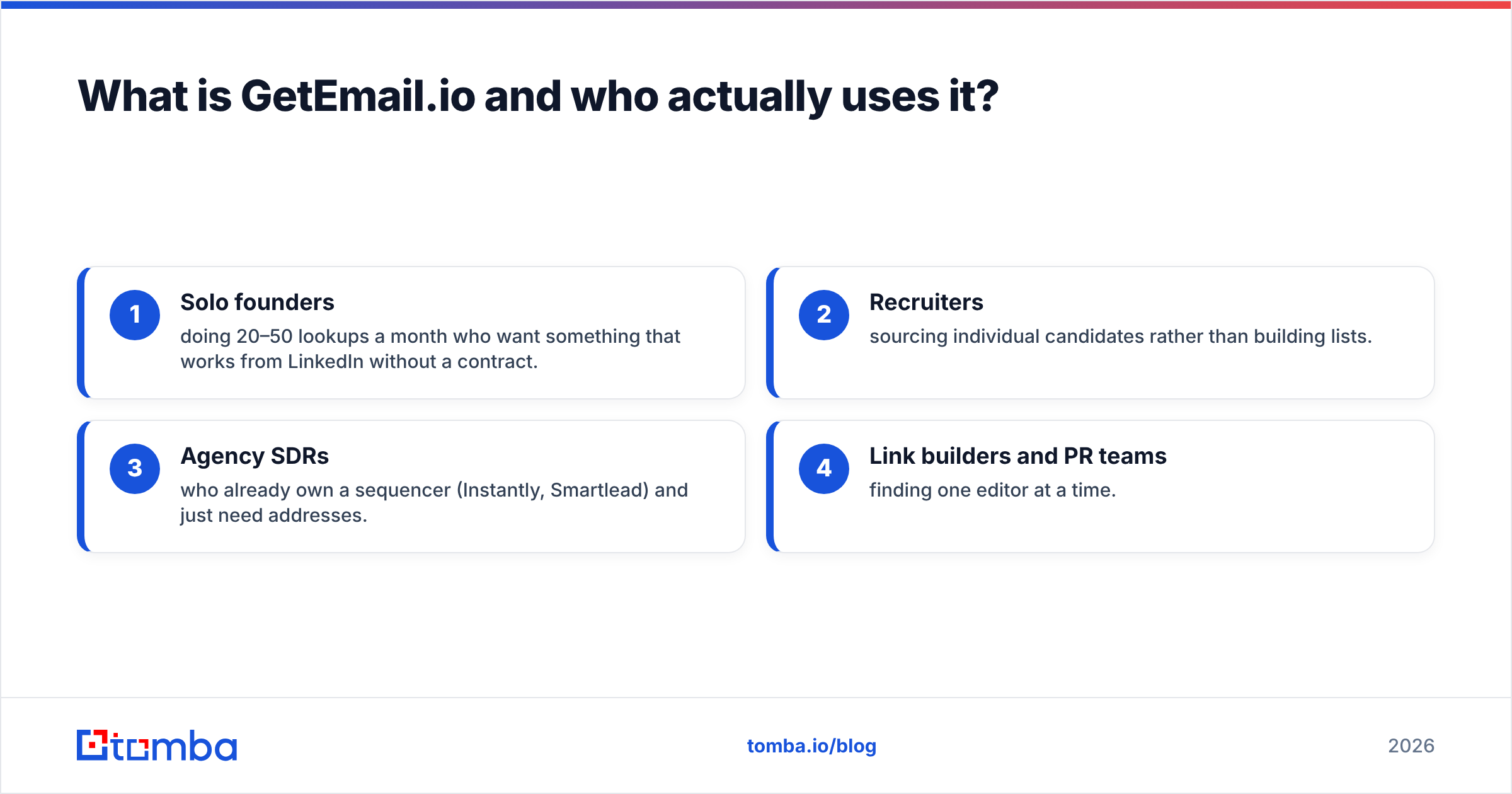
- Solo founders doing 20–50 lookups a month who want something that works from LinkedIn without a contract.
- Recruiters sourcing single candidates rather than building lists.
- Agency SDRs who already own a sequencer (Instantly, Smartlead) and just need addresses.
- Link builders and PR teams finding one editor at a time.
The pain starts when those users scale. A recruiter doing 40 lookups is happy. An SDR team building 3,000-contact lists each quarter hits three walls in the same week: credits, bulk upload, and verification.

Why teams search for getemailio alternatives#
Four reasons come up again and again in G2 reviews and community threads.
1. Credits burn on unverified results. Most finders take a credit when they return something. If that something is a 60%-confidence guess and it bounces, you paid twice: once for the credit, once for the damage to your sending reputation. Tools that only charge for verified results change the math.
2. Bulk is an afterthought. GetEmail.io is built for one-at-a-time extension use. Say your workflow is: export 800 rows from Sales Navigator, enrich them, push them to the CRM. Then you want native CSV bulk processing, a real API, and integrations that do not need Zapier duct tape.
3. Verification is separate. Finding an email and proving it delivers are two different jobs. Many teams pay for a finder and a verifier, then learn the two disagree. Tools that ship both — including catch-all verification, where most verifiers quietly give up — remove the whole problem.
4. Coverage gaps outside tech and the US. A finder is only as good as its source data. If your ICP is European mid-market manufacturing or APAC logistics, run the same 50 contacts through three tools first. Coverage varies a lot by region and company size.
Which GetEmail.io alternatives are worth testing in 2026?#
Here is the shortlist of getemailio alternatives, grouped by the job you are hiring the tool to do.
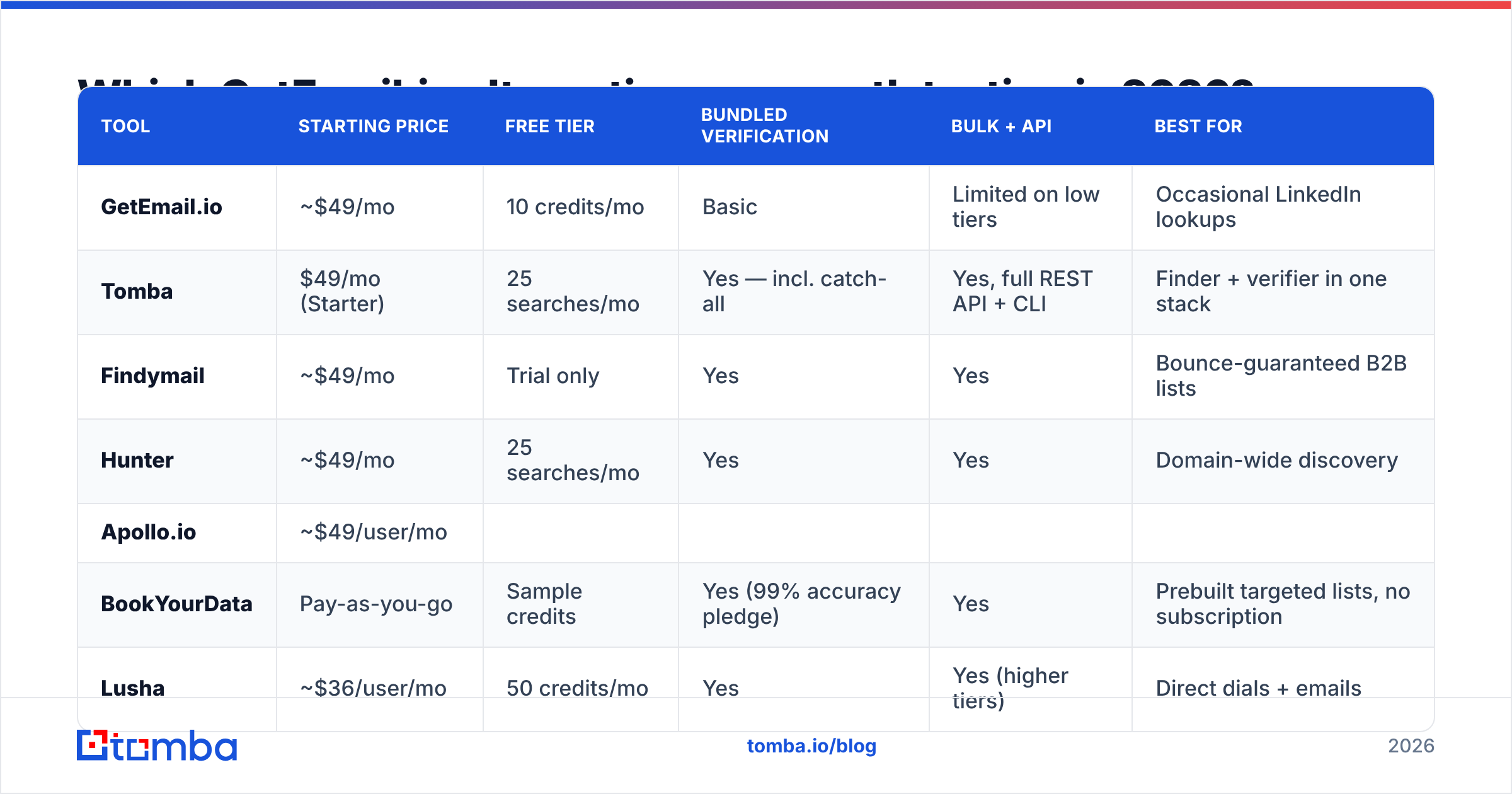
| Tool | Starting price | Free tier | Bundled verification | Bulk + API | Best for |
|---|---|---|---|---|---|
| GetEmail.io | ~$49/mo | 10 credits/mo | Basic | Limited on low tiers | Occasional LinkedIn lookups |
| Tomba | $49/mo (Starter) | 25 searches/mo | Yes — incl. catch-all | Yes, full REST API + CLI | Finder + verifier in one stack |
| Findymail | ~$49/mo | Trial only | Yes | Yes | Bounce-guaranteed B2B lists |
| Hunter | ~$49/mo | 25 searches/mo | Yes | Yes | Domain-wide discovery |
| Apollo.io | ~$49/user/mo | ||||
| Limited credits | Yes | Yes | Database + sequencing in one | ||
| BookYourData | Pay-as-you-go | Sample credits | Yes (99% accuracy pledge) | Yes | Prebuilt targeted lists, no subscription |
| --- | --- | --- | --- | --- | --- |
| Lusha | ~$36/user/mo | 50 credits/mo | Yes | Yes (higher tiers) | Direct dials + emails |
| RocketReach | ~$39/mo | Limited lookups | Basic | Yes | Broad person-lookup coverage |
| ZeroBounce | Pay-as-you-go | 100 credits/mo | Verification only | Yes | Cleaning lists you already own |
A note on prices. Sticker prices cluster at $39–$49 because that is the floor buyers expect in B2B SaaS. The real gap is in what counts as a credit. For one vendor, a credit is one lookup attempt. For another, it is one verified result. Read the definition before you compare.
1. Tomba — best all-in-one finder + verifier#
Tomba is the closest structural swap for GetEmail.io, with the gaps filled in. The email finder takes a name plus a domain. It ships next to domain search, which pulls every discoverable address at a company, an email verifier, a catch-all checker, a phone finder, and enrichment.
Where it separates from GetEmail.io:
- Verification runs in the same pipeline, not as a separate purchase. Found addresses come back with a deliverability status, so you never export to a second tool.
- Bulk is native. Bulk email finding and verification is standard, not gated behind an enterprise plan.
- The developer surface is real. There is a documented email finder API, a CLI, an MCP server, plus Google Sheets, Excel, Airtable, HubSpot, and Salesforce integrations.
- Pricing is public: free tier at 25 searches/mo, Starter $49/mo, Growth $99/mo, Pro $249/mo, Enterprise custom. See the full Tomba pricing page.
Weak spots, honestly: Tomba is not a sequencer. If you want to find, write, and send from one dashboard, pair it with Instantly or Smartlead. And like every finder, coverage on tiny companies in non-English markets is thinner than on mid-market SaaS.
2. Findymail — best for bounce-averse teams#
Findymail keeps its pitch simple. It does not charge for emails it cannot verify, and it sells a low bounce rate as the product. That answers complaint #1 above. It plugs cleanly into Lemlist and Smartlead. The tradeoff is a narrower toolset — it is a finder, not a data platform — and coverage skews toward tech and SaaS.
3. Hunter — best for domain-first discovery#
Hunter Domain Search is still the reference version of show me everyone at this company. If your prospecting starts from an account list rather than a person list, that is the right mental model. Verification is bundled, the API is mature, and the free tier is usable. Pricing climbs faster than Tomba past a few thousand lookups.
4. Apollo.io — best when you also need sequencing#
Apollo bundles a large contact database, filters, sequencing, and basic dialing. For a small team that wants one bill instead of four, that is appealing. The catch: database freshness is uneven, per-seat pricing adds up fast, and export limits on lower tiers surprise people. If you like the database but not the bundle, an Apollo alternative built around data quality is often cheaper per usable contact.
5. BookYourData — best for buying ready-made lists#
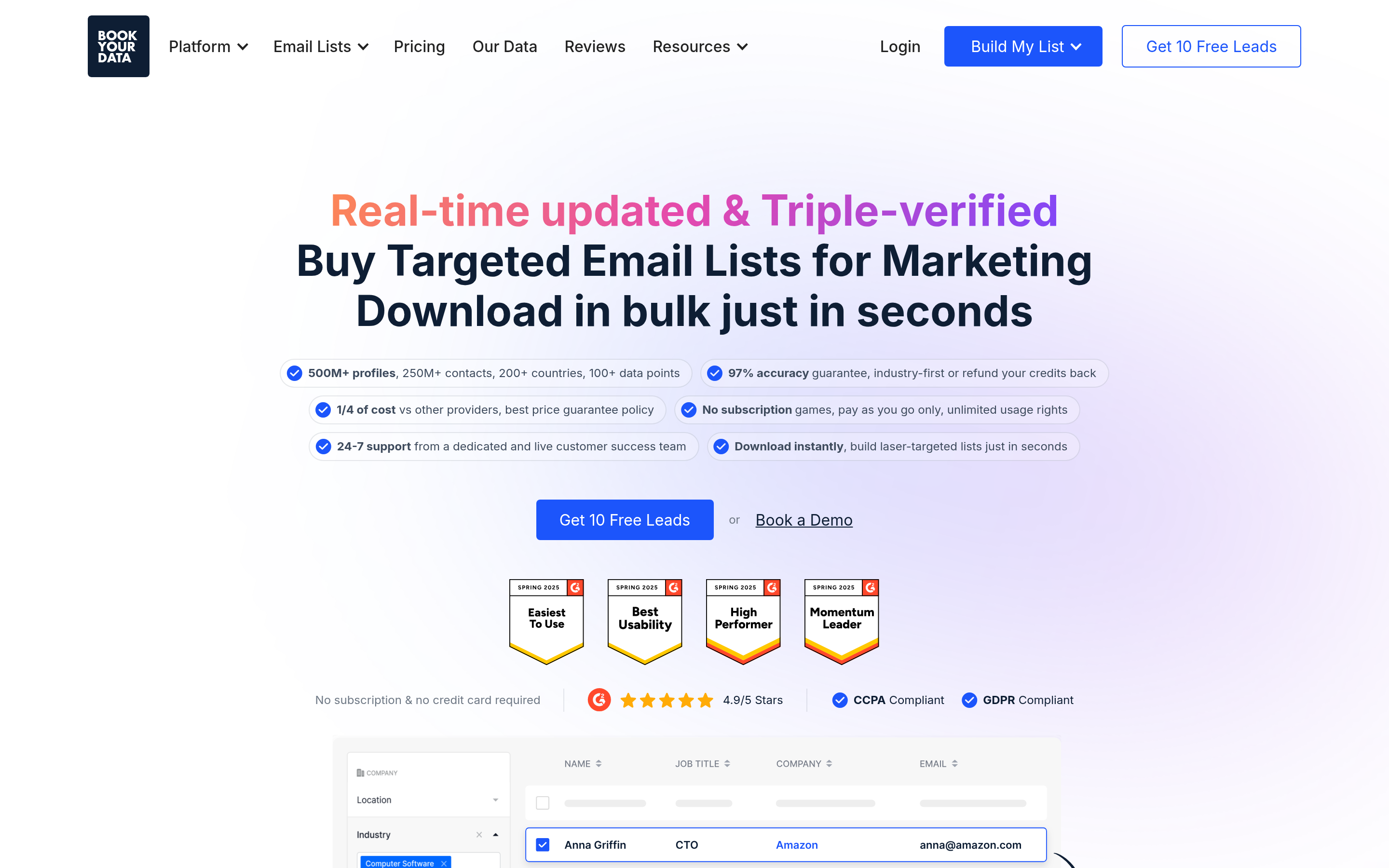
BookYourData takes another route. Instead of enriching contacts you found, you filter its database by industry, title, geography, or tech stack, then buy the records outright. It advertises a high accuracy guarantee with bounce credits. It also bills pay-as-you-go rather than monthly, which suits teams that run campaigns in bursts. It fits best when your bottleneck is sourcing rather than enriching, so it complements a finder instead of replacing one.
6. Lusha — best for phone numbers alongside email#
Lusha stands out on direct-dial coverage, mostly in North America. If you call first and email second, that matters more than a small accuracy gap on addresses. Credits are per seat and run out quickly on prospecting-heavy teams.
7. RocketReach — best for person-first lookup breadth#
RocketReach indexes a very large number of profiles, including many outside classic B2B tech. Accuracy is more variable than the specialists, so treat every result as a candidate to verify. It works well as a fallback when your main tool returns nothing.
8. ZeroBounce / Bouncer — best pure verifiers#
Already have a list from a conference, a form, or a partner? Then you do not need a finder. You need verification. Both tools charge per email checked. Both handle catch-all domains with mixed success. Both cost less than a finder subscription for that single job. Pair either one with a free email checker for spot checks.
9. Free tools + permutation as a stopgap#
For very low volume, a company email pattern checker plus an email permutator plus a verifier gets you there by hand. It will not scale past a few dozen contacts a week. But it costs nothing, and it shows you what the paid tools actually do.
How accurate are these tools in practice?#
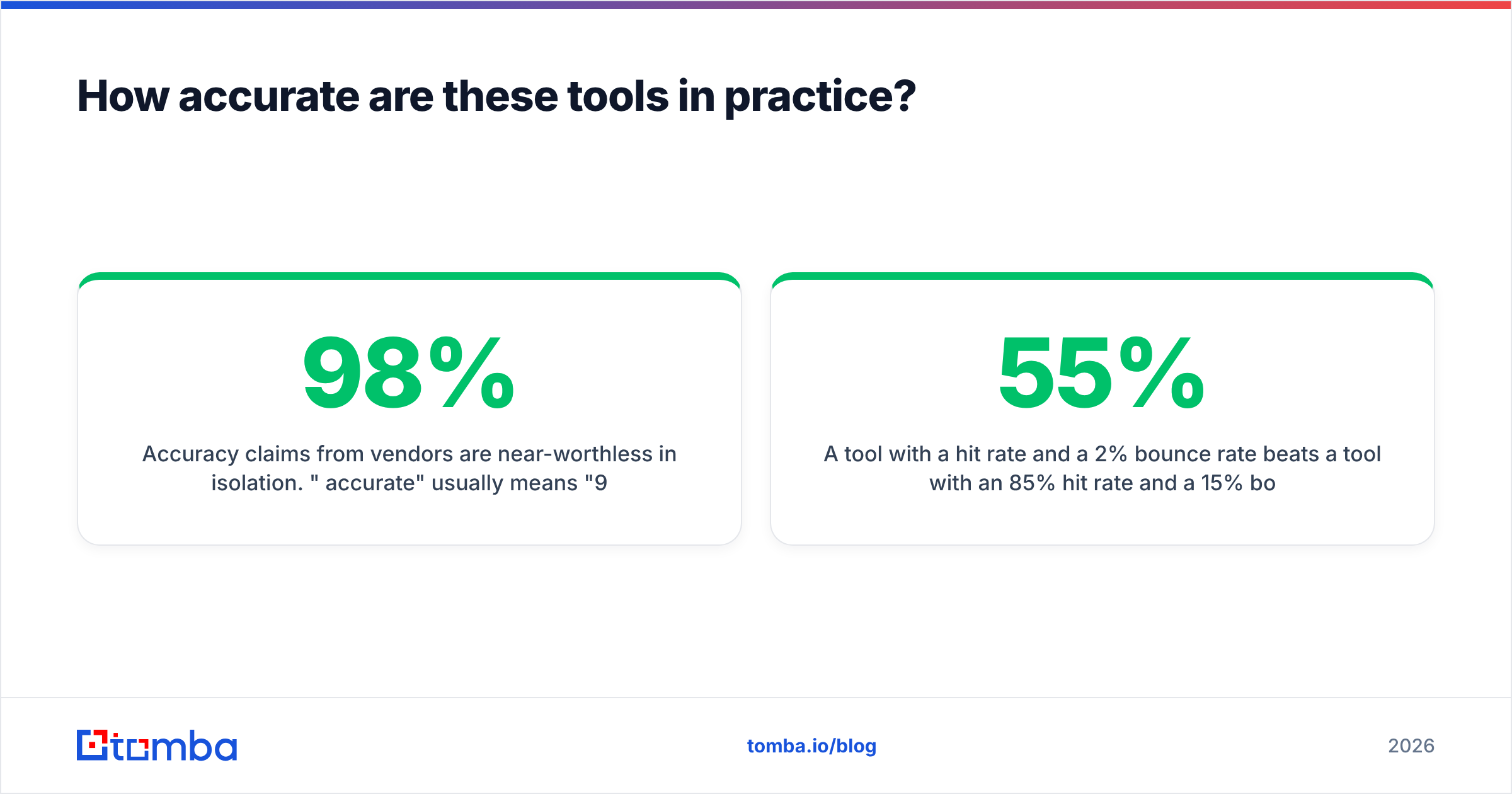
Vendor accuracy claims mean little on their own. 98% accurate usually means 98% of the emails the vendor chose to return were valid. It says nothing about the 40% of your list where the tool returned nothing at all.
Measure two numbers on your own data:
- Hit rate — of 100 target contacts, how many did the tool return an address for?
- Bounce rate on returned addresses — of those, how many actually delivered?
A tool with a 55% hit rate and a 2% bounce rate beats a tool with an 85% hit rate and a 15% bounce rate. The second one costs you sender reputation, which is slow to rebuild and hurts every campaign you run after it.

Here is the test that settles it. Take 100 real contacts from your ICP where you already know the right address: past customers, current pipeline, LinkedIn connections. Run them through each free tier. Score hit rate and correctness. Two hours of work saves twelve months of paying for the wrong tool.
Catch-all domains usually reshuffle the ranking. A catch-all server accepts mail to any address at the domain, so a standard SMTP check comes back as unknown. Some tools mark these valid, which causes bounces. Some mark them invalid, which drops good contacts. A few run deeper checks. If a large share of your ICP sits on catch-all infrastructure — common in enterprise and in Microsoft 365 — this one behavior decides your real-world results.


What should you compare before switching?#
Run every candidate through the same six questions:
- What triggers a credit charge? Any result, or only a verified one? This single line item can double or halve your real cost.
- Does verification ship in the box? If not, add the price of a verifier to the price of the finder before you compare.
- How is catch-all handled? Ask directly. A vague answer is still an answer.
- Is there a real API? Zapier does not count. A documented REST API with readable rate limits means you can automate enrichment inside your own systems.
- Do credits roll over or expire monthly? Bursty prospecting cycles get punished by strict monthly expiry.
- What is the export policy? Some platforms make your enriched data hard to take with you. Check before you build a workflow on top of it.
Then run the migration in this order. Export your current contact list. Dedupe it — a remove-duplicates tool takes 30 seconds. Re-verify the whole list in the new tool. Only then start net-new finding. Expect 5–15% of your old list to have decayed through job changes, domain moves, and offboarding. Cleaning that up is a free deliverability win before you send anything.
Which alternative fits your use case?#
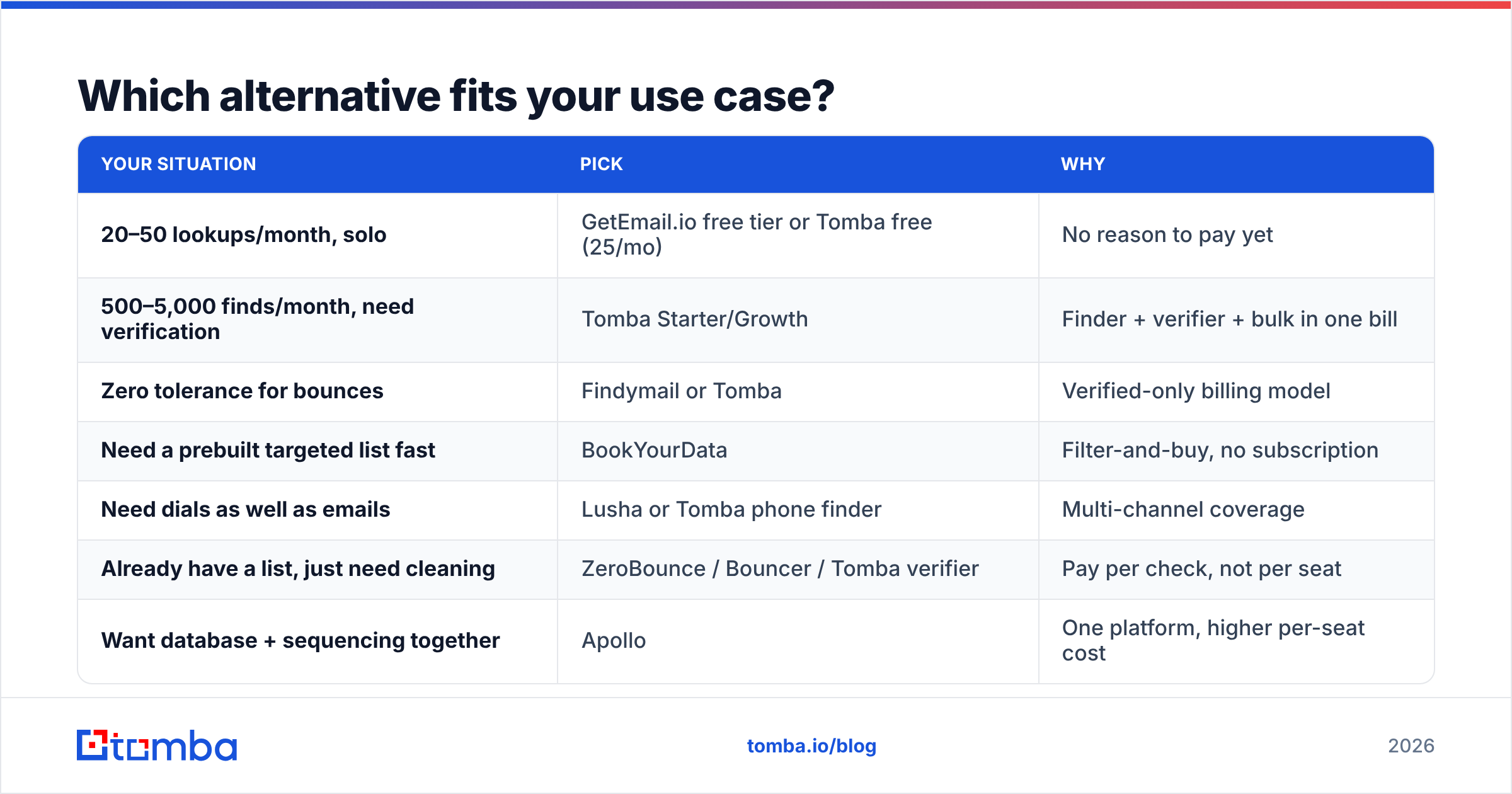
Most getemailio alternatives look alike on paper. Your use case decides which one wins.
| Your situation | Pick | Why |
|---|---|---|
| 20–50 lookups/month, solo | GetEmail.io free tier or Tomba free (25/mo) | No reason to pay yet |
| 500–5,000 finds/month, need verification | Tomba Starter/Growth | Finder + verifier + bulk in one bill |
| Zero tolerance for bounces | Findymail or Tomba | Verified-only billing model |
| Need a prebuilt targeted list fast | BookYourData | Filter-and-buy, no subscription |
| Need dials as well as emails | Lusha or Tomba phone finder | Multi-channel coverage |
| Already have a list, just need cleaning | ZeroBounce / Bouncer / Tomba verifier | Pay per check, not per seat |
| Want database + sequencing together | Apollo | One platform, higher per-seat cost |
| Building enrichment into your own product | Tomba API | Documented REST endpoints, CLI, MCP |
For most teams leaving GetEmail.io, the choice comes down to one question: do you need a sequencer bundled in? If yes, pick Apollo. If no — and most teams already own a sending tool — a specialist finder with built-in verification is cheaper and more accurate than a suite that tries to be both.
One more thing to check: where the data comes from. Vendors that stay vague about sourcing tend to stay vague about compliance too. GDPR exposure on a B2B contact database is not a theoretical risk in 2026. Ask for the sourcing and the deletion-request process in writing before you sign an annual contract.
Ready to test a replacement?#
Start with a free tier and your own 100-contact benchmark list, not a vendor demo. Tomba Email Finder gives you 25 searches a month at no cost. It bundles verification and catch-all checking in the same result. And it exposes everything through a documented API when you are ready to automate. If it beats your current tool on hit rate and bounce rate against your real ICP, upgrading at $49/mo Starter is an easy call. If it does not, you spent nothing and you know which tool to keep.
Related guides#
Ready to find emails that actually work?
Join 150,000+ professionals who stopped guessing and started sending. Free credits on signup — no credit card required.
Get the Tomba newsletter
Practical outbound tactics and product updates — once every two weeks.
About the author