Gmail Spam Trigger Words: What Actually Filters in 2026
Most spam word lists floating around were written for 2011 filters. Here's what Gmail actually scores in 2026, which words are genuinely risky, and the signals that outweigh vocabulary by a wide margin.
TL;DR
- Gmail does not run a public banned-word list. It runs a machine-learned reputation model where content is one input among many — and usually not the decisive one.
- The words that still hurt you are the ones statistically co-occurring with bad senders: "guaranteed income", "act now", "risk-free", "wire transfer", crypto and pharma vocabulary, plus obfuscation tricks like "F.R.E.E" or "V1AGRA".
- Sending to invalid or recycled addresses will bury you faster than any adjective. A 5% bounce rate outweighs every word choice on this page.
- Formatting signals — all-caps subjects, four exclamation points, red 18pt text, a single image with no text, link shorteners — carry more weight than most individual words.
- Fix authentication (SPF/DKIM/DMARC), list hygiene, and complaint rate first. Then edit copy. Reversing that order is why most "I removed all the spam words and still landed in spam" posts exist.
What are Gmail spam trigger words?#
"Gmail spam trigger words" is shorthand for terms people believe cause an automatic spam classification. The shorthand is mostly wrong, and understanding why saves you a lot of pointless editing.
Think of Gmail's filter like a bouncer who has worked the same door for twenty years. He isn't reading a list of forbidden phrases off a clipboard. He's pattern-matching thousands of small signals at once: who vouched for you, how you're dressed, whether people who arrived from your direction last week caused problems. A word like "free" is one wrinkle in the shirt. It matters only when everything else about you is already borderline.
Technically: Gmail uses layered classifiers trained on billions of signals — sending IP and domain reputation, authentication results, user engagement (opens, replies, moves-to-inbox, "report spam" clicks), URL reputation, structural features of the HTML, and yes, content tokens. Google's own sender guidelines describe authentication, low complaint rates, and one-click unsubscribe as requirements. They never publish a word list, because a static word list would be trivially gamed within a week.
Legacy rule-based engines like Apache SpamAssassin do ship literal content rules with point values — and many self-hosted corporate gateways still run them. That's the real source of the "spam words" folklore: it was accurate for 2005-era filters and it partially survives at small on-prem mail servers, but it describes almost nothing about how Gmail or Outlook decide in 2026.
Do Gmail spam trigger words still get you filtered in 2026?#
Yes, but conditionally. Content contributes to the score; it rarely drives the decision alone.
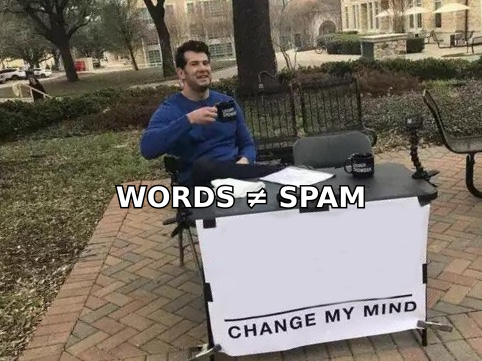
Here's the practical model. Every message accumulates risk from several categories. Approximate weighting, based on what deliverability practitioners consistently observe when isolating variables:
| Signal category | Practical weight | What "bad" looks like | How fast you can fix it |
|---|---|---|---|
| Domain & IP reputation | Very high | New domain, no warmup, spikes from 0 to 500/day | 3–6 weeks |
| List quality (bounces, spam traps) | Very high | >3% hard bounce, recycled addresses | Immediate (verify first) |
| Complaint rate | Very high | >0.30% per Postmaster Tools | 1–2 weeks |
| Authentication (SPF/DKIM/DMARC) | High — pass/fail gate | DMARC missing on bulk sending | 1 day |
| Engagement (replies, opens, moves) | High | Zero replies across 1,000 sends | Ongoing |
| HTML structure & links | Medium | Image-only email, bit.ly links, tracking-heavy | 1 hour |
| Word choice & phrasing | Low–medium | Stacked financial-urgency claims | 10 minutes |
The last row is the one everyone spends their afternoon on. It's the cheapest fix — which is fine, do it — but it's the smallest lever.
The nuance that makes word choice matter at all: content signals become decisive when everything else is neutral. A brand-new domain with no reputation history has nothing else for Gmail to score. In that vacuum, "Claim your guaranteed 300% ROI risk-free" is enough to tip you. The same sentence from a five-year-old domain with a 0.02% complaint rate and consistent replies will land in the inbox.
Which words and phrases actually correlate with spam placement?#
Group them by why they're risky, not alphabetically. That's how you learn the pattern instead of memorizing 400 entries.
- Financial guarantee claims — "guaranteed income", "double your money", "100% risk-free", "no credit check", "earn $5,000/week". These correlate with advance-fee fraud and MLM. The strongest cluster on the list.
- Manufactured urgency stacked with an offer — "act now", "limited time only", "urgent response required", "expires today", "final notice". One urgency phrase is normal marketing. Three in one email plus a payment link is a pattern.
- Obfuscation and character substitution — "F.R.E.E", "V1AGRA", "M0NEY", excessive Unicode lookalikes, hidden white-on-white text. This is near-conclusive on its own, because legitimate senders have no reason to evade tokenizers.
- Regulated-vertical vocabulary — pharmacy, adult, gambling, crypto-investment, and debt-relief terms. Not banned, but they enter a higher-scrutiny lane. If you genuinely sell in these categories, your domain reputation has to carry more weight than average.
- Payment and transfer language in cold context — "wire transfer", "bank details", "your account has been suspended", "verify your password". These overlap with phishing templates, so they draw an outsized penalty in a first-contact email.
- Mass-mail tells in a 1:1 email — "Dear Sir/Madam", "This is not spam", "You are receiving this because", "unsubscribe" language in a message that claims to be personal. Contradicting your own framing is what gets scored, not the individual token.
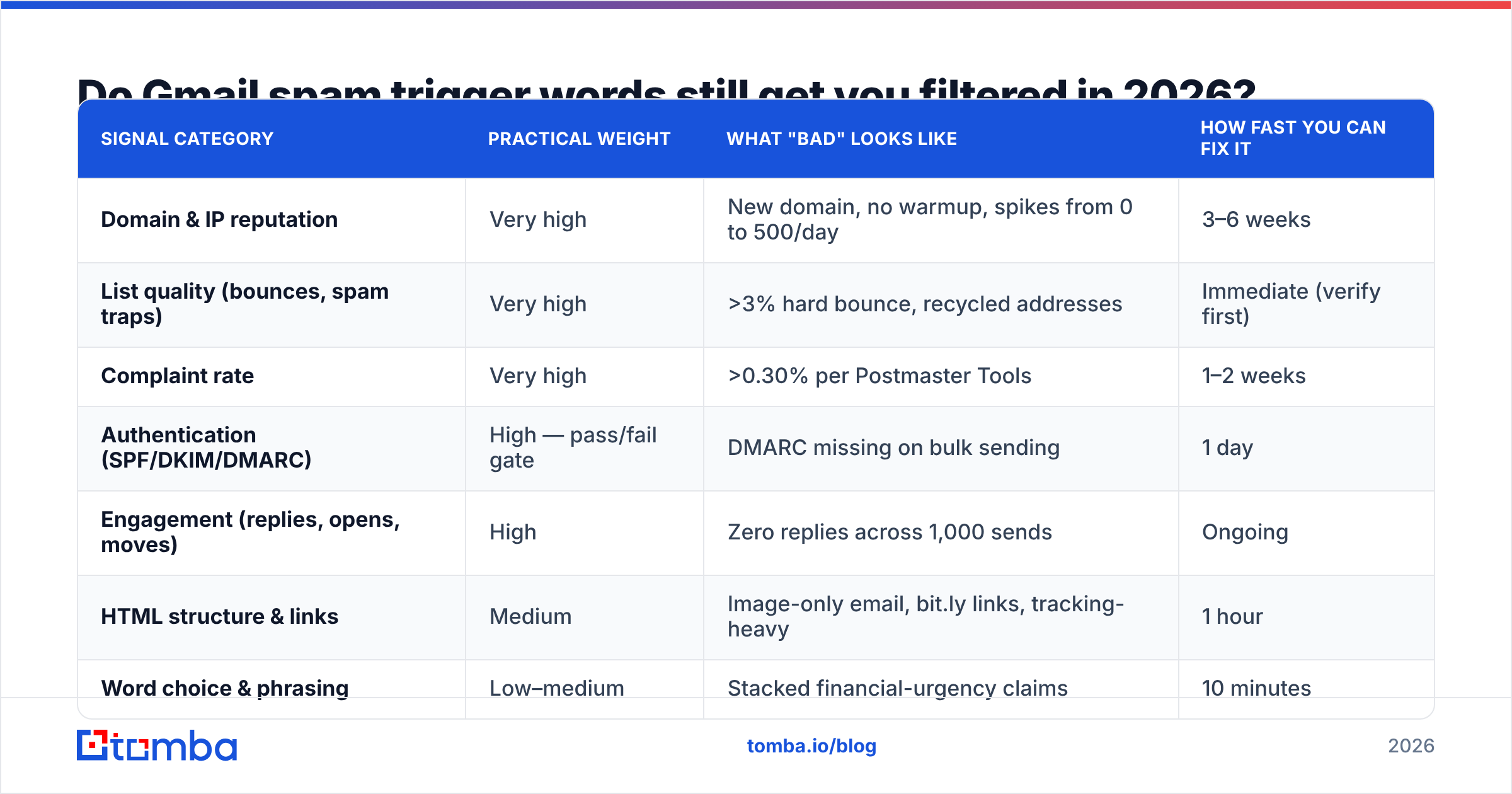
What is not meaningfully risky in 2026, despite appearing on every recycled list: "free" in normal usage ("free trial", "feel free"), "deal", "offer", "discount", "click here", "buy", "cheap", "save", "cash", "opportunity". Gmail sees these millions of times per hour in mail users actively want. A word that appears in both spam and legitimate mail at similar rates carries almost no discriminative value — that's just how Bayesian classification works.
Which formatting habits hurt more than the words themselves?#
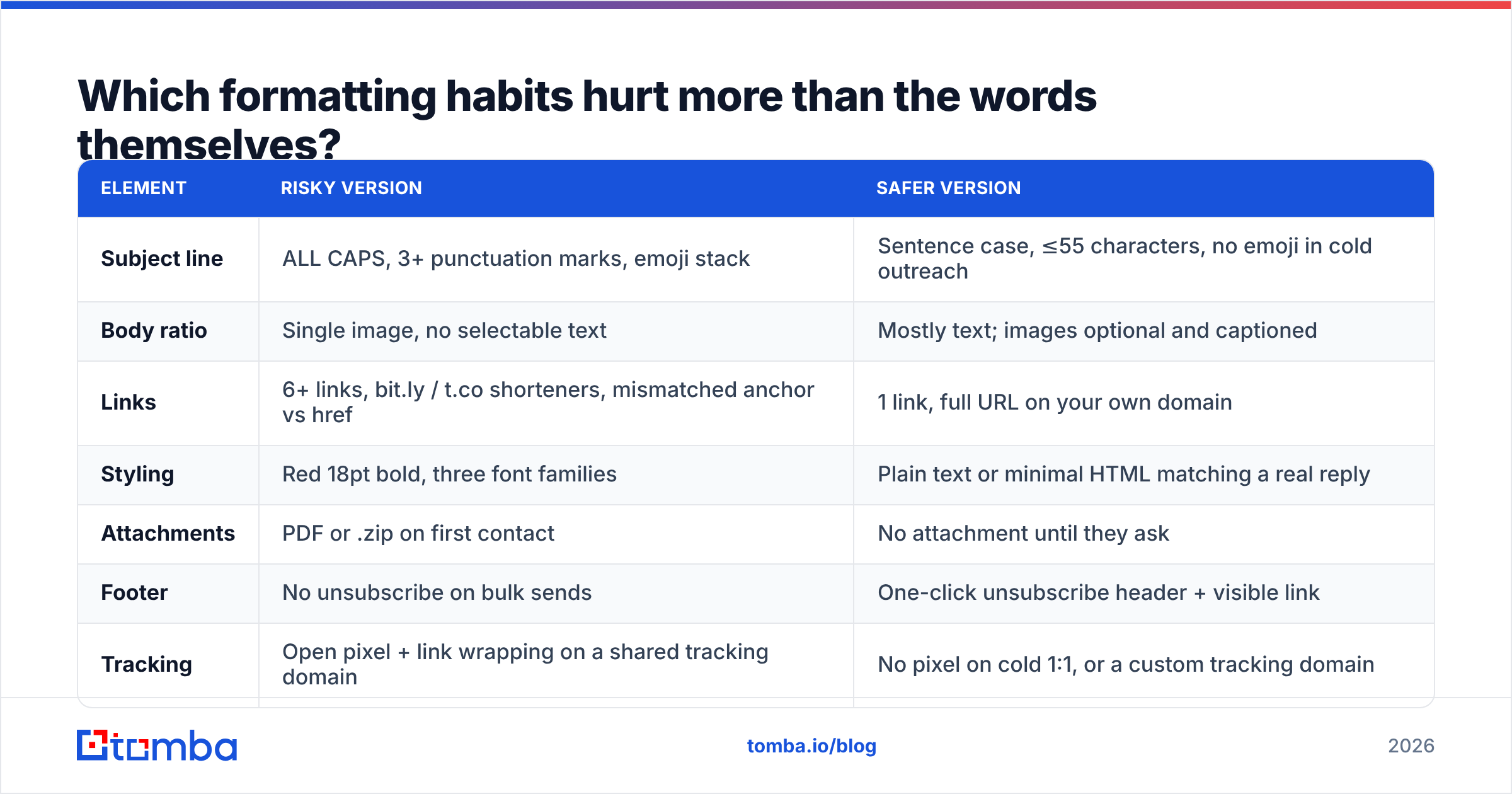
Structure gets underrated. These are the ones worth auditing before you touch vocabulary:
| Element | Risky version | Safer version |
|---|---|---|
| Subject line | ALL CAPS, 3+ punctuation marks, emoji stack | Sentence case, ≤55 characters, no emoji in cold outreach |
| Body ratio | Single image, no selectable text | Mostly text; images optional and captioned |
| Links | 6+ links, bit.ly / t.co shorteners, mismatched anchor vs href | 1 link, full URL on your own domain |
| Styling | Red 18pt bold, three font families | Plain text or minimal HTML matching a real reply |
| Attachments | PDF or .zip on first contact | No attachment until they ask |
| Footer | No unsubscribe on bulk sends | One-click unsubscribe header + visible link |
| Tracking | Open pixel + link wrapping on a shared tracking domain | No pixel on cold 1:1, or a custom tracking domain |
Link reputation deserves its own note. If you wrap every link through a shared tracking domain that hundreds of other senders also use, you inherit their reputation. That single choice can outweigh your entire content audit. Use a custom tracking subdomain or, for cold outreach, skip tracking altogether and measure replies.
Why does list quality beat vocabulary every time?#
Because bounces and complaints are unambiguous negative signals, and word tokens are ambiguous ones.
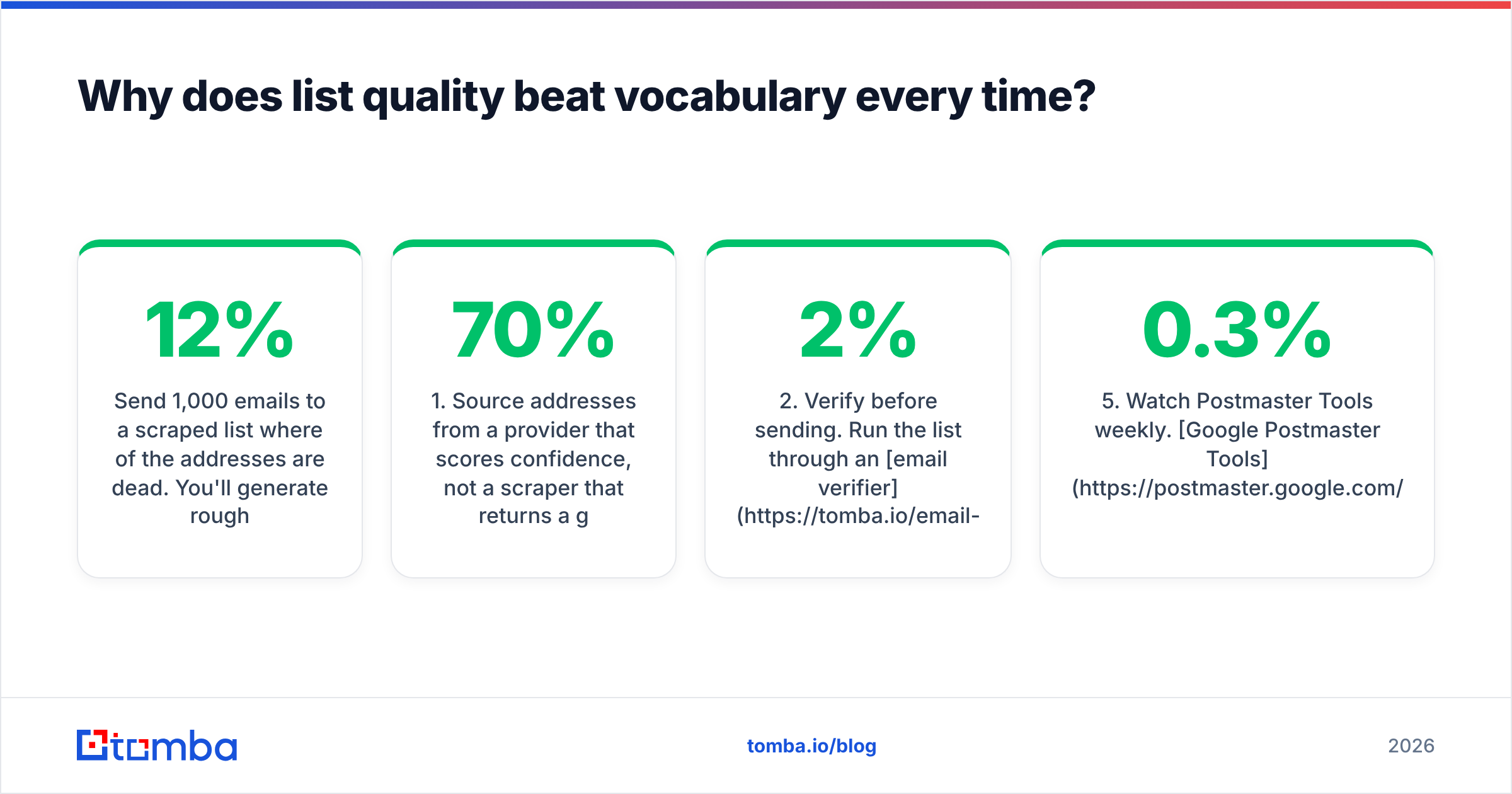
Send 1,000 emails to a scraped list where 12% of the addresses are dead. You'll generate roughly 120 hard bounces in a short window. Mailbox providers read that as "this sender does not know who they're mailing" — which is the single clearest fingerprint of purchased or scraped data. No amount of careful phrasing recovers from it. Worse, recycled spam traps (abandoned real addresses reactivated as traps) sit inside old lists specifically to catch this.
The order of operations that actually works:
- Source addresses from a provider that scores confidence, not a scraper that returns a guess. Pattern-guessed addresses like
firstname.lastname@are right maybe 60–70% of the time depending on the industry. - Verify before sending. Run the list through an email verifier and drop anything that isn't deliverable. Target under 2% hard bounce; under 1% is a healthy cold campaign.
- Handle catch-all domains separately. Catch-all servers accept everything, so standard SMTP verification returns "unknown". A catch-all verifier applies additional signals; if a domain stays uncertain, send to it in a small, slow segment rather than mixing it into your main volume.
- Warm the domain properly. Ramp from ~20/day to your target over several weeks. A warmup calculator gives you a schedule that doesn't spike.
- Watch Postmaster Tools weekly. Google Postmaster Tools shows your domain reputation, spam rate, and authentication pass rate directly from Gmail. If spam rate crosses 0.3%, pause and diagnose — that number is Gmail telling you exactly what it thinks of you.
How do you test an email before you send it?#
Run three checks, in this order, and stop guessing.
Check 1 — Authentication. Confirm SPF, DKIM, and DMARC all pass from the exact sending platform you'll use. A staging domain that passes and a production domain that doesn't is the most common silent failure. An SPF checker takes ten seconds; DMARC needs a published policy at _dmarc.yourdomain.com, and p=none counts as published.
Check 2 — Content scoring. Run the draft through a spam checker to see which rule-based flags fire. Treat the score as directional, not as truth about Gmail. It's most useful for catching accidents: a leftover merge tag, a broken image, a blacklisted link domain, missing plain-text alternative.
Check 3 — Seed test with real behavior. Send to five real accounts you control across Gmail, Outlook, and one corporate domain. Check Primary vs Promotions vs Spam. Then reply from two of them. Replies are among the strongest positive signals available, and a seed list you actually interact with tells you more than any score.
If all three pass and you still land in spam, the problem is upstream: domain age, volume ramp, or the list. Not the word "free".
Does subject line wording matter more than body copy?#
Somewhat, for a reason that has nothing to do with filters.
The subject line is scored like any other content, but its bigger effect is behavioral. A subject that reads like bulk marketing gets ignored or reported; a subject that reads like a colleague's note gets opened and sometimes replied to. Those user actions feed back into your reputation within days. So the subject line influences deliverability mostly indirectly, through engagement.
Practical rules for cold outreach subjects:
- Under 55 characters so it isn't truncated on mobile.
- Sentence case. Title Case Reads Like A Newsletter.
- No emoji, no brackets, no "Re:" fakery — fake reply prefixes damage trust when the recipient notices, and they notice.
- One concrete specific: a company name, a number, a role. "Question about your Q3 hiring" beats "Quick question".
- Skip the exclamation point. You do not need it and it never helps.
Test variants with a subject line tester before you commit a whole sequence to one phrasing.
What should you actually do this week?#
A ranked, finite list. Do them top to bottom.
- Verify your current list. Remove hard bounces and unknowns before your next send. Biggest single improvement available to most senders.
- Publish DMARC if you haven't. Start at
p=nonewith reporting, move to quarantine once your reports look clean. - Cut your links to one and move tracking to your own subdomain, or turn it off.
- Rewrite anything that stacks urgency plus a financial claim. That's the only vocabulary cluster worth a real edit pass.
- Check Postmaster Tools and note your baseline spam rate and domain reputation. You can't improve a number you've never looked at.
- Slow your ramp if your domain is under 90 days old. Volume discipline compounds; word swaps don't.
Notice what isn't on the list: memorizing 400 forbidden words. If your fundamentals are sound, ordinary business English — including "free", "offer", and "discount" — reaches the inbox fine. If your fundamentals are broken, a thesaurus won't save you. For a deeper background on how the underlying signals interact, the email deliverability entry in the glossary covers the terminology used across these tools.
Start with data that doesn't bounce#
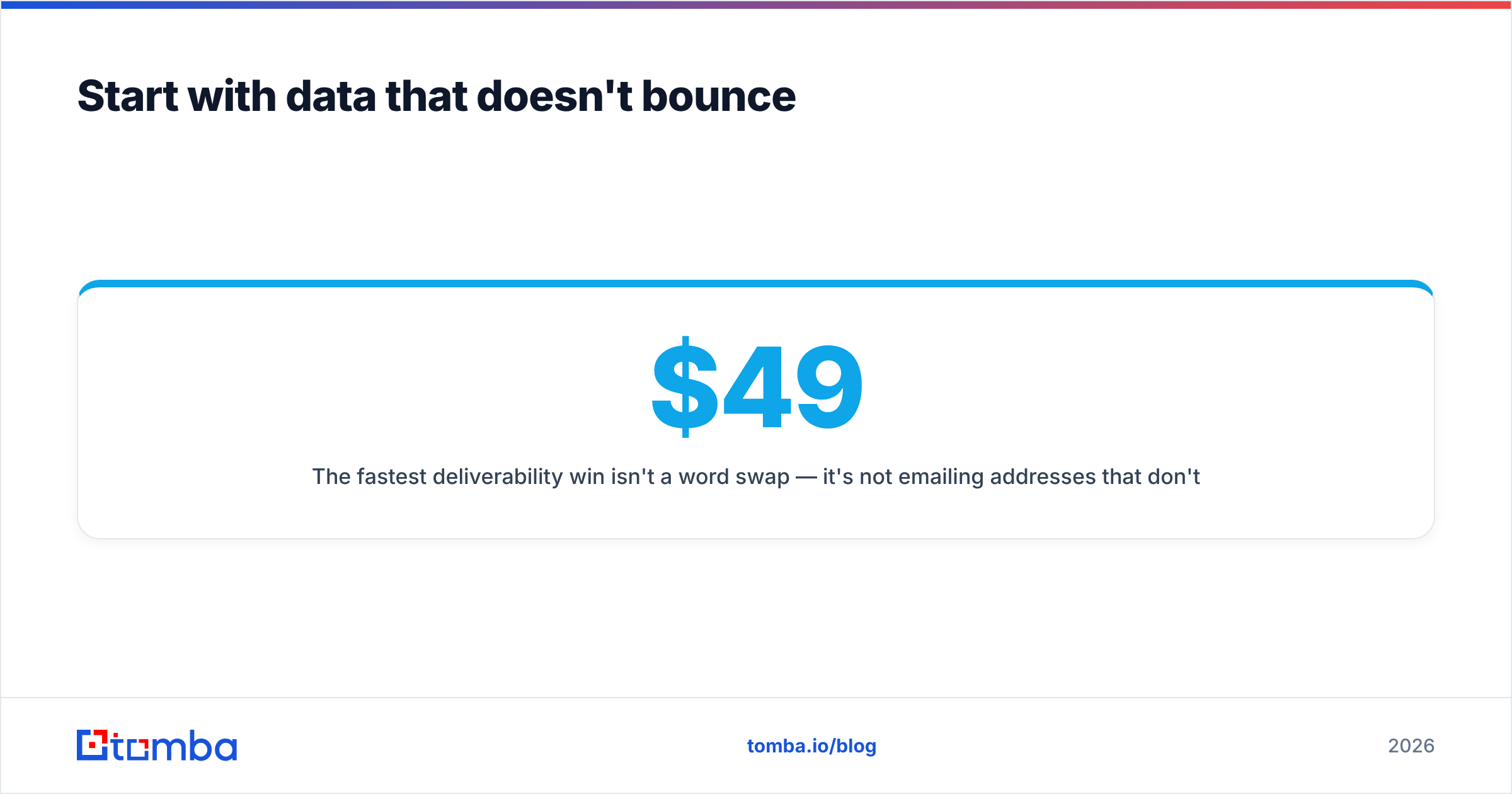
The fastest deliverability win isn't a word swap — it's not emailing addresses that don't exist. Tomba's email finder returns verified, confidence-scored addresses instead of pattern guesses, so your bounce rate stays where Gmail wants it before content ever enters the equation. The free tier covers 25 searches a month if you want to test it against a list you already have; paid plans start at $49/mo on Starter, with Growth at $99/mo and Pro at $249/mo — full details on the Tomba pricing page. Clean the list first, then edit the copy. In that order it works.
Related guides#
Ready to find emails that actually work?
Join 150,000+ professionals who stopped guessing and started sending. Free credits on signup — no credit card required.
Get the Tomba newsletter
Practical outbound tactics and product updates — once every two weeks.
About the author