GMass Pricing Reviews Pros and Cons: Real 2026 Costs
GMass turns Gmail into a cold email machine for roughly the price of lunch — but the sticker price hides verification credits, Gmail's send caps, and Google-only lock-in. Here's the honest math.
Short answer: GMass runs about $25 to $65 a month, and it earns that price if you already live in Gmail. This guide breaks down GMass pricing reviews pros and cons in plain numbers — the real monthly bill, the caps Google enforces, and the cases where a cheaper stack wins.
TL;DR
- GMass is a Chrome extension that turns Gmail into a mail-merge and cold email tool. Individual plans start around $25/month (Standard), with Premium near $35/month and Professional near $55–$65/month; annual billing typically cuts roughly 20–25%.
- The subscription is genuinely cheap. The system is not free: you still pay for domains, inboxes, list building, and email verification credits separately.
- Your real sending ceiling is Gmail's, not GMass's — about 500 recipients/day on a consumer Gmail account and about 2,000/day on Google Workspace. GMass cannot raise that.
- Biggest limitation: it's Google-only. No native Outlook/Microsoft 365 sending. If half your team is on Microsoft, GMass is a non-starter for them.
- Best fit: solo founders, recruiters, agencies, and small teams already living in Gmail who want mail merge plus follow-ups without learning a full sequencer.
What is GMass and who actually uses it?#
GMass is a Gmail add-on, not a standalone platform. You install the Chrome extension and a few new buttons appear in your Gmail compose window. From there you can mail-merge from a Google Sheet, schedule sends, set automatic follow-ups, and track opens and clicks. It all happens in the interface you already use every day.
That design choice shapes the whole GMass pricing reviews pros and cons picture. Because it rides on your own Gmail account, it inherits Gmail's deliverability profile, Gmail's UI, and Gmail's hard limits. There's no separate sending infrastructure to pay for, so the price is a fraction of what a dedicated sequencer costs. It's also why the ceiling arrives faster than most buyers expect.
The typical GMass user falls into one of four buckets:
- Solo founders and consultants sending 50–300 personalized emails a week to a hand-built list.
- Recruiters running candidate outreach directly from Gmail, often with a Google Sheet as the CRM.
- Agencies and freelancers who need mail merge for client campaigns without onboarding clients onto new software.
- Nonprofits, teachers, and community organizers — a genuinely large slice of the user base, sending announcements rather than sales pitches.
If you're running a 12-rep SDR team with a Salesforce-driven cadence, GMass isn't the tool. If you're one person who needs 200 personalized emails out by Thursday, it's close to ideal.

How much does GMass cost in 2026?#
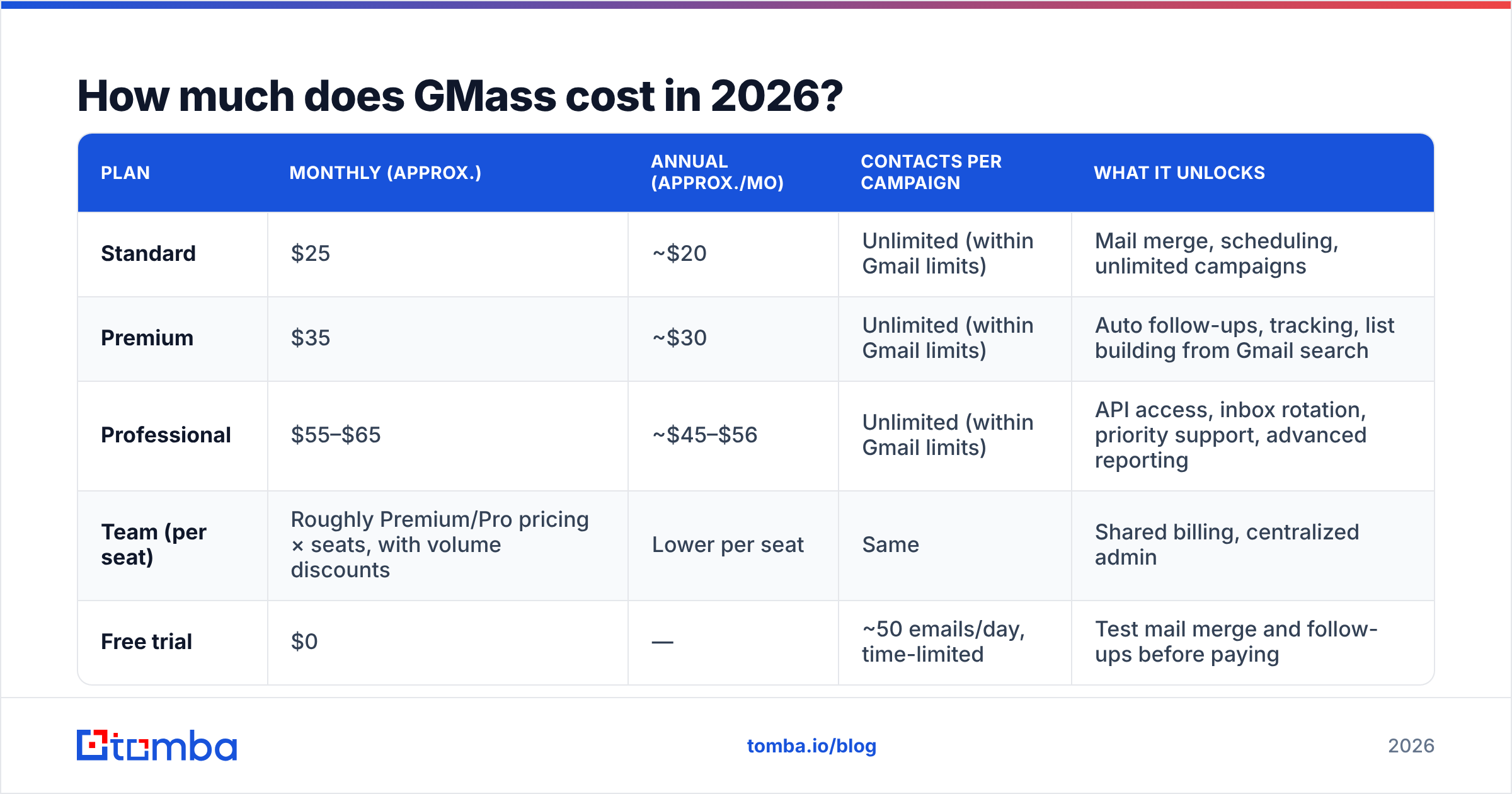
GMass publishes individual and team tiers, and prices shift periodically. Always confirm the current numbers on gmass.co before you buy. At the time of writing, the individual lineup looks like this:
| Plan | Monthly (approx.) | Annual (approx./mo) | Contacts per campaign | What it unlocks |
|---|---|---|---|---|
| Standard | $25 | ~$20 | Unlimited (within Gmail limits) | Mail merge, scheduling, unlimited campaigns |
| Premium | $35 | ~$30 | Unlimited (within Gmail limits) | Auto follow-ups, tracking, list building from Gmail search |
| Professional | $55–$65 | ~$45–$56 | Unlimited (within Gmail limits) | API access, inbox rotation, priority support, advanced reporting |
| Team (per seat) | Roughly Premium/Pro pricing × seats, with volume discounts | Lower per seat | Same | Shared billing, centralized admin |
| Free trial | $0 | — | ~50 emails/day, time-limited | Test mail merge and follow-ups before paying |
Two things stand out immediately.
First, follow-ups sit above the entry tier. Standard is a mail-merge plan. The moment you want automated sequences — the single highest-leverage feature in cold email — you're on Premium or above. Most buyers who think they're getting a $25 tool are actually shopping the $35 tier.
Second, unlimited doesn't mean unlimited. "Unlimited emails" in GMass marketing means unlimited within your Google account's quota. Google caps external recipients at roughly 500 a day on free Gmail. Paid Workspace accounts get roughly 2,000 a day, per Google's published sending limits. GMass queues and drips sends around those caps, but it cannot exceed them.
What does GMass actually cost once you add everything?#
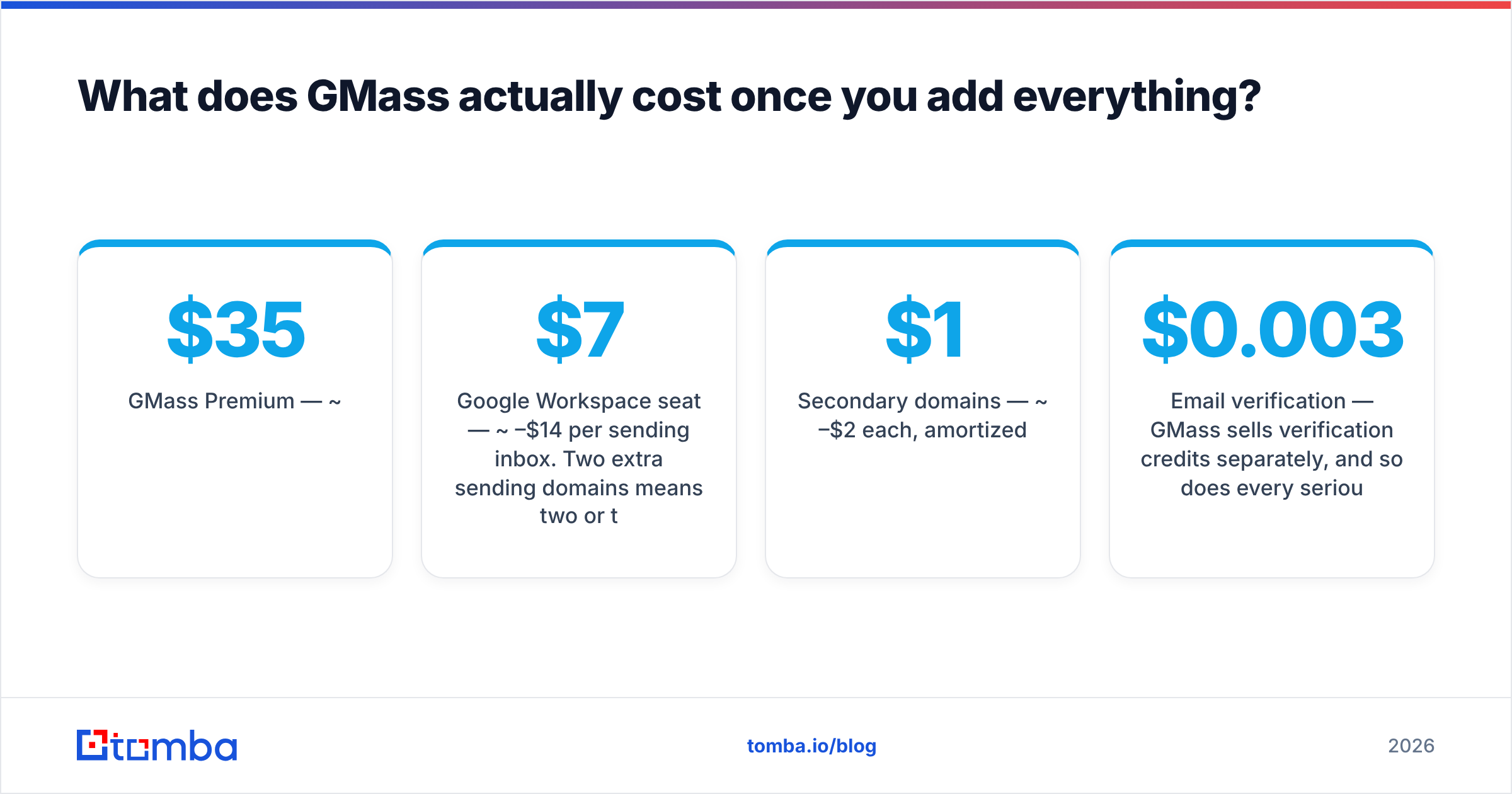
Sticker price is the wrong number to plan around. Here's what a realistic single-sender setup runs per month:
- GMass Premium — ~$35/month.
- Google Workspace seat — ~$7–$14/month per sending inbox. Two extra sending domains means two or three extra seats.
- Secondary domains — ~$1–$2/month each, amortized.
- Email verification — GMass sells verification credits separately, and so does every serious alternative. Budget $0.003–$0.01 per address depending on volume.
- List building — GMass does not find email addresses. You either buy a list, scrape one, or use a dedicated email finder to build it.
A one-person setup with two sending inboxes lands closer to $60–$80/month all-in, not $35. That's still cheap. But when GMass reviews call it "the cheapest cold email tool," they're usually pricing the subscription, not the stack.
The verification line item is the one people skip, and it's the one that quietly kills campaigns. Gmail is unforgiving about bounce rates. A 6% bounce on a 500-address send can visibly damage a young domain's sender reputation. Clean the list with an email verifier before it ever touches GMass. It costs a few dollars and protects the asset you can't re-buy.
What are the real pros and cons of GMass?#
Here's the honest GMass pricing reviews pros and cons scorecard, weighing user reviews on G2 against the practical realities of Gmail-based sending.
Pros
- Zero learning curve. If you can write an email in Gmail, you can run a campaign. Onboarding is measured in minutes, not weeks — the single most cited strength in GMass reviews.
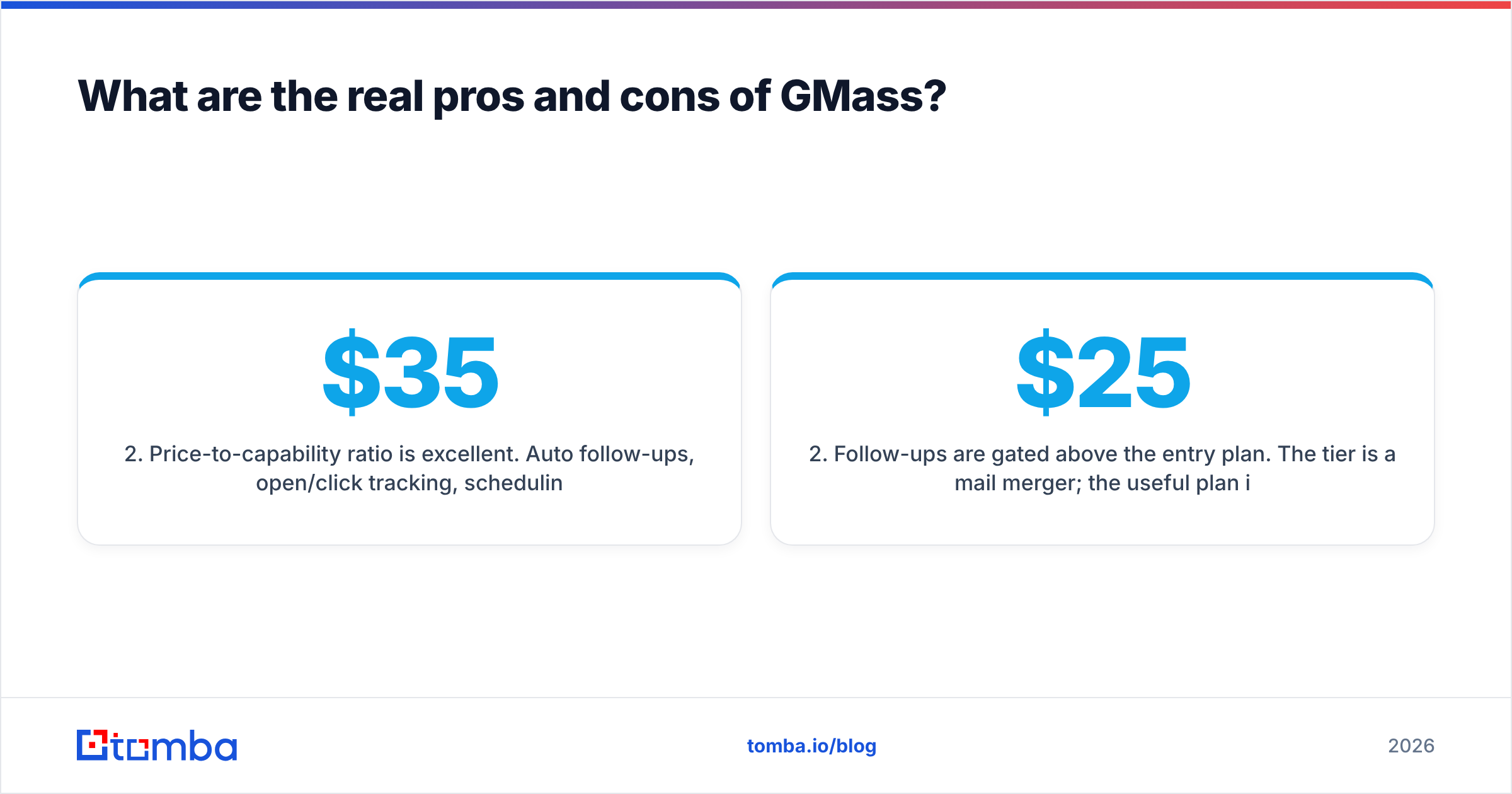
- Price-to-capability ratio is excellent. Auto follow-ups, open/click tracking, scheduling, and reporting for ~$35/month undercuts most dedicated sequencers by 2–5×.
- Sends from your real inbox. Replies land in your normal Gmail thread. No separate reply inbox, no sync lag, no "which tool has this conversation?" confusion.
- List building from Gmail search. GMass can build a recipient list from any Gmail search result — everyone who emailed you about a topic, everyone in a label. For re-engagement and warm outreach, this is genuinely differentiated.
- Good deliverability defaults. Automatic unsubscribe links, send-throttling, and a spam-score checker are built in rather than bolted on.
Cons
- Google-only. No native Outlook or Microsoft 365 sending. This disqualifies a large share of enterprise teams outright.
- Follow-ups are gated above the entry plan. The $25 tier is a mail merger; the useful plan is $35+.
- Hard volume ceiling. ~2,000 recipients/day on Workspace. Scaling past that means buying more Workspace seats and domains. Cost grows linearly, and inbox management gets messy fast.
- No native prospecting data. GMass sends; it doesn't find. You bring your own contacts.
- Reporting is functional, not deep. You get opens, clicks, replies, bounces. You don't get pipeline attribution, multi-touch reporting, or the analytics depth of an enterprise sales engagement platform.
- Chrome dependency. The core experience is a browser extension. Extension conflicts and Gmail UI updates occasionally cause friction, which shows up periodically in user reviews.

How does GMass pricing compare to the alternatives?#
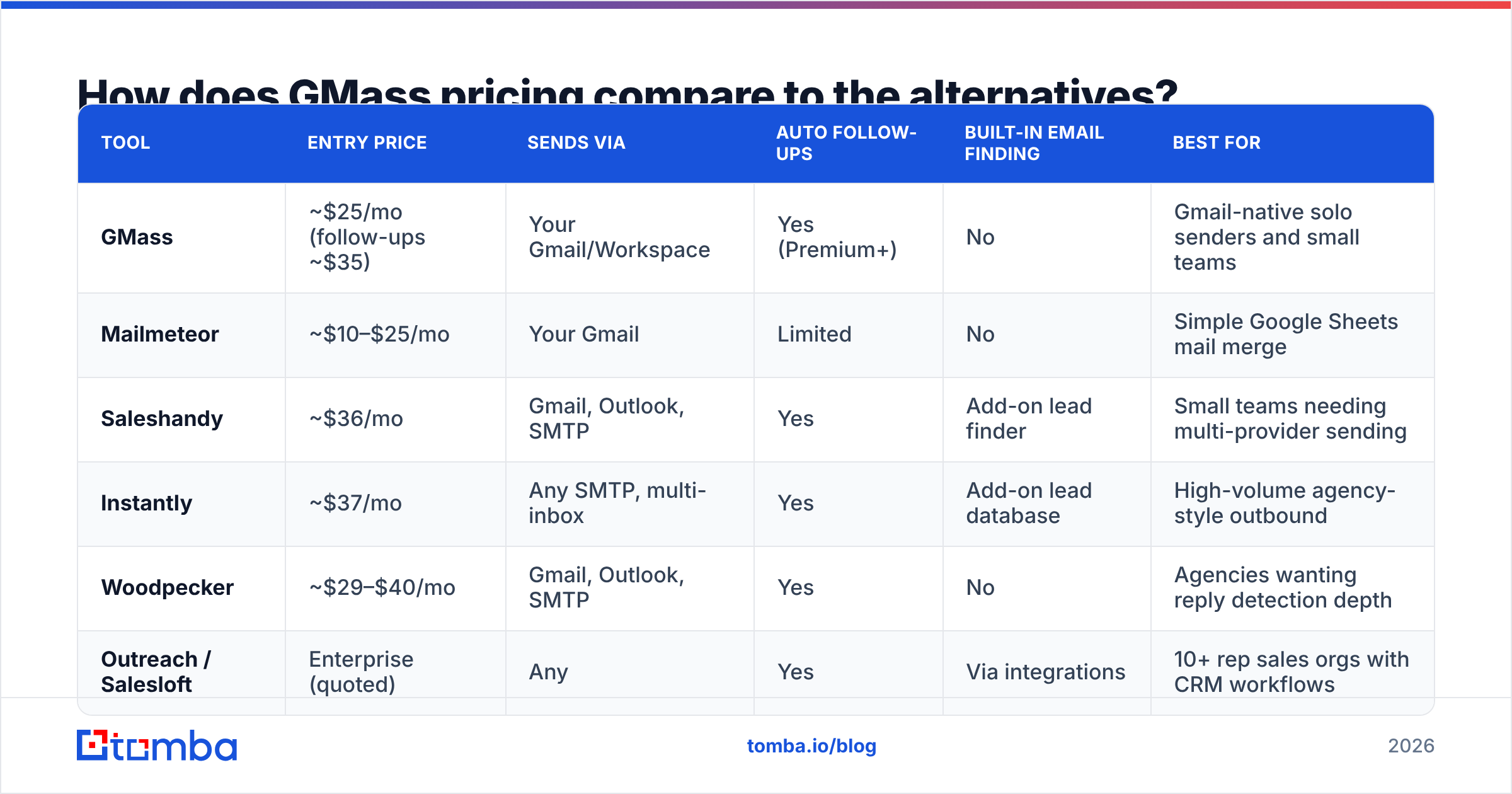
The comparison that matters isn't GMass vs. one competitor. It's GMass vs. three different categories of tool. Approximate entry pricing at the time of writing:
| Tool | Entry price | Sends via | Auto follow-ups | Built-in email finding | Best for |
|---|---|---|---|---|---|
| GMass | ~$25/mo (follow-ups ~$35) | Your Gmail/Workspace | Yes (Premium+) | No | Gmail-native solo senders and small teams |
| Mailmeteor | ~$10–$25/mo | Your Gmail | Limited | No | Simple Google Sheets mail merge |
| Saleshandy | ~$36/mo | Gmail, Outlook, SMTP | Yes | Add-on lead finder | Small teams needing multi-provider sending |
| Instantly | ~$37/mo | Any SMTP, multi-inbox | Yes | Add-on lead database | High-volume agency-style outbound |
| Woodpecker | ~$29–$40/mo | Gmail, Outlook, SMTP | Yes | No | Agencies wanting reply detection depth |
| Outreach / Salesloft | Enterprise (quoted) | Any | Yes | Via integrations | 10+ rep sales orgs with CRM workflows |
Read that table as a decision tree rather than a leaderboard:
- You're one person on Gmail sending under 500/day → GMass wins on price and simplicity. Nothing else is this frictionless.
- You're on Microsoft 365, or your team is mixed → GMass is out. Look at a Saleshandy alternative or an Instantly alternative comparison to shortlist multi-provider senders.
- You're sending 5,000+/day across 20 inboxes → GMass's per-inbox model becomes painful. Multi-inbox platforms are built for that shape.
- You need CRM-native cadences and forecasting → you're shopping enterprise, and price stops being the deciding variable.
Is GMass worth it, and when should you skip it?#
Buy GMass if you already run on Google Workspace and you send between 50 and 1,500 emails a day. It also fits when your list is hand-built or bought in modest batches, and you value shipping today over configuring a platform for two weeks. At ~$35/month, one closed deal pays for a year.
Skip GMass if any of these are true:
- You're on Outlook. Full stop — this is the hardest disqualifier.
- You need 5,000+ daily sends. The Workspace-seat math turns ugly, and you'll spend more time on inbox admin than on copy.
- You need contact data included. GMass assumes you have the list. If sourcing is your bottleneck, a sending tool won't solve it.
- You need a shared team inbox with assignment rules and SLA tracking. That's a different product category.
One nuance the review sites usually miss. GMass sends from your primary inbox by default, so a bad campaign damages the domain you use for real business email. Dedicated platforms push you toward throwaway sending domains as a matter of course. With GMass, you have to impose that discipline yourself: buy a separate domain, warm it, and never blast from your main address. Use a warmup calculator to plan the ramp before you send campaign one.
What should you fix before your first GMass campaign?#
Ninety percent of "GMass didn't work for me" reviews trace back to inputs, not the tool. Fix these in order:
- Authenticate the domain. SPF, DKIM, and DMARC on every sending domain. Run an SPF checker and confirm alignment before anything else.
- Verify the list. Target under 2% bounce. Anything above 4% and Gmail starts throttling you quietly, long before it tells you.
- Warm the inbox. New domain or new Workspace seat: 14–21 days of low-volume, reply-generating traffic before you scale.
- Cap daily volume below the quota, not at it. If Workspace allows 2,000, send 300–500. The quota is a limit, not a target.
- Write for replies, not opens. Open tracking is increasingly noisy thanks to privacy proxies. Reply rate is the only metric that survives contact with reality.
The first two items are where most of the leverage sits. Deliverability is a data problem dressed up as a sending problem. That's why the cheapest sending tool paired with clean data beats the expensive one pointed at a scraped spreadsheet.
GMass Pricing Reviews Pros and Cons: Final Verdict#
GMass is one of the best price-to-value products in cold email, for a specific shape of buyer. Say you're a Gmail-native operator sending a few hundred personalized emails a day. The ~$35/month Premium plan then buys nearly everything a $150/month sequencer does, inside the interface you already know. For a mixed-stack team, a high-volume agency, or an org that needs CRM-grade reporting, the story flips. The Google-only constraint and the daily quota make it the wrong foundation, however attractive the price looks.
Whichever sender you land on, the constraint that decides your results is upstream. It's whether the addresses in your CSV are real, current, and belong to people who can buy. Build that list with the Tomba Email Finder. Find verified professional addresses by name, domain, or company, confirm them with the built-in verifier, then export straight into GMass. Tomba's free tier gives you 25 searches a month to test the accuracy on your own target accounts, and paid plans start at $49/month when you're ready to scale. Clean data first, then worry about which button sends the email.
Related guides#
Ready to find emails that actually work?
Join 150,000+ professionals who stopped guessing and started sending. Free credits on signup — no credit card required.
Get the Tomba newsletter
Practical outbound tactics and product updates — once every two weeks.
About the author