How To Build An Email List From Scratch (2026 Playbook)
No list, no budget, no audience. Here is the exact sequence for building a B2B email list from zero — the sources, the verification step, and the mistakes that get domains blacklisted in week one.
TL;DR
- Building an email list from scratch is two parallel motions: an inbound opt-in engine (lead magnet + form + nurture) and an outbound sourcing engine (find, verify, personalize). Most teams do one and stall.
- Your first 1,000 contacts should cost you time, not money. Expect 4–8 weeks to a usable list if you work it two hours a day.
- Verification is not optional. A 5% bounce rate is the line where Google and Microsoft start throttling you — everything above it compounds.
- Never buy a scraped list. The ROI math looks great on a spreadsheet and terrible after your domain gets flagged.
- Quality beats volume at every list size. 500 verified, well-segmented contacts outperform 10,000 unverified ones on every metric that matters.
What does "building an email list from scratch" actually mean in 2026?#
It means assembling a permission-aware, verified, segmented set of contacts you can email repeatedly without destroying your sending domain.
That definition has three load-bearing words. Permission-aware — you either have consent (inbound opt-in) or a legitimate-interest basis with a working opt-out (B2B outbound in most jurisdictions). Verified — every address has been checked against a live mail server before it ever receives a message. Segmented — you know why each person is on the list, so your messages can be specific.
What it does not mean: buying a CSV of 50,000 "decision makers" from a marketplace of unknown provenance. Those lists are recycled, stale, and seeded with spam traps. One send is enough to torch a domain you spent months warming.
The teams that build lists successfully in 2026 run two engines side by side:
- Inbound opt-in — a lead magnet, a form, a thank-you sequence. Slow to start, compounds forever, zero deliverability risk.
- Outbound sourcing — identify target accounts, find the right person, locate and verify their business email. Fast to start, requires discipline, carries deliverability risk if done carelessly.
- Community and partnership — podcast guesting, newsletter swaps, community answers. Medium speed, high trust, hard to scale.
- Existing surface area — your CRM exports, past customers, webinar attendees, support tickets, LinkedIn connections. Free, immediate, and almost always underused.
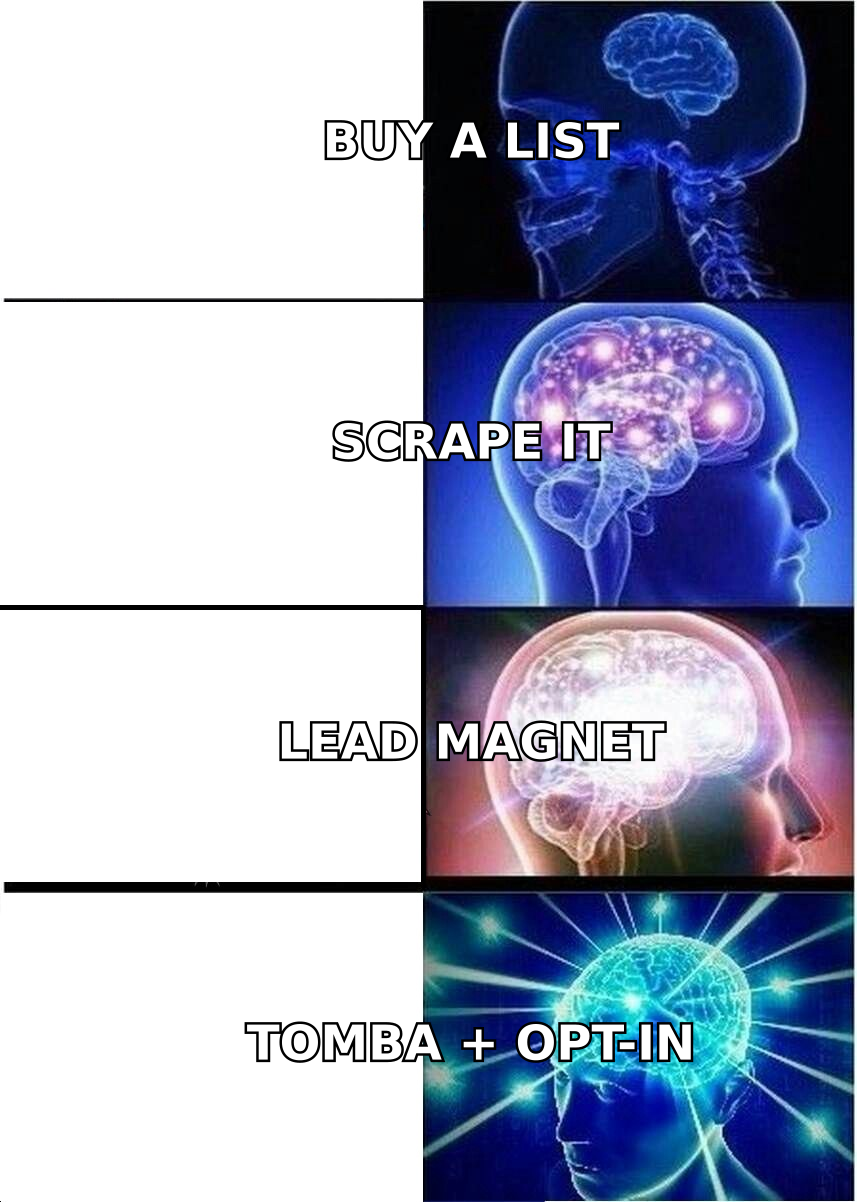
Start with #4 today. It's the only source that costs nothing and is already yours.
How do the main list-building methods compare?#
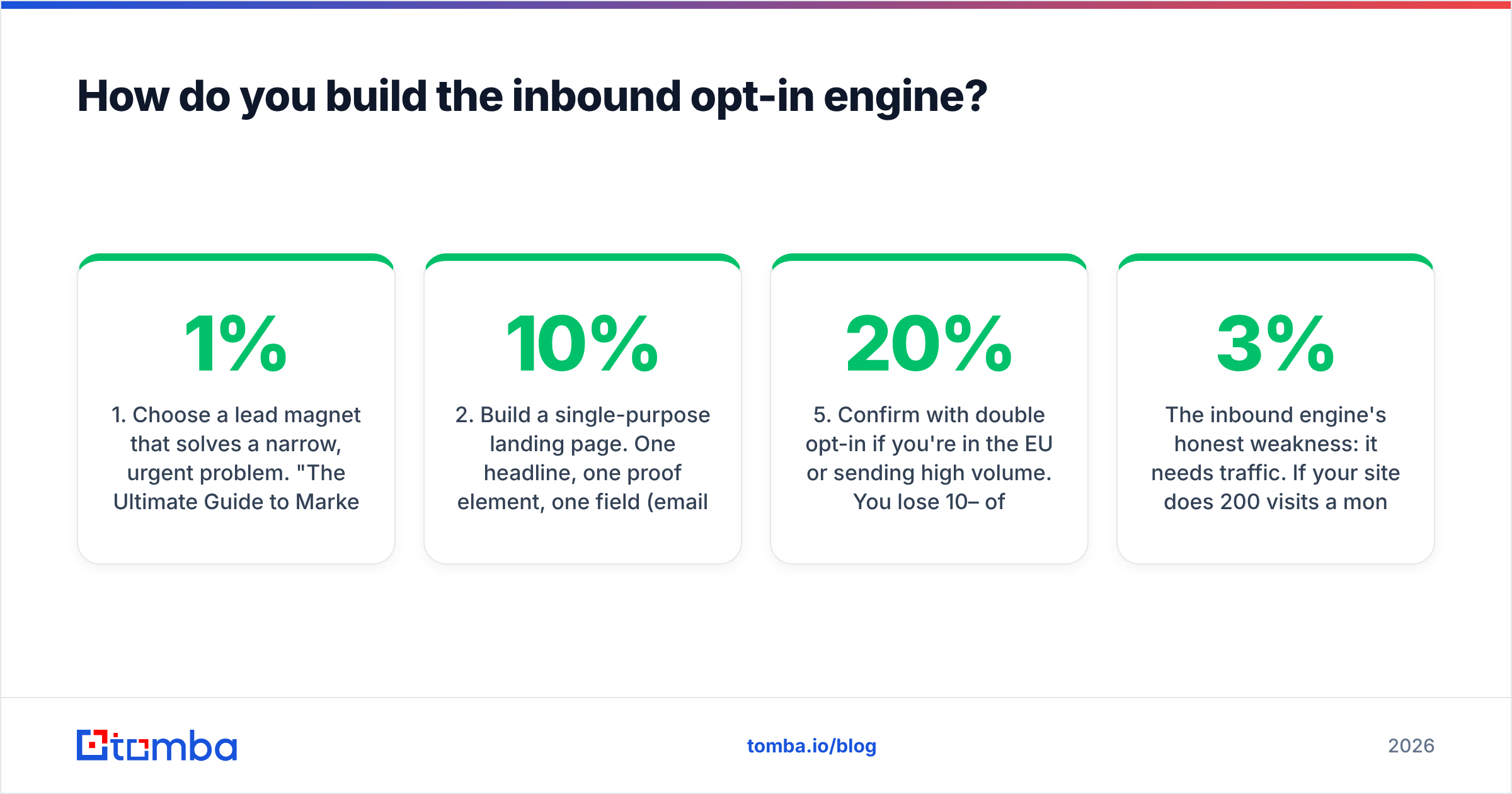
Here is the honest trade-off table. Speed is time-to-first-hundred-contacts, cost assumes a solo operator or small team.
| Method | Speed to 100 contacts | Cost | Deliverability risk | Best for |
|---|---|---|---|---|
| Lead magnet + landing page | 3–6 weeks | $0–200 (design + hosting) | Very low | Long-term compounding, content-led brands |
| Outbound sourcing (finder + verifier) | 2–5 days | $49–99/mo | Low if verified, high if not | B2B SaaS, agencies, ABM motions |
| Purchased list | Hours | $200–2,000 | Severe | Nothing — avoid |
| Webinars / virtual events | 2–4 weeks | $0–500 | Very low | High-ticket, considered purchases |
| Newsletter swaps & partnerships | 1–3 weeks | $0 | Low | Existing audience to trade with |
| Community answering (Reddit, Slack, forums) | 4–8 weeks | $0 | None | Technical products, developer tools |
| Website visitor identification | 1–2 weeks | $99+/mo | Low | Sites already getting 2k+ monthly visits |
Two patterns fall out of this table. First, nothing free is fast, and nothing fast is free — except the contacts you already own. Second, the purchased-list row is the only one where the risk column outweighs everything else, which is why it doesn't belong in your plan at any price.
How do you build the inbound opt-in engine?#
Pick one asset, one page, one sequence. Resist the urge to build a content library before you have a single subscriber.
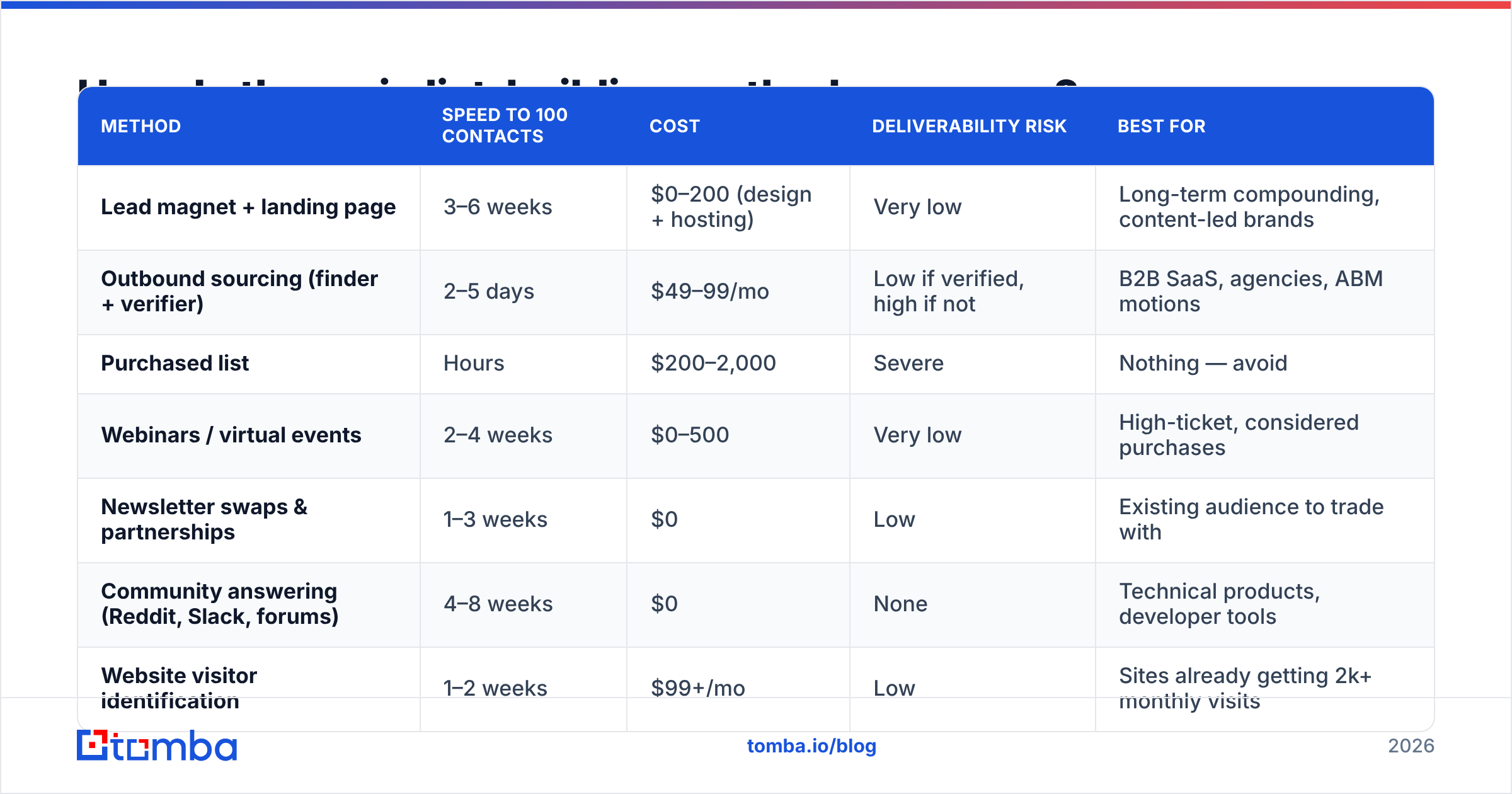
1. Choose a lead magnet that solves a narrow, urgent problem. "The Ultimate Guide to Marketing" converts at 1%. "The 12-Point Cold Email Deliverability Checklist We Use Before Every Launch" converts at 25%. Narrower is better. Templates, calculators, checklists, and teardowns beat ebooks by a wide margin because they promise a finished artifact, not reading homework.
2. Build a single-purpose landing page. One headline, one proof element, one field (email only — every extra field costs you roughly 10% of conversions), one button. No navigation bar. HubSpot's own landing page conversion research has consistently found that reducing form fields and removing navigation lifts conversion rates measurably.
3. Add capture points to what you already have. An exit-intent modal on your highest-traffic blog post. An inline form after the third paragraph. A footer CTA. A link in your email signature — use a email signature generator if you don't have one that includes a subscribe link.
4. Send the welcome sequence immediately. Three emails over five days: deliver the asset, tell one useful story, ask one question. The question email is what turns a subscriber into a conversation.
5. Confirm with double opt-in if you're in the EU or sending high volume. You lose 10–20% of raw signups and gain a list that almost never bounces. Worth it.
The inbound engine's honest weakness: it needs traffic. If your site does 200 visits a month, a 3% conversion rate gives you six subscribers. That is not a list. It is a rounding error. Which is why you run the outbound engine at the same time.
How do you build the outbound sourcing engine?#
Outbound is a five-step pipeline, and skipping any step is where teams get burned.
Step 1 — Define the account list. Write down your ideal customer profile as filters you can actually query: industry, headcount range, tech stack, geography, funding stage. Vague ICPs produce vague lists. If you can't express it as filters, you can't source against it.
Step 2 — Find the companies. Pull from a B2B database, a directory like G2's category pages, job boards (companies hiring for a role often need the tooling around it), or a website tech stack lookup if your product complements or replaces a specific technology.
Step 3 — Find the right person, then the email. This is where a dedicated email finder does in seconds what manual guessing does in twenty minutes with worse accuracy. Feed it a name plus a domain and you get the address. Feed it just a domain via domain search and you get every publicly discoverable address at that company, complete with roles and sources.
Step 4 — Verify before you send. Every address, every time. More on this below — it's the step most guides skip.
Step 5 — Segment and personalize. Group contacts by the reason they're on the list: same trigger event, same tech stack, same role. Segments let you write one relevant email for fifty people instead of one generic email for five hundred.
A note on pattern-guessing. Generating firstname.lastname@company.com from a formula gets you roughly 60–70% accuracy on well-known email patterns and much worse on companies that use non-obvious formats. You can test the approach for free with an email permutator, but every permutation you don't verify is a coin flip you're paying for with sender reputation. Use permutation as a fallback, not as your primary method.
Why does verification matter more than volume?#
Because mailbox providers grade you on bounce rate, and bounce rate is the one metric a bad list guarantees you'll fail.
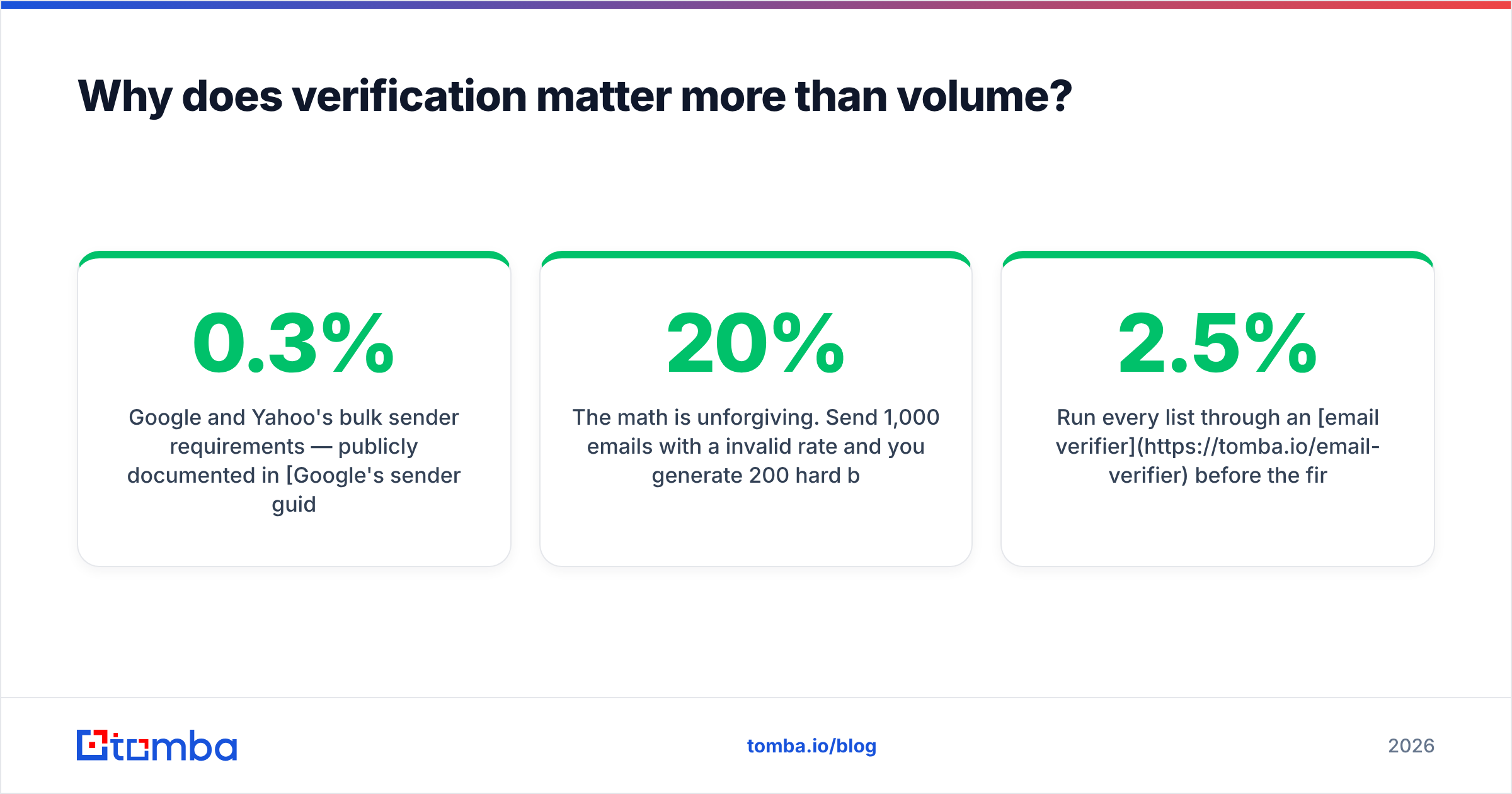
Google and Yahoo's bulk sender requirements — publicly documented in Google's sender guidelines — put spam complaint rates above 0.3% in the danger zone and expect authenticated, low-bounce sending. Microsoft tightened similar thresholds for high-volume senders. A list with 15% invalid addresses will blow past those limits on the first campaign, and the damage isn't confined to that campaign: your domain reputation carries forward to every email you send afterward, including your invoices and support replies.
The math is unforgiving. Send 1,000 emails with a 20% invalid rate and you generate 200 hard bounces. Filter those out first and you send 800 emails to real inboxes with a clean signal. Same replies, none of the reputation damage.
Run every list through an email verifier before the first send, and re-verify anything older than 90 days — B2B data decays at roughly 2–2.5% per month as people change jobs. For domains that accept everything (catch-alls), a standard SMTP check returns "unknown," which is where a dedicated catch-all verifier earns its keep by scoring deliverability probability instead of shrugging.
Also check the plumbing on your own side before you send anything: run an SPF checker on your sending domain, confirm DKIM and DMARC are in place, and warm the mailbox gradually. A perfect list still fails from a misconfigured domain.

Which tools do you actually need to start?#
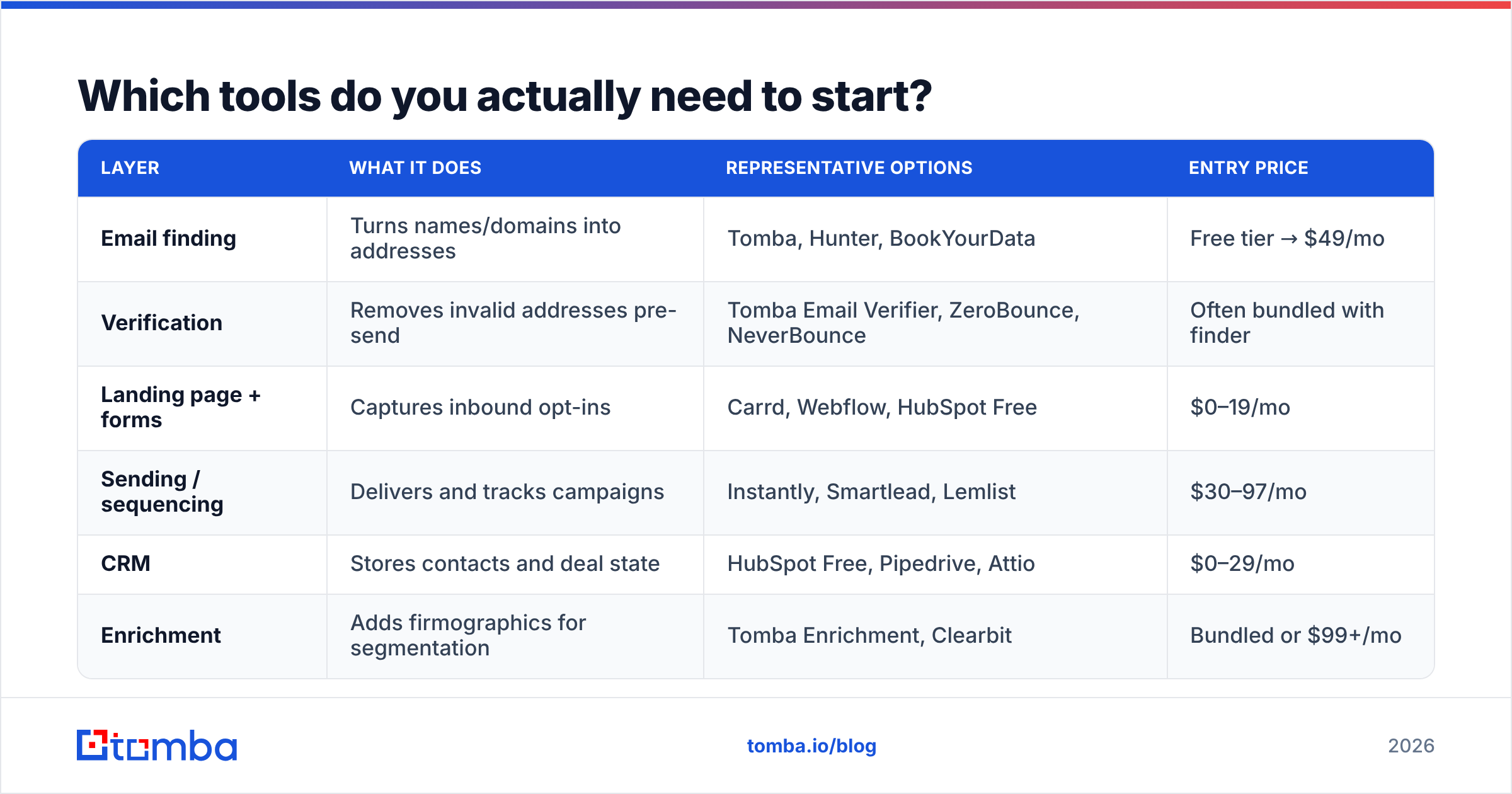
Fewer than the internet suggests. Here's the minimum viable stack and what each layer costs.
| Layer | What it does | Representative options | Entry price |
|---|---|---|---|
| Email finding | Turns names/domains into addresses | Tomba, Hunter, BookYourData | Free tier → $49/mo |
| Verification | Removes invalid addresses pre-send | Tomba Email Verifier, ZeroBounce, NeverBounce | Often bundled with finder |
| Landing page + forms | Captures inbound opt-ins | Carrd, Webflow, HubSpot Free | $0–19/mo |
| Sending / sequencing | Delivers and tracks campaigns | Instantly, Smartlead, Lemlist | $30–97/mo |
| CRM | Stores contacts and deal state | HubSpot Free, Pipedrive, Attio | $0–29/mo |
| Enrichment | Adds firmographics for segmentation | Tomba Enrichment, Clearbit | Bundled or $99+/mo |
On the finding-and-verifying layer specifically: Tomba pricing starts with a free tier at 25 searches per month, then Starter at $49/mo, Growth at $99/mo, and Pro at $249/mo, with finder and verifier in the same account so you aren't paying two vendors and reconciling two CSVs. BookYourData takes a different approach with pay-as-you-go prebuilt lists and an accuracy guarantee, which suits teams that want a ready-made list for a specific segment rather than a search workflow. Both are legitimate paths — pick based on whether you want to build the list or buy into a curated one.
If you already live in a spreadsheet, the Google Sheets add-on and Excel add-in let you find and verify in place, which removes the export-import-export loop that eats an afternoon per campaign. For anything above a few hundred rows, bulk email finder processing beats one-by-one lookups, and the Tomba API covers the case where list building needs to happen inside your own product or workflow.
What you don't need on day one: an ABM platform, an intent-data subscription, a dedicated data warehouse, or a full-time SDR. Those solve scaling problems. You have a starting problem.
What is a realistic 30-day plan?#
Week 1 — Harvest what you own. Export every contact from your CRM, past invoices, webinar registrations, support inbox, and calendar. Deduplicate with a remove duplicates pass. Verify the whole set. You will typically end this week with 100–400 contacts you forgot you had, and a 10–30% invalid rate that explains a lot about your past campaign results.
Week 2 — Ship the lead magnet and the landing page. One asset, one page, one three-email welcome sequence. Add capture points to your three highest-traffic pages. Set up SPF, DKIM, and DMARC on the sending domain while you're at it.
Week 3 — Source outbound. Build a target list of 200 accounts matching your ICP filters. Find the decision maker at each. Verify. Enrich with company size and tech stack so you can segment. Do not send yet.
Week 4 — Send small, measure, iterate. Start at 20–30 emails per day per mailbox, not 500. Watch bounce rate (target under 2%), reply rate (target 5%+ for a well-targeted B2B list), and complaint rate (target under 0.1%). Fix the message before you scale the volume — sending more of a message that doesn't work just converts your domain reputation into nothing.
By day 30 a disciplined solo operator lands somewhere between 400 and 900 verified contacts with a working inbound trickle. That's a real list. Scale is a volume problem after that, not a strategy problem.
What mistakes kill new lists fastest?#
- Buying a list. Spam traps, recycled addresses, zero consent, immediate reputation damage. There is no version of this that works.
- Sending before warming. A brand-new domain sending 500 emails on day one looks exactly like a spammer, because that's what spammers do.
- Skipping verification to save $49. The savings evaporate the moment your domain reputation drops and your legitimate mail starts landing in spam.
- One list, one message. Unsegmented blasts train recipients to ignore you and train filters to demote you.
- Ignoring unsubscribes. Beyond the legal exposure under CAN-SPAM and GDPR, suppressing opt-outs is the cheapest deliverability insurance available.
- Optimizing volume before message. A 1% reply rate at 5,000 sends is worse than an 8% reply rate at 300 sends — fewer meetings and a damaged domain.
- Never cleaning. Re-verify quarterly. B2B data decays constantly and yesterday's clean list is next quarter's bounce problem.
Start with the first hundred#
Building an email list from scratch isn't a growth hack, it's a compounding habit: source deliberately, verify ruthlessly, segment honestly, and clean on a schedule. The teams that win at this aren't the ones with the biggest lists — they're the ones whose 800 contacts all actually exist, all actually match the ICP, and all actually opened the last three emails.
If you're at zero right now, the fastest legitimate first move is to pick twenty target companies and find the right person at each. The Tomba Email Finder does that on the free tier — 25 searches a month, verification included, no card required. Twenty verified contacts today beats a purchased list of twenty thousand you'll regret by Friday.
Related guides#
// get started
Find, verify and enrich your first contacts today
Start on the free plan with 25 searches a month, then scale when your team is ready.
Free plan · No credit card required · GDPR & CCPA
// about the author