How to Send 10000 Emails at Once for Free: 2026 Guide
Sending 10,000 emails at once is technically easy and strategically dangerous. Here's what actually works for free, what silently burns your domain, and the sending math nobody shows you.
TL;DR
- You can send 10,000 emails at once for free — Brevo, MailerLite, Zoho Campaigns and SendPulse all have free tiers that get you there in 1–4 batches, and Amazon SES costs about $1.00 for the whole send.
- "At once" is the part that breaks things. Mailbox providers throttle unknown senders, so a single 10,000-message burst from a cold domain is the fastest way to land in spam or get your account suspended.
- The split matters: newsletter/marketing blasts to opted-in lists belong in an ESP. Cold outreach to 10,000 strangers does not — no free ESP permits it, and doing it anyway gets you banned.
- Free tiers cap on three separate axes — emails/month, emails/day, and contacts stored. Most "free 10,000" claims only clear one of the three.
- List quality decides everything. A 4% bounce rate on 10,000 sends is 400 hard bounces, which is enough to damage your sender reputation for weeks.
You typed "how to send 10000 emails at once for free" because you have a list and a deadline. Fair. This guide gives you the working answer — which free tools actually clear 10,000, how to batch them, and the exact sending schedule — plus the part most posts skip: the conditions under which sending 10,000 at once destroys your ability to send anything at all next month.
Can You Actually Send 10,000 Emails at Once for Free?#
Yes, with two asterisks.
Asterisk one: free tiers cap on three axes, not one. A platform advertising "12,000 emails free" may also cap you at 300/day and 500 stored contacts. All three limits have to clear before you can send your 10,000.
Asterisk two: "at once" is a UI concept, not a delivery concept. When you hit Send on a 10,000-recipient campaign, the ESP does not open 10,000 simultaneous connections to Gmail. It queues, meters, and drips based on your domain's reputation. Gmail, Outlook and Yahoo all apply per-sender rate limits, and an unrecognized domain suddenly pushing 10,000 messages is the textbook signature of a compromised account. Google's own bulk sender guidelines require authentication, a spam complaint rate under 0.3%, and one-click unsubscribe for anyone sending 5,000+ messages a day to Gmail addresses.
So the honest framing: you can submit 10,000 emails in one action, free. Whether they arrive depends on decisions you make before you click.
Wait — corrected format below.

Which Free Platforms Let You Send 10,000 Emails?#
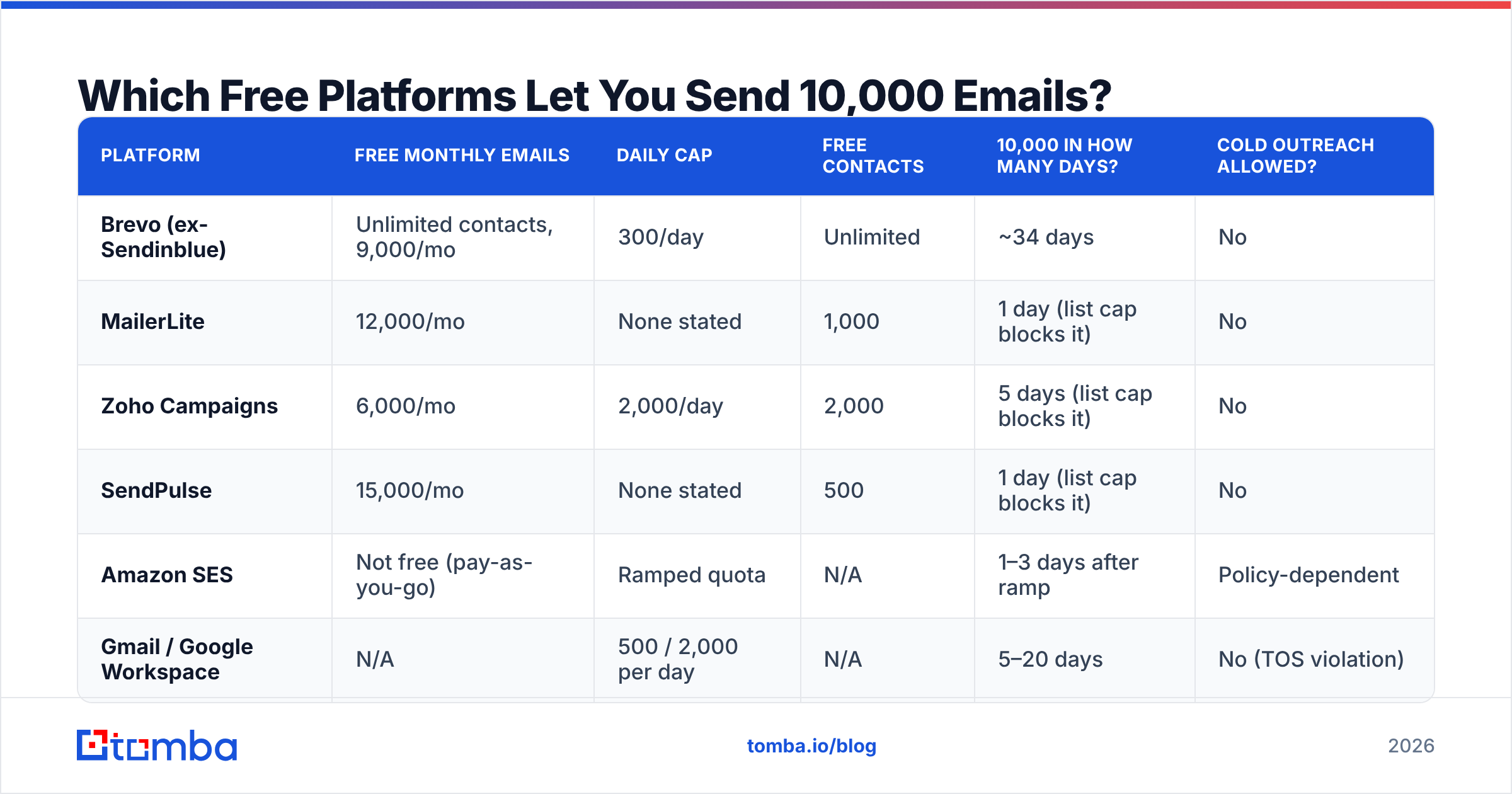
Here's the real state of free tiers as of 2026. Note the daily caps — that column is where most plans quietly fail.
| Platform | Free monthly emails | Daily cap | Free contacts | 10,000 in how many days? | Cold outreach allowed? |
|---|---|---|---|---|---|
| Brevo (ex-Sendinblue) | Unlimited contacts, 9,000/mo | 300/day | Unlimited | ~34 days | No |
| MailerLite | 12,000/mo | None stated | 1,000 | 1 day (list cap blocks it) | No |
| Zoho Campaigns | 6,000/mo | 2,000/day | 2,000 | 5 days (list cap blocks it) | No |
| SendPulse | 15,000/mo | None stated | 500 | 1 day (list cap blocks it) | No |
| Amazon SES | Not free (pay-as-you-go) | Ramped quota | N/A | 1–3 days after ramp | Policy-dependent |
| Gmail / Google Workspace | N/A | 500 / 2,000 per day | N/A | 5–20 days | No (TOS violation) |
Read that "free contacts" column carefully. MailerLite will happily send 12,000 emails a month, but only to 1,000 stored contacts — great for a weekly newsletter, useless for a one-shot 10,000-person blast. Brevo is the opposite: unlimited contacts, hard 300/day throttle. Brevo is the only genuinely free path to 10,000 unique recipients, and it takes about five weeks.
If you need 10,000 delivered this week, the realistic answer is Amazon SES at $0.10 per 1,000 emails — roughly one dollar for the entire send. That is not free, but it is close enough that "free" stops being the interesting constraint. Verify the current rate on the Amazon SES pricing page before you budget.
What's the Difference Between a Bulk Blast and Cold Outreach?#
This is the fork in the road, and picking the wrong branch is what gets accounts terminated.
- Bulk marketing email goes to people who gave you their address — signup forms, purchases, event registrations. Free ESP tiers exist for exactly this. 10,000 sends is normal volume.
- Cold outreach goes to people who have never heard of you. Every free ESP tier above explicitly forbids it in their acceptable use policy. Brevo, MailerLite and SendPulse will suspend you on complaint, not on warning.
- Transactional email — receipts, password resets, alerts — is triggered one-to-one by user action. Different infrastructure, different rules, effectively unlimited.
- The volume expectation is inverted. Marketing email wins on reach: 10,000 sends, 20% opens, 2% clicks. Cold outreach wins on precision: 200 sends, 60% opens, 8% replies. Ten thousand cold emails at once is not an ambitious version of cold outreach — it's a different, worse activity.
If your 10,000 addresses came from a scraper, a purchased list, or an export you didn't collect yourself, you are in bucket two, and no amount of tool selection fixes that. Sending anyway produces the outcome you're trying to avoid: burned domain, suspended account, zero replies.
How Do You Send 10,000 Emails Without Destroying Your Domain?#
Assume you're in bucket one — real opted-in list, legitimate campaign. Here's the sequence.
Step 1 — Authenticate before anything else. SPF, DKIM and DMARC records on your sending domain are non-negotiable in 2026. Gmail and Yahoo both reject unauthenticated bulk mail outright. Run your domain through an SPF checker and confirm your DMARC policy resolves. A missing DKIM signature on a 10,000-send campaign is a guaranteed spam-folder outcome.
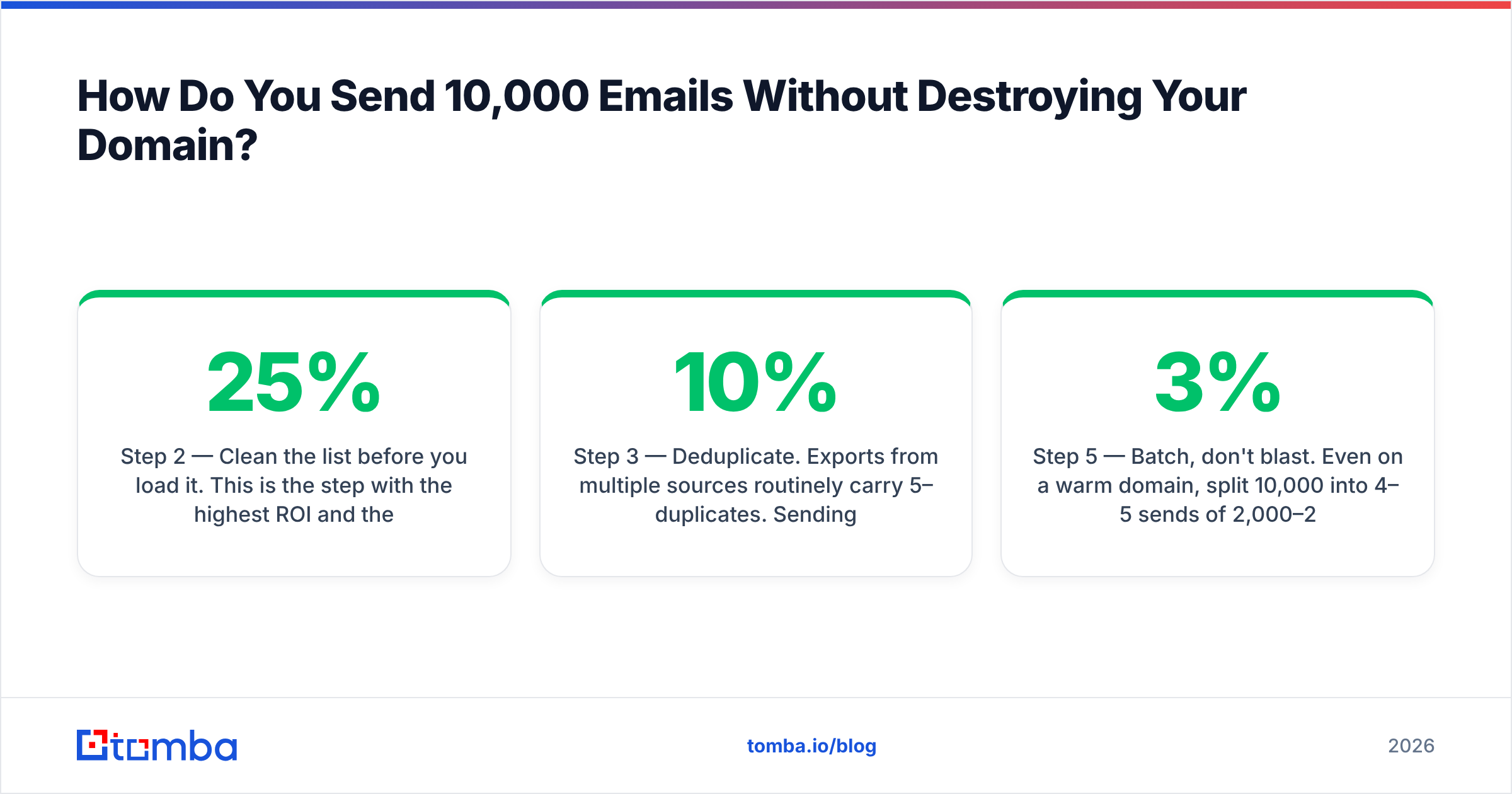
Step 2 — Clean the list before you load it. This is the step with the highest ROI and the one people skip because it costs money. A list that's been sitting for eight months typically carries 15–25% dead addresses. Ten thousand sends at a 20% bounce rate is 2,000 hard bounces — well past the ~2% threshold where mailbox providers start treating you as a spammer. Push the file through an email verifier first and delete everything that comes back invalid or risky. Catch-all domains need separate handling; a catch-all verifier tells you which ones are actually deliverable rather than just unfalsifiable.
Step 3 — Deduplicate. Exports from multiple sources routinely carry 5–10% duplicates. Sending the same person the same message twice on the same day is a complaint generator. A free remove duplicates pass takes thirty seconds.
Step 4 — Warm up if the domain is new. A domain under 60 days old should not send 10,000 of anything. Ramp: 50/day for week one, 200/day week two, 500/day week three, then scale. Use a warmup calculator to build the schedule rather than guessing. Skipping this is the single most common cause of "I sent 10,000 emails and got 4 opens."
Step 5 — Batch, don't blast. Even on a warm domain, split 10,000 into 4–5 sends of 2,000–2,500 across consecutive days, and stagger by mailbox provider if your ESP supports it. Watch bounce and complaint rates after batch one. If bounces exceed 3% or complaints exceed 0.1%, stop and re-clean before batch two. This is the discipline that separates a campaign from an incident.
Step 6 — Check the content. Run the creative through a spam checker before it goes out. Image-only emails, link shorteners, ALL-CAPS subject lines and "free" in the subject still trip filters at scale in a way they don't at 50 sends.
What Does the Sending Math Actually Look Like?#
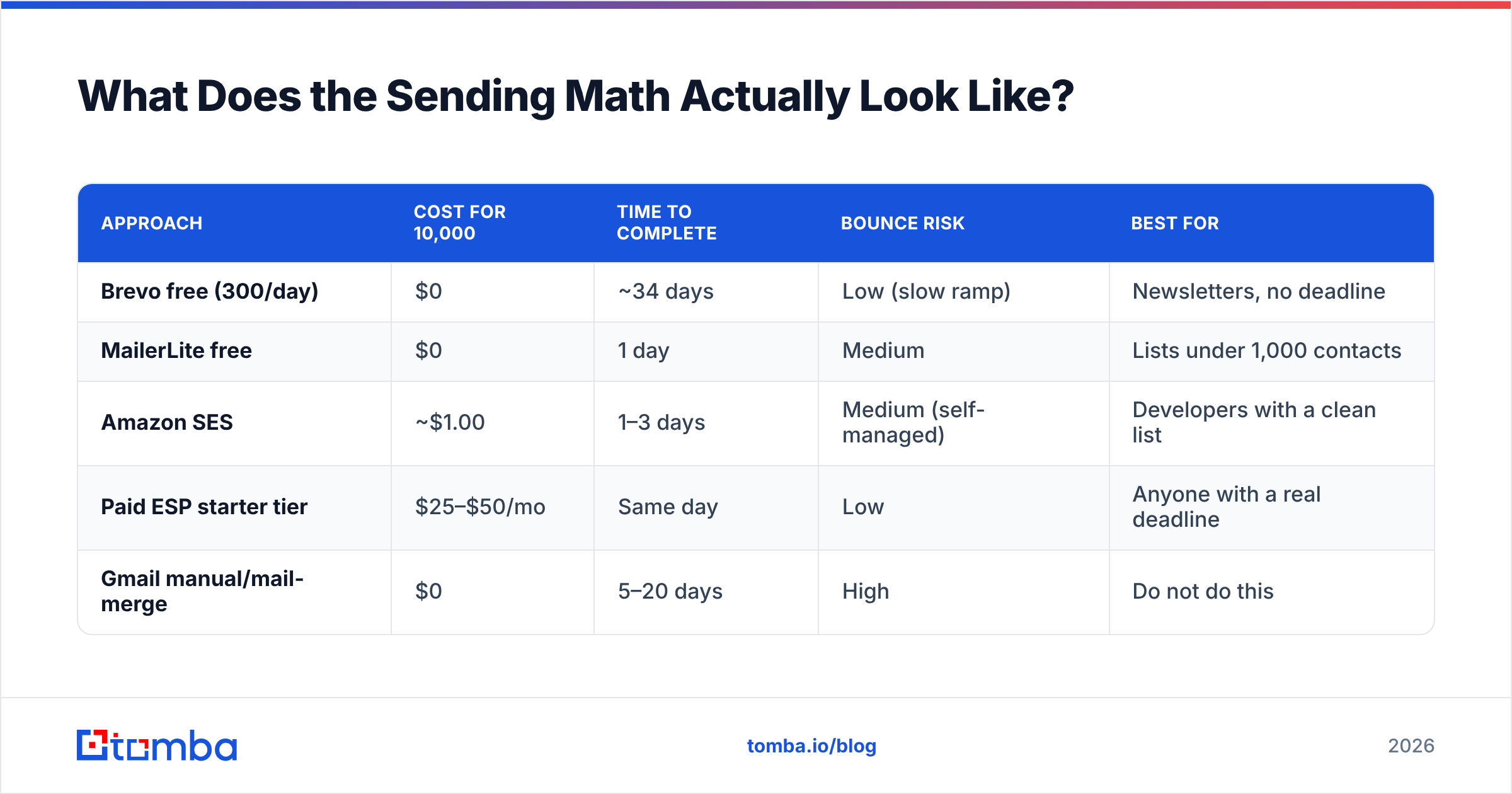
Run the numbers before you commit, because the free path and the paid path have very different shapes.
| Approach | Cost for 10,000 | Time to complete | Bounce risk | Best for |
|---|---|---|---|---|
| Brevo free (300/day) | $0 | ~34 days | Low (slow ramp) | Newsletters, no deadline |
| MailerLite free | $0 | 1 day | Medium | Lists under 1,000 contacts |
| Amazon SES | ~$1.00 | 1–3 days | Medium (self-managed) | Developers with a clean list |
| Paid ESP starter tier | $25–$50/mo | Same day | Low | Anyone with a real deadline |
| Gmail manual/mail-merge | $0 | 5–20 days | High | Do not do this |
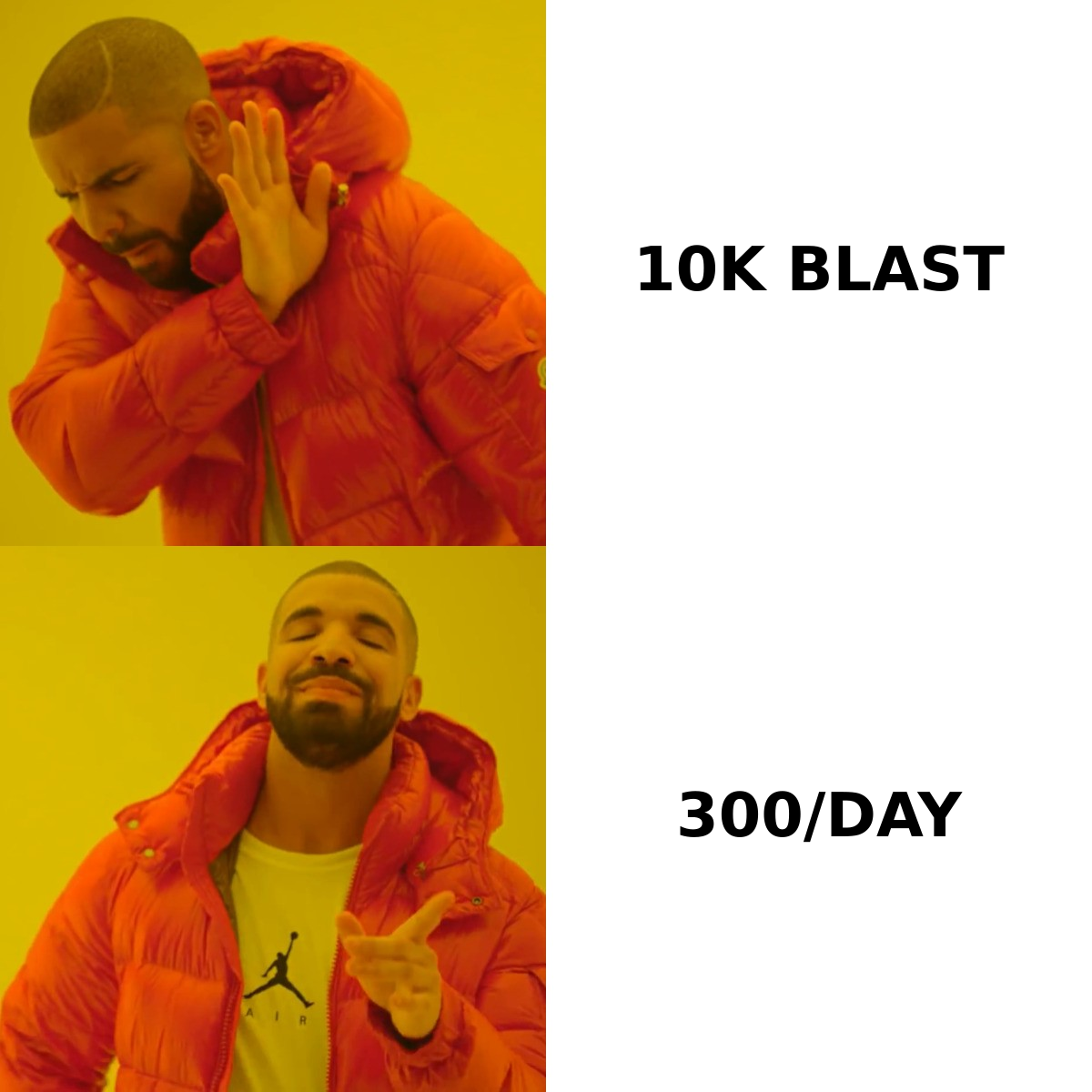
The Brevo route is genuinely free and genuinely works. The trade is time: 34 days is not "at once." If your campaign is time-sensitive — a launch, an event, a sale — the $25 starter tier at a paid ESP is the correct answer and the "free" framing is costing you more in delay than it saves in dollars.
For Google Workspace users tempted by mail merge: the 2,000/day limit is a hard account limit, and exceeding it triggers a 24-hour sending block on your entire Workspace account, including normal business email. Ask anyone who's done it. It is not worth the $25 you saved.
Should You Be Sending 10,000 Emails at All?#
Uncomfortable question, but it's the one that determines your results.
If those 10,000 addresses are subscribers who asked to hear from you, send away — that's what the list is for. If they're 10,000 names you assembled because more felt better than fewer, the volume is working against you. B2B response data consistently shows personalized, targeted outreach outperforming volume by a wide margin, and the gap has widened as filters got smarter.
A concrete comparison. Ten thousand generic emails to a scraped list at typical cold-blast rates: maybe 1,500 delivered to inbox, 150 opens, 3 replies, and a domain you now have to rehabilitate. Five hundred verified, researched, individually relevant emails: 450 delivered, 270 opens, 35 replies, domain intact. The second campaign does ten times the pipeline for a twentieth of the sends.
That's not a moral argument, it's an arithmetic one. If your goal is replies rather than a sent-count screenshot, the lever is list quality, not list size. Building a smaller list of verified, correctly-targeted contacts — via domain search for the companies you actually want, or data enrichment to fill in role and seniority — beats a bigger list every time. Check Tomba pricing if you want the mechanics: the free tier covers 25 searches a month, Starter is $49/mo, Growth $99/mo.
What Are the Legal Limits on Bulk Email?#
Short version: sending 10,000 emails is legal. Sending 10,000 emails badly is not.
- CAN-SPAM (US) requires accurate headers, a non-deceptive subject line, a physical postal address, and a working unsubscribe honored within 10 business days. Penalties run to five figures per violating message. The FTC's compliance guide is short and worth reading once.
- GDPR (EU/UK) requires a lawful basis before you email an EU individual. For B2C that's essentially always consent. For B2B, legitimate interest can apply, but it has to be documented and the recipient's role must plausibly relate to what you're selling. A purchased list fails this test.
- CASL (Canada) is the strictest — express or implied consent required, with records. Fines reach CAD $10 million.
- One-click unsubscribe became mandatory for bulk senders to Gmail and Yahoo in 2024. Your ESP handles the header; a plain-text unsubscribe link alone is no longer sufficient at scale.
The practical read: use a real ESP. Free platforms handle unsubscribe headers, suppression lists and postal-address footers automatically. Rolling your own SMTP script to save $25 means you own all of that compliance surface yourself.
What's the Better Play for Cold Outreach?#
If your actual goal was cold outreach and 10,000 was just the number you had, restructure the campaign.
Segment the 10,000 into tiers. The top 300 — companies that match your best customers on size, stack and trigger events — get researched, individually written emails from a warmed domain, sent 30–50 a day. The next 2,000 get a lightly personalized sequence with a real merge variable beyond first name. The remaining 7,700 either get a different channel (LinkedIn, ads, content) or get dropped.
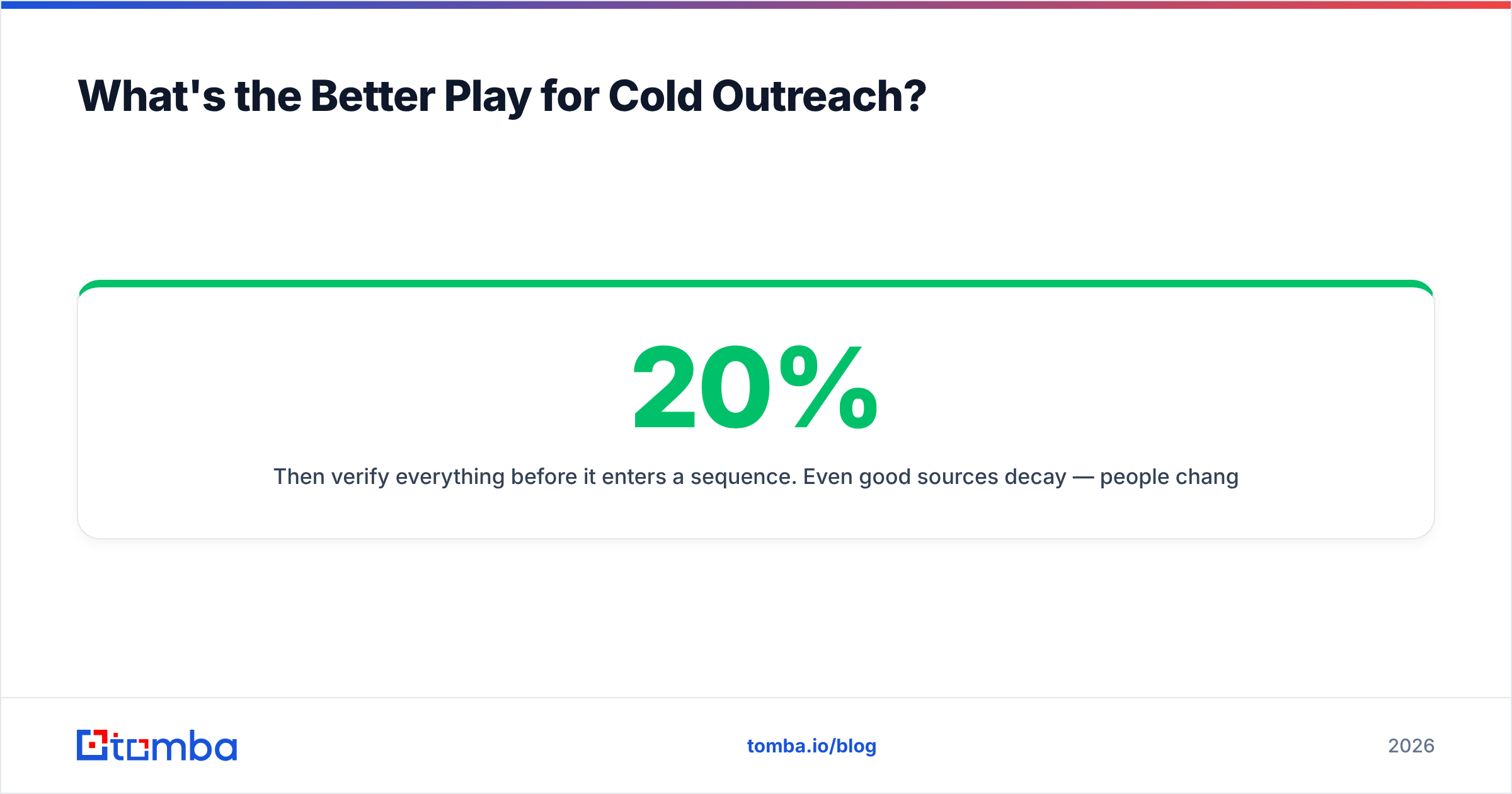
Then verify everything before it enters a sequence. Even good sources decay — people change jobs at roughly 20% a year, so an untouched list loses a fifth of its accuracy annually. Running your contacts through a bulk verify pass before each campaign keeps bounce rates in the 1–2% range instead of the 15%+ that kills domains.
Sequencing matters more than volume too. Two well-timed follow-ups typically double reply rate against a single send. Three hundred contacts with three touches is 900 sends — a tenth of your original plan, with a fraction of the risk and considerably more pipeline. Your response rate is the metric that pays; sent volume is the one that just looks busy.
Getting Started#
The decision tree is short. Opted-in list, no deadline: Brevo's free tier, 300/day, done in five weeks at zero cost. Opted-in list, real deadline: Amazon SES for about a dollar, or a $25 paid ESP tier for the compliance tooling. Cold list: don't send 10,000 — segment down to the 300 that matter and do those properly.
Whichever branch you take, the verification step is the one that decides whether the campaign works. Bad addresses don't just fail to deliver — they actively degrade the reputation that determines whether your good addresses deliver.
Start by building the list correctly. The Tomba Email Finder finds verified professional email addresses by domain, name or company, so the contacts entering your campaign are real before you spend a single send on them. Free tier gives you 25 searches a month to test the accuracy on your own target accounts — run it against ten companies you know well and see how the results compare to whatever you were planning to send to.
Related guides#
// get started
Find, verify and enrich your first contacts today
Start on the free plan with 25 searches a month, then scale when your team is ready.
Free plan · No credit card required · GDPR & CCPA
// about the author