Email Extractor Tools in 2026: How They Work and What to Use
Email extractors scrape addresses fast — but most of what they pull is unverified noise. Here's how extraction actually works, where it breaks, and which tool fits your workflow in 2026.
TL;DR
- An email extractor pulls email addresses out of a source — a webpage, a PDF, a block of text, a mailbox, a CSV — using pattern matching. It does not confirm anyone is behind those addresses.
- Raw extraction typically returns 25-40% dead or unroutable addresses: role accounts, expired mailboxes, scraper honeypots, and typo'd strings that happen to match the regex.
- Extraction and email finding are different jobs. Extraction answers "what addresses appear here?" Finding answers "what is this specific person's address?"
- The reliable pipeline is extract → dedupe → verify → enrich. Skipping verification is how you burn a sending domain in three weeks.
- Free browser extractors are fine for one-off list pulls. For anything above a few hundred contacts a month, an API-backed extractor with built-in verification costs less than the deliverability damage it prevents.
What is an email extractor?#
An email extractor is a tool that scans a source and returns every string matching an email address pattern. That's the whole mechanism. Point it at a company's team page, a conference PDF, an exported chat log, or 4,000 lines of pasted HTML, and it hands back name@domain.com matches.
Think of it as a metal detector on a beach. It beeps at anything metallic — coins, bottle caps, rusted nails. The detector is genuinely good at finding metal. It has no opinion about whether what it found is worth keeping. An email extractor beeps at anything shaped like an email.
Technically, most extractors run a regex close to the RFC 5322 local-part/domain pattern, then apply cleanup rules: strip trailing punctuation, decode [at] and (dot) obfuscation, drop image-embedded text they can't parse, and normalize case. Better extractors add a second pass — rendering JavaScript so they catch addresses injected client-side, following mailto: hrefs, and reading structured data blocks.
What none of them do by default is check whether the mailbox exists. That's a separate network operation against the receiving mail server, and it's the step most people skip.
How is an email extractor different from an email finder?#
This distinction decides which tool you should be paying for.
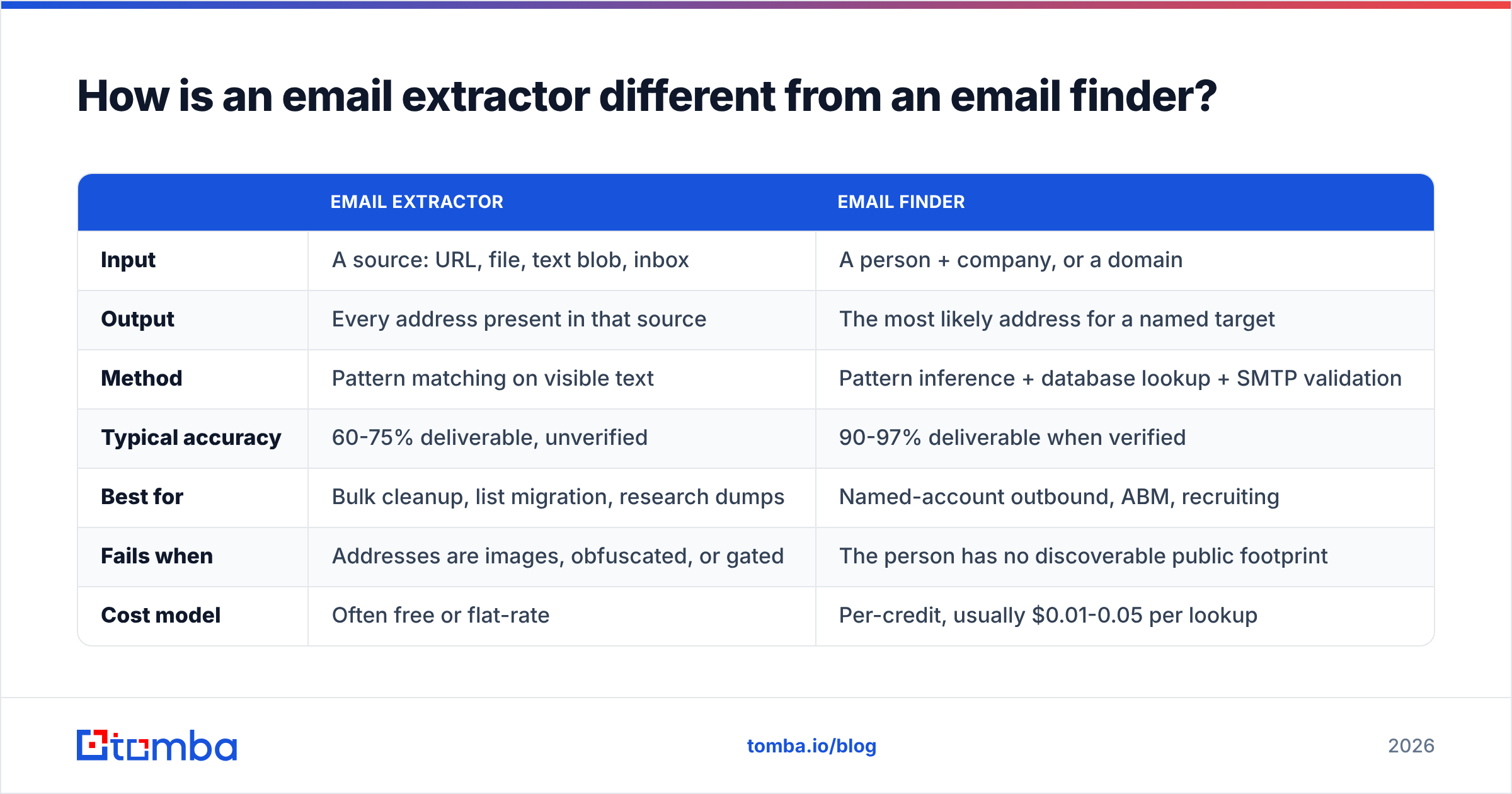
| Email extractor | Email finder | |
|---|---|---|
| Input | A source: URL, file, text blob, inbox | A person + company, or a domain |
| Output | Every address present in that source | The most likely address for a named target |
| Method | Pattern matching on visible text | Pattern inference + database lookup + SMTP validation |
| Typical accuracy | 60-75% deliverable, unverified | 90-97% deliverable when verified |
| Best for | Bulk cleanup, list migration, research dumps | Named-account outbound, ABM, recruiting |
| Fails when | Addresses are images, obfuscated, or gated | The person has no discoverable public footprint |
| Cost model | Often free or flat-rate | Per-credit, usually $0.01-0.05 per lookup |
Extraction is retrieval. Finding is inference. If you already know sarah.chen@acme.com exists somewhere on Acme's site, an extractor will surface it. If Sarah's address appears nowhere public, only a finder that knows Acme uses first.last@ — and can verify the mailbox accepts mail — will get you there. Tomba's email finder sits in the second category; the free email extractor sits in the first. Different jobs, different tools, and most teams need both.
Sorry — that rendered wrong. Here it is properly:

What are the main types of email extractors?#
Five categories, and picking the wrong one wastes real time.
- Browser extension extractors — run on the page you're viewing, pull addresses from rendered DOM. Fast, zero setup, and they see JavaScript-injected content that server-side crawlers miss. Limited to pages you personally load. Tomba's browser extension works this way.
- Text and file extractors — paste a block of text or upload a
.txt,.csv,.pdf, or.docxand get a deduped list back. Best for cleaning up exports, conference attendee PDFs, and email threads. The extract emails from file tool handles the file side. - Crawler-based extractors — you give a root domain, the tool spiders every reachable page and aggregates matches. High volume, high junk ratio, and the fastest way to trip a rate limiter or a WAF.
- API extractors — programmatic endpoints you call from your own code or automation. This is what you want when extraction is a step inside a larger pipeline rather than a manual task. The Tomba API covers extraction, finding, and verification through one auth layer.
- Mailbox extractors — parse a connected inbox to build a contact list from people you've already corresponded with. Highest intrinsic quality, since every address has proven deliverable at least once. Lowest volume.
Why do so many extracted emails bounce?#
Because pattern matching is blind to state. An address can look perfect and be completely dead.
The failure modes, roughly in order of how often they bite:
- Departed employees. A team page updated 14 months ago still lists three people who left. The addresses match the regex. The mailboxes were deprovisioned.
- Role accounts.
info@,sales@,support@,hello@. They usually deliver, but they route to shared queues where cold outreach dies. Deliverable ≠ useful. These inflate your "valid" count and depress your reply rate. - Honeypot addresses. Some sites deliberately seed invisible addresses in HTML specifically to catch scrapers. Mail one and you're reporting yourself to a blocklist operator. Spamhaus and similar operators maintain these traps precisely because raw extraction is so common.
- Catch-all domains. The server accepts mail to any local part, so a naive SMTP check returns "valid" for
asdfgh@theirdomain.com. You get a green light on an address nobody reads. A dedicated catch-all verifier is the only way to resolve these with any confidence. - Parsing artifacts. Version strings, tracking pixels, and encoded IDs that coincidentally match the pattern.
u123@cdn.tracker.netis not a person.
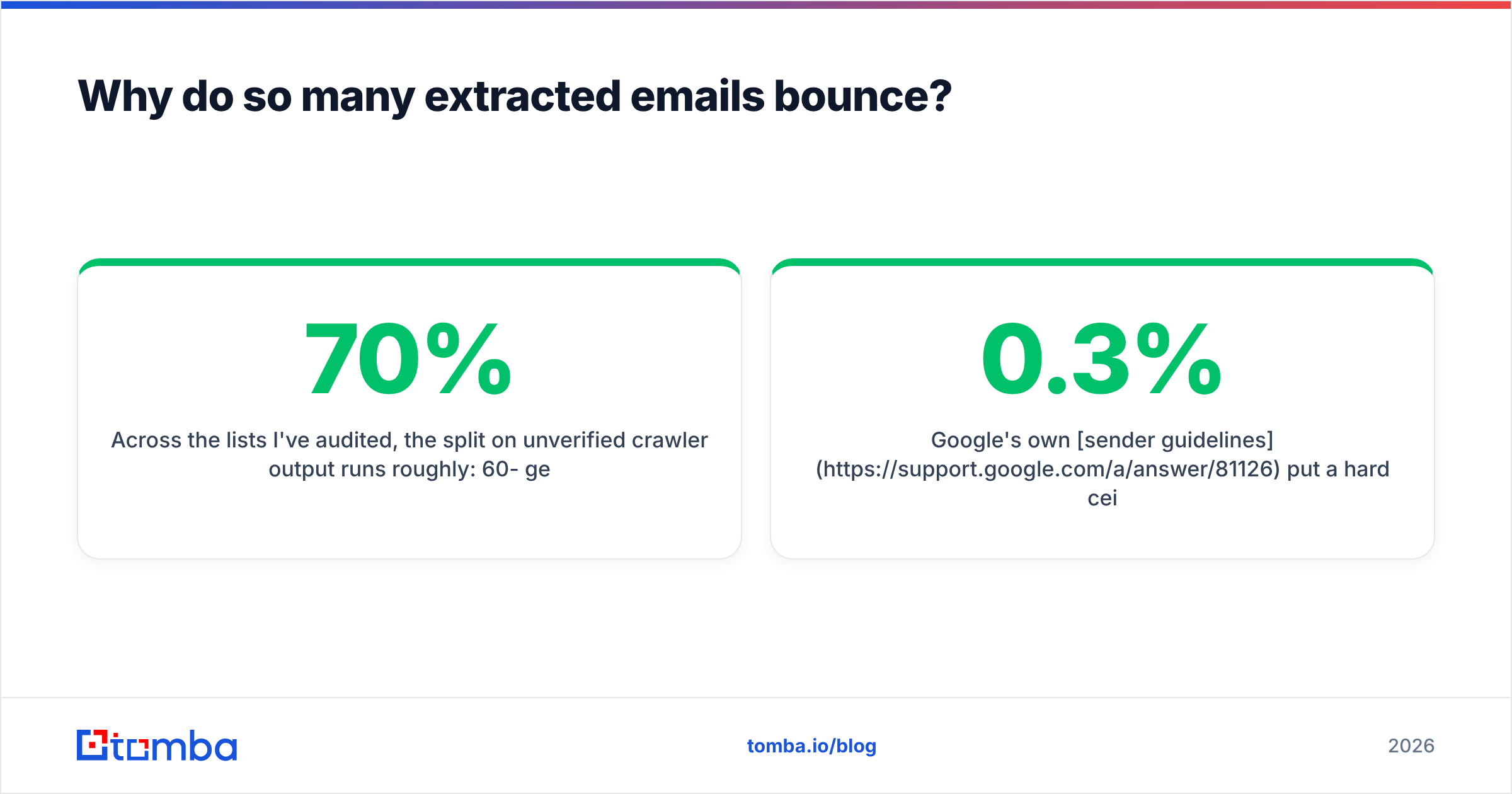
Across the lists I've audited, the split on unverified crawler output runs roughly: 60-70% genuinely deliverable, 10-15% role accounts, 10-20% dead mailboxes, and 2-5% traps or artifacts. That last sliver is the one that costs you a domain.
Google's own sender guidelines put a hard ceiling on spam complaint rate — 0.3%, with 0.1% as the target. A list with 20% dead addresses generates a bounce rate that trips filtering long before you approach the complaint threshold. Your sender reputation degrades in days, not months.
What does a correct extraction workflow look like?#
Four stages. Skip any of them and the next one inherits the mess.
1. Extract. Pull from your source. Cast wide — you can discard later, but you can't recover what you never captured. If you're crawling, respect robots.txt and rate limits; getting your IP banned mid-crawl costs more time than throttling would have.
2. Dedupe and normalize. Lowercase everything, strip Gmail dots and +tags, collapse firstname.lastname@ against f.lastname@ when both appear for one domain. A typical raw crawl of a mid-size company site has 15-25% duplicates once normalized. Run remove duplicates before you spend a single verification credit — deduping is free, verifying is not.
3. Verify. Non-negotiable. Real verification does syntax check → domain MX lookup → SMTP handshake → catch-all detection → disposable/role classification. It should return a status, not a boolean: valid, invalid, accept-all, unknown, disposable. Anything that gives you a bare true/false is hiding uncertainty from you. Push the deduped list through an email verifier and segment by status.
4. Enrich. An address alone doesn't tell you whether to write to this person. Attach job title, seniority, company size, and location so you can actually segment. Contact enrichment turns a list of strings into a list of people.
The ordering matters financially. Dedupe before verify and you cut verification spend by 15-25% immediately. Verify before enrich and you don't pay to enrich dead addresses.
How do the main email extractor options compare in 2026?#
Here's an honest read on the categories, with pricing as published at time of writing.
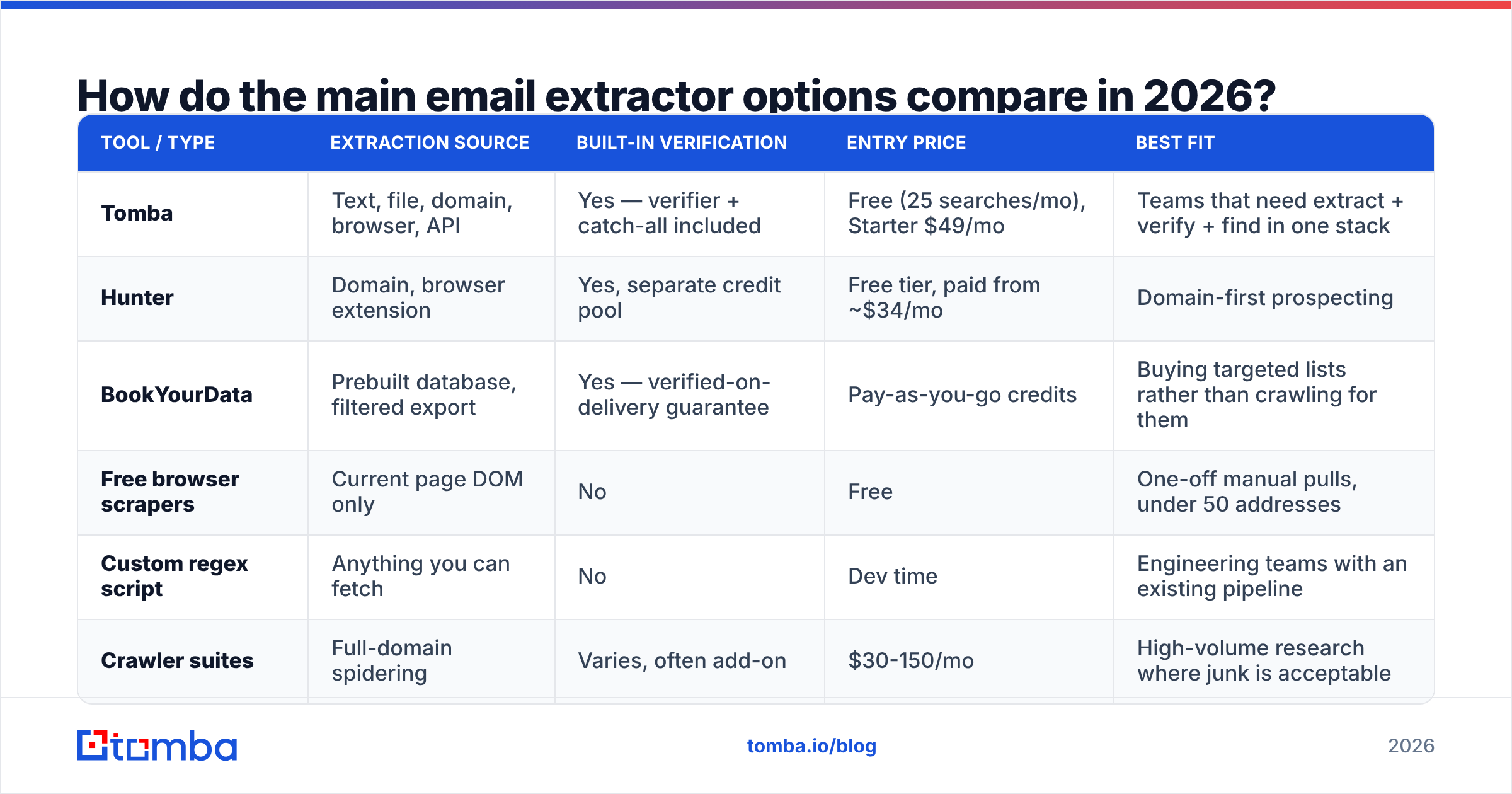
| Tool / type | Extraction source | Built-in verification | Entry price | Best fit |
|---|---|---|---|---|
| Tomba | Text, file, domain, browser, API | Yes — verifier + catch-all included | Free (25 searches/mo), Starter $49/mo | Teams that need extract + verify + find in one stack |
| Hunter | Domain, browser extension | Yes, separate credit pool | Free tier, paid from ~$34/mo | Domain-first prospecting |
| BookYourData | Prebuilt database, filtered export | Yes — verified-on-delivery guarantee | Pay-as-you-go credits | Buying targeted lists rather than crawling for them |
| Free browser scrapers | Current page DOM only | No | Free | One-off manual pulls, under 50 addresses |
| Custom regex script | Anything you can fetch | No | Dev time | Engineering teams with an existing pipeline |
| Crawler suites | Full-domain spidering | Varies, often add-on | $30-150/mo | High-volume research where junk is acceptable |
A note on the "free" column: free extractors are genuinely useful and I use them weekly. The catch is that free extraction plus paid verification often costs more per usable contact than a bundled plan — you pay full verification price on a list that's 30% junk. On Tomba pricing, Starter runs $49/mo and Growth $99/mo with extraction, verification, and finding drawing from one pool, which removes that arithmetic.
BookYourData deserves a separate mention because it solves a different problem. Rather than extracting from sources you find, you filter a maintained database and export verified contacts directly. If your bottleneck is "I don't know which companies to target," that's a better shape than any crawler.

Is email extraction legal?#
Short answer: extraction is generally legal, use is regulated. The distinction is where teams get in trouble.
Under GDPR, a business email tied to a named person is personal data. Collecting it isn't automatically prohibited — legitimate interest can be a lawful basis for B2B outreach — but you owe transparency about where you got it, a genuine opt-out, and a documented basis you can produce on request. Some member states (Germany, Italy) apply stricter interpretations to unsolicited commercial email.
Under CAN-SPAM in the US, harvesting addresses via automated means from websites is explicitly called out as an aggravating factor that raises penalties. Extraction alone isn't the violation; extraction plus non-compliant sending is.
Practical guardrails that keep you clean:
- Target business addresses at business domains, not personal ones
- Honor
robots.txtand site terms when crawling - Include a working unsubscribe in every message, first touch included
- Keep a record of source and date for every contact
- Suppress anyone who opts out, permanently and across all your lists
None of this is legal advice. If you're operating at scale in the EU, get counsel who's read your actual sending practices.
When should you use an extractor instead of a finder?#
Use an extractor when:
- You're cleaning or migrating an existing list and need every address out of a legacy export
- You have a source document — attendee list, directory PDF, forum thread — and want everything in it
- You're mapping a company's public contact surface, not targeting one person
- Volume matters more than precision, and you'll verify downstream anyway
Use a finder when:
- You have a specific name and company and need that person's address
- You're doing account-based outreach where each contact is deliberately chosen
- The target's address isn't published anywhere, so there's nothing to extract
- Reply rate matters more than list size
In practice most workflows run both. Extract broadly to map who exists at an account, then use a finder for the three decision-makers who never appear on the public site. A domain search sits between the two — it returns known addresses for a domain along with the detected pattern, so you can infer the rest.
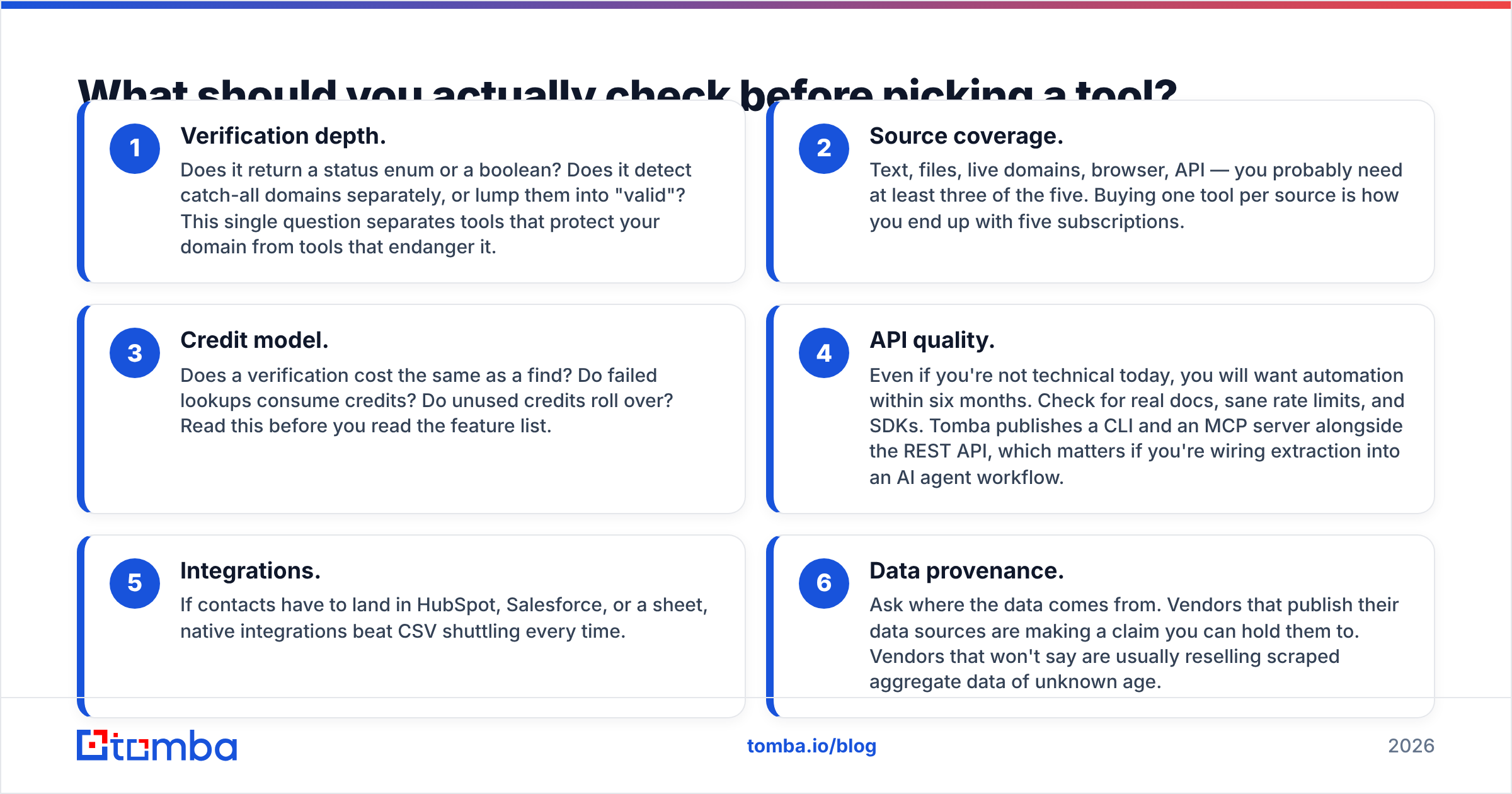
What should you actually check before picking a tool?#
Six things, in the order they'll matter to you:
- Verification depth. Does it return a status enum or a boolean? Does it detect catch-all domains separately, or lump them into "valid"? This single question separates tools that protect your domain from tools that endanger it.
- Source coverage. Text, files, live domains, browser, API — you probably need at least three of the five. Buying one tool per source is how you end up with five subscriptions.
- Credit model. Does a verification cost the same as a find? Do failed lookups consume credits? Do unused credits roll over? Read this before you read the feature list.
- API quality. Even if you're not technical today, you will want automation within six months. Check for real docs, sane rate limits, and SDKs. Tomba publishes a CLI and an MCP server alongside the REST API, which matters if you're wiring extraction into an AI agent workflow.
- Integrations. If contacts have to land in HubSpot, Salesforce, or a sheet, native integrations beat CSV shuttling every time.
- Data provenance. Ask where the data comes from. Vendors that publish their data sources are making a claim you can hold them to. Vendors that won't say are usually reselling scraped aggregate data of unknown age.
Check the review sites too — G2's email verification category is reasonably honest about which vendors have accuracy complaints, because bounce rates are the one thing users measure precisely and complain about loudly.
What's the realistic outcome?#
If you extract and send without verification, expect 20-35% bounce, filtering within two weeks, and a domain you'll be warming up again by month two.
If you extract, dedupe, verify, and segment by status — sending only to confirmed-valid, holding catch-alls for a separate low-volume test, discarding role accounts unless they're genuinely your target — expect bounce under 3% and a list you can keep using.
The difference between those two outcomes isn't the extractor. Every extractor on the market pulls roughly the same addresses off the same page. The difference is entirely in what happens in the ninety seconds after extraction.
Get verified contacts, not just extracted strings#
Extraction is the cheap half of the problem. The expensive half is knowing which of those addresses will accept mail tomorrow.
Tomba Email Finder covers both ends — pull addresses from any domain, verify each one against live mail servers with catch-all detection, and enrich what survives with role and company context. The free tier gives you 25 searches a month to test against a domain you already know, so you can check the results yourself before spending anything. Starter is $49/mo when you outgrow it.
Run one of your existing scraped lists through the verifier first. The percentage that comes back dead will tell you more about your current process than any comparison table can.
Related guides#
Ready to find emails that actually work?
Join 150,000+ professionals who stopped guessing and started sending. Free credits on signup — no credit card required.
Get the Tomba newsletter
Practical outbound tactics and product updates — once every two weeks.
About the author